


Turbo Button
To get started, make sure to set your Turbo username in Settings > Turbo Button.
If you have not yet created an account, please visit Turbo for more information, and Turbo to register.
Plugin features and usage instructions:
-
Shortcode: In the WordPress visual editor, enter “[turbo $price]” in the location you would like to insert a payment link. The $price should be a valid dollar amount like $1.00. So to create a payment link for $1.00 use [turbo 1.00]. Save the post, and view the page in WordPress. The payment link will now redirect to your Turbo account’s landing page for checkout.
-
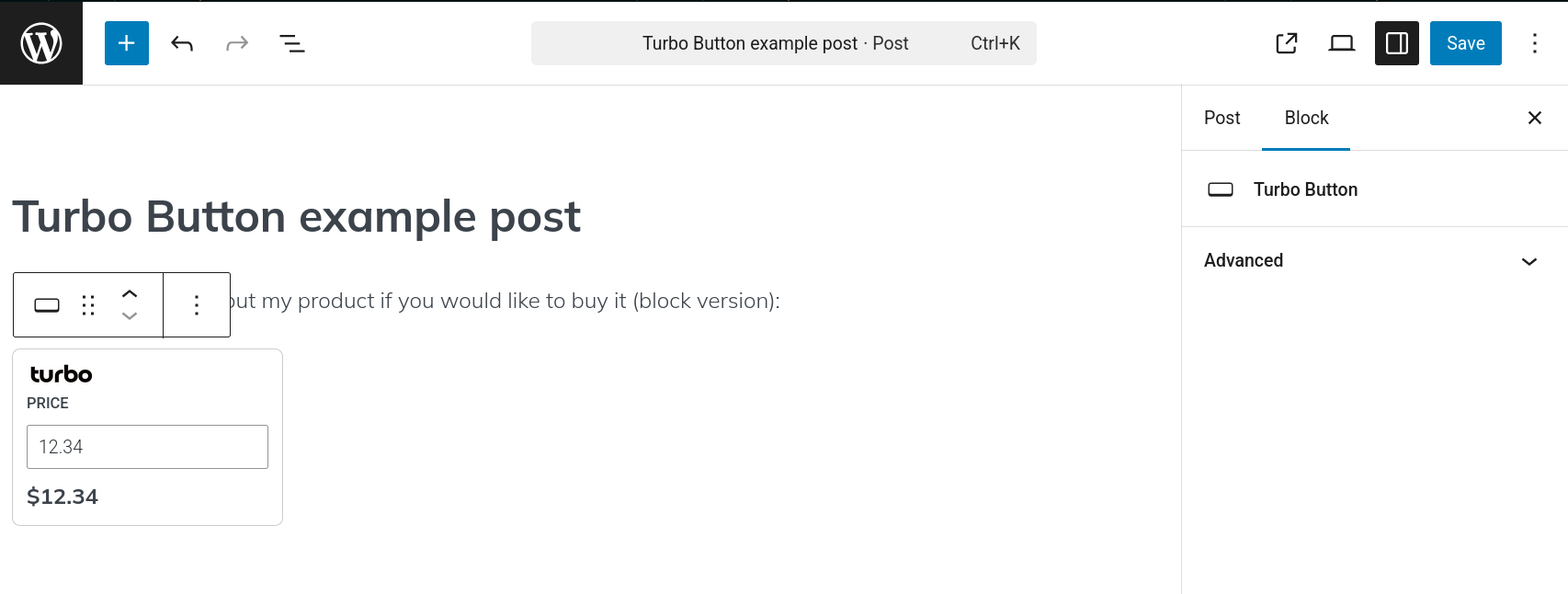
Gutenberg block: In the WordPress visual editor, enter /turbo, then select the Turbo Button block. Enter the price for the link you would like to create. Save the post, and view the page in WordPress. The payment link will now redirect to your Turbo account’s landing page for checkout.
Details




Related plugins
Plugins that also contain the tag fintech
Flutterwave WooCommerce

BelemaPay Payment Gateway

Onepipe Payment Gateway for Easy Digital Downloads

Devdraft Payment

end2endPay for Woocommerce

OnePipe Payment Gateway for WooCommerce


About
Plugin for that tries to help you find the WordPress plugin you are looking for.
| Please enjoy an image of Crush (this awesome turtle) and have a lovely day! |  |
We do not own any plugin listed on this site and do not work for or work with WordPress.com or it's associated companies. We simply provide a searchable list of the available WordPress plugins.