



TwinCraft AutoGuard
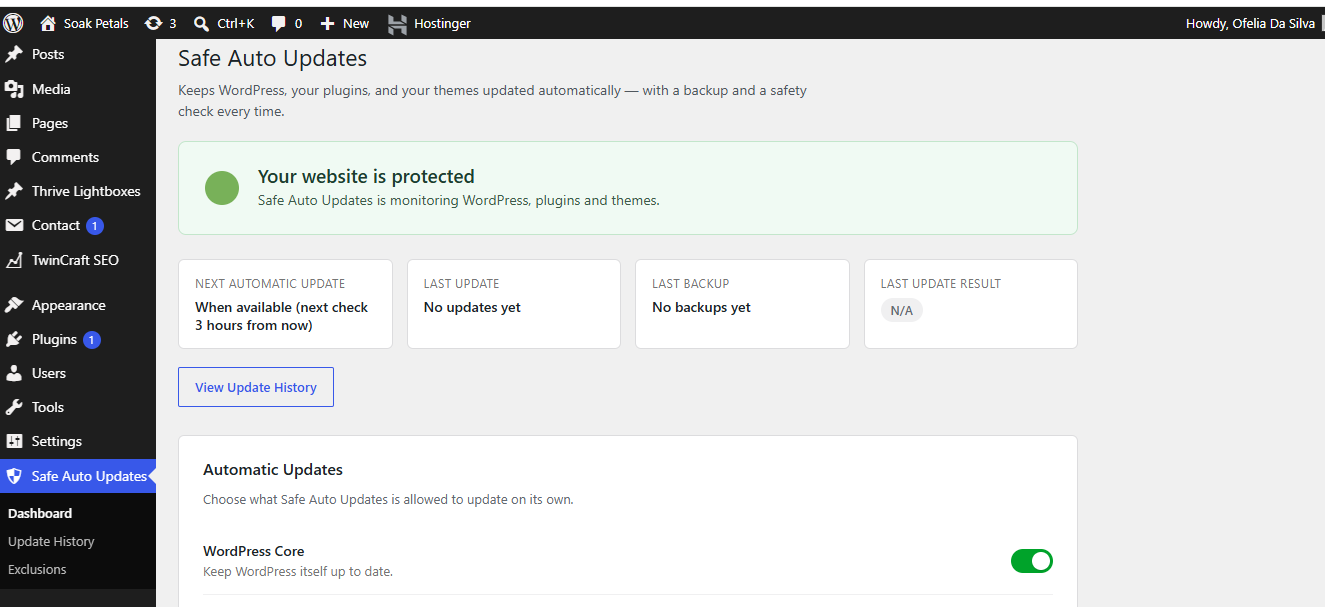
TwinCraft AutoGuard takes the worry out of keeping a WordPress site current. Instead of just flipping on WordPress’s built-in auto-updates and hoping for the best, it follows a simple, safe sequence every time:
Backup Update Verify Notify
- Backup — before anything is changed, the plugin or theme being updated is backed up automatically.
- Update — the update is applied.
- Verify — the plugin checks whether the update actually completed successfully.
- Notify — if anything goes wrong, you get an email immediately with exactly what failed and why. Successful updates are simply logged for your records.
Key features
- One clear dashboard that answers “Is my website protected?” at a glance
- Separate on/off switches for WordPress core, plugins, and themes
- Automatic backup before every update
- Instant email alerts on failure, with full details
- A simple, readable Update History log
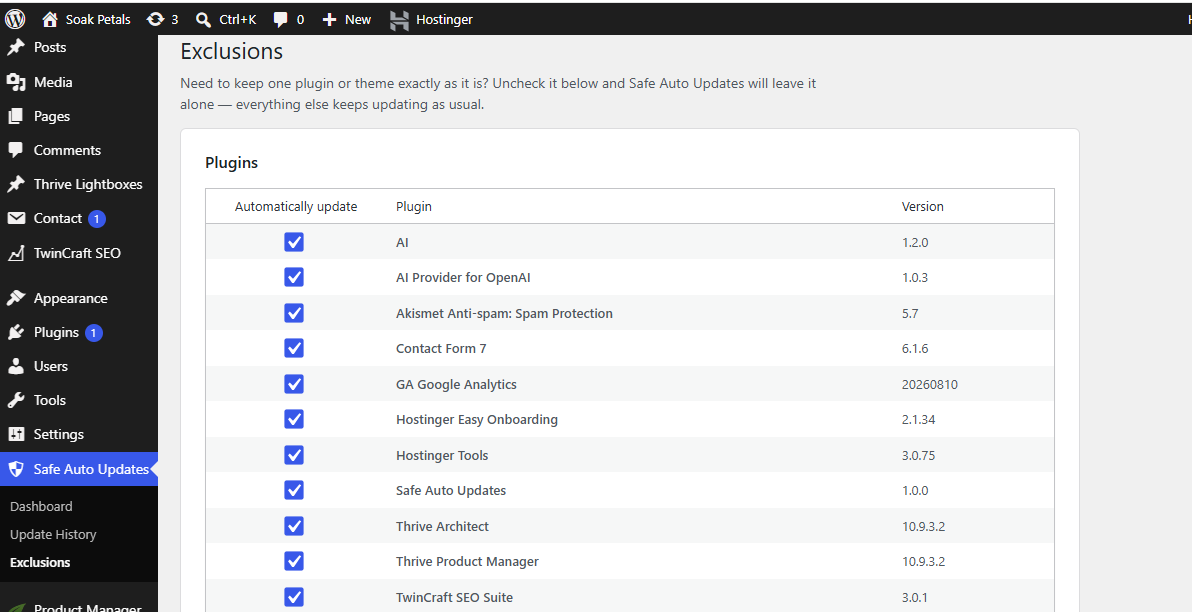
- Exclude individual plugins or themes from automatic updates in one click
- No ads, no upsells, no confusing settings — built to be understood by anyone
Who is this for?
Site owners who want the convenience of automatic updates without the risk of an update breaking their site unnoticed. If something fails, you’ll know immediately — and you’ll have a backup to fall back on.
Details
Related plugins
Plugins that also contain the tag automatic-updates
Disable updates, Updates manager, Disable automatic updates

WP Auto Updater

Update Control

WP Disable Automatic Updates
WP Automatic Updates

Disable Automatic Updates – Enable/Disable core, plugins, themes, translation updates


About
Plugin for that tries to help you find the WordPress plugin you are looking for.
| Please enjoy an image of Crush (this awesome turtle) and have a lovely day! |  |
We do not own any plugin listed on this site and do not work for or work with WordPress.com or it's associated companies. We simply provide a searchable list of the available WordPress plugins.