


Adobe Fonts (formerly Typekit) for WordPress
Embed and use Adobe Fonts (https://fonts.adobe.com) in your WordPress website without having to edit your theme!
Adobe Fonts offers a service that allows you to select from a range of over 25,000 high-quality fonts for your WordPress website. The fonts are applied using the font-face standard, so they are standards compliant, fully licensed, and accessible.
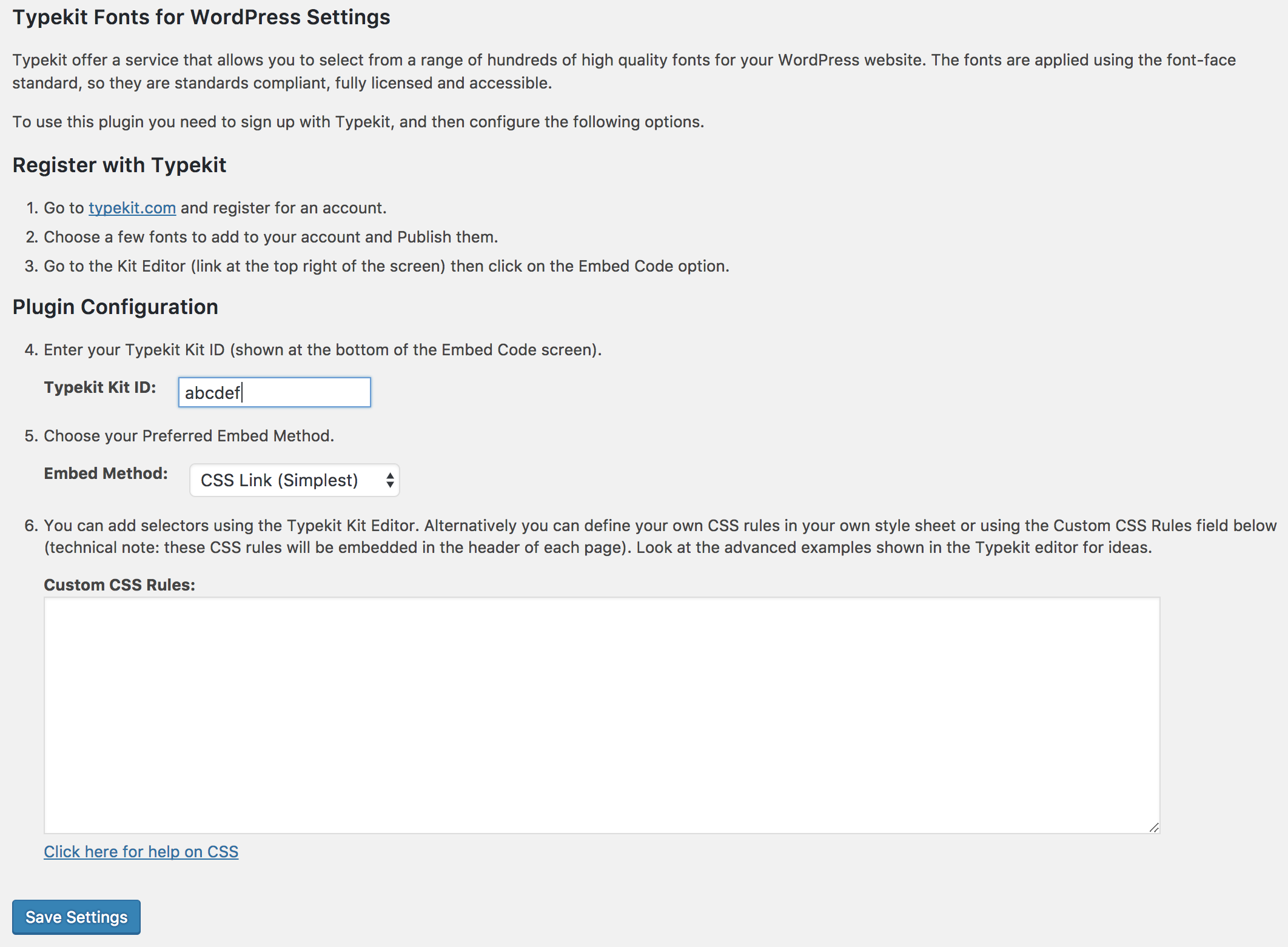
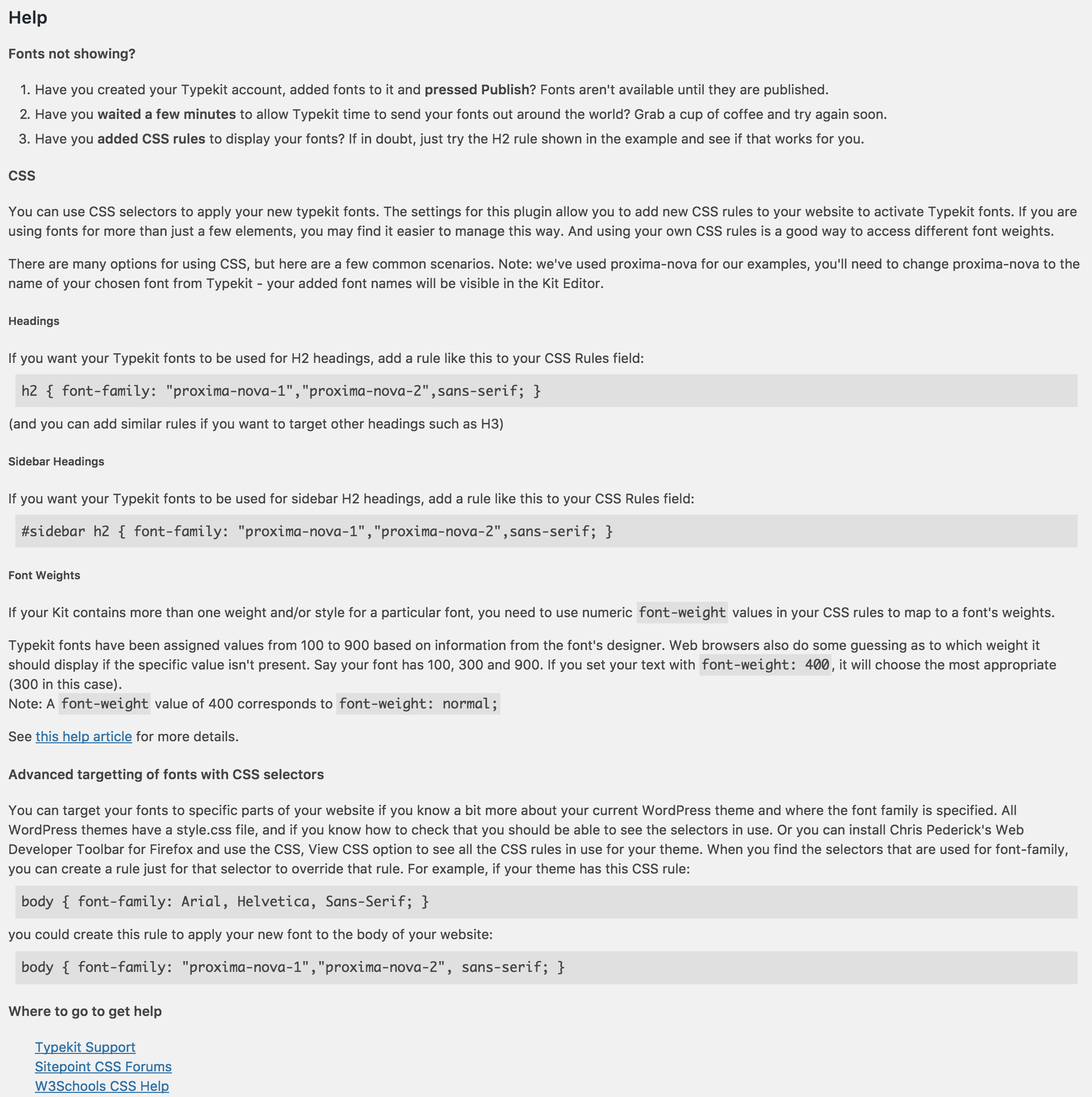
To use this plugin, you need to sign up with Adobe Fonts, install this plugin, and then either configure some Adobe Fonts selectors or define your own CSS rules. Adobe Fonts selectors provide a quick and easy way to get fonts enabled on your site. Using your own CSS rules (as explained in Adobe Fonts’ Advanced tips) gives you more control and lets you access additional attributes such as font-weight. This plugin allows you to create your own CSS rules that use Adobe Fonts without the need to edit/upload CSS style sheets.
Detailed instructions are available on the plugin’s settings page.
This plugin by default uses Adobe Fonts’ CSS embed code (https://blog.typekit.com/2017/11/16/new-on-typekit-load-web-fonts-with-css/). However, if you prefer, you can use the asynchronous JavaScript embed.
Compatible with WordPress Multisite.
Available Languages
- Japanese – 日本語 (ja)
Other Languages
If you would like to translate this plugin into another language, please visit the translate.wordpress.org site (https://translate.wordpress.org/projects/wp-plugins/typekit-fonts-for-wordpress). Thank you!
Details
Related plugins
Plugins that also contain the tag adobe
Digital Publishing Tools for WordPress

Flash Media Playback

iOS Alternate Theme

peq Leia Mais spry adobe

Adobe Analytics for WordPress by RepEquity

peq Pop Up spry adobe


About
Plugin for that tries to help you find the WordPress plugin you are looking for.
| Please enjoy an image of Crush (this awesome turtle) and have a lovely day! |  |
We do not own any plugin listed on this site and do not work for or work with WordPress.com or it's associated companies. We simply provide a searchable list of the available WordPress plugins.