



useClick
UseClick.io (https://useclick.io) is a URL shortener with click tracking and privacy-first website analytics. This plugin connects your WordPress site to your UseClick.io account, so you can create short links, see their clicks and read your visitor reports without leaving wp-admin.
Short links
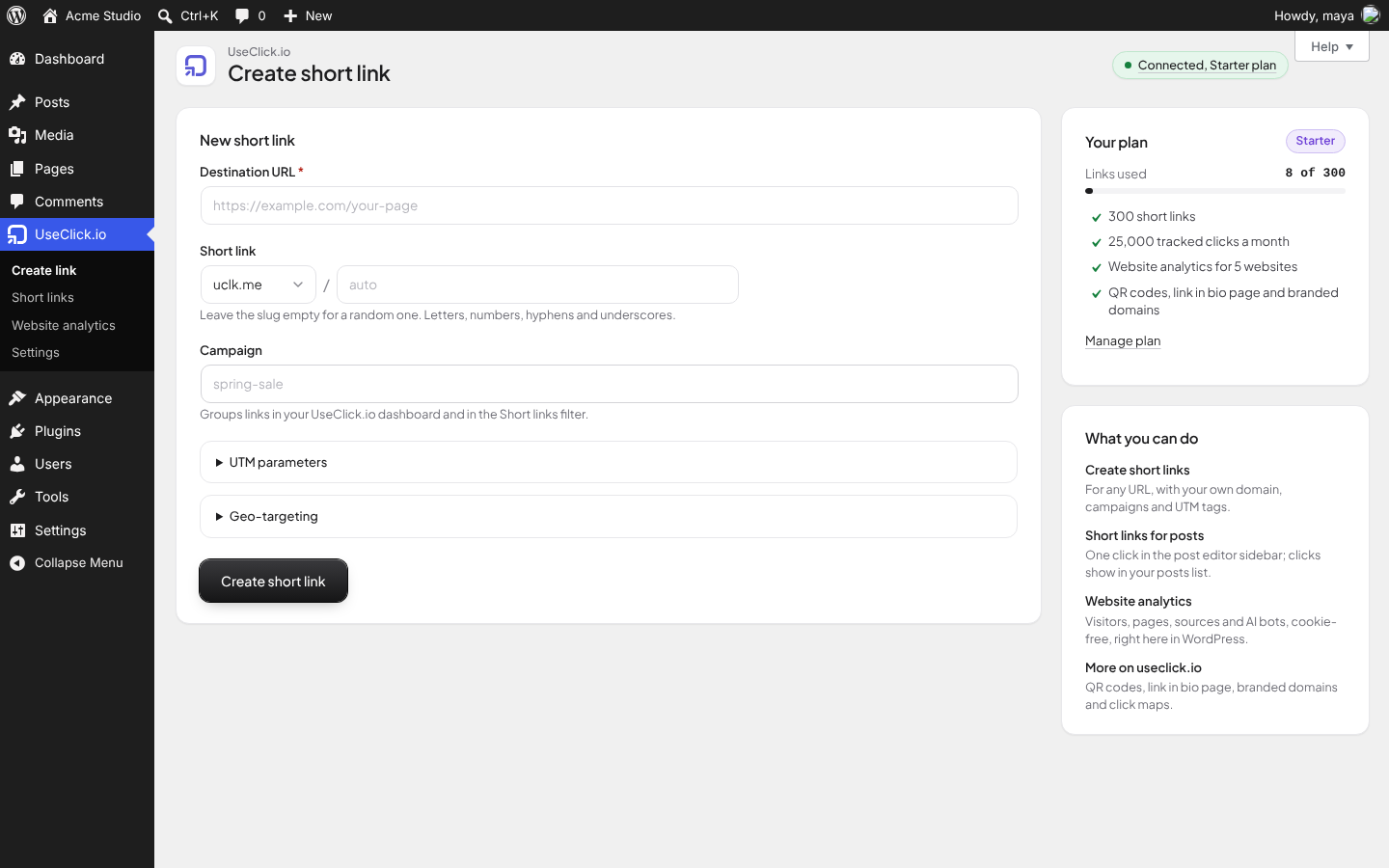
- Create a short link for any URL on the built-in short domain or on your own branded domain.
- Pick a custom slug or let UseClick.io generate one.
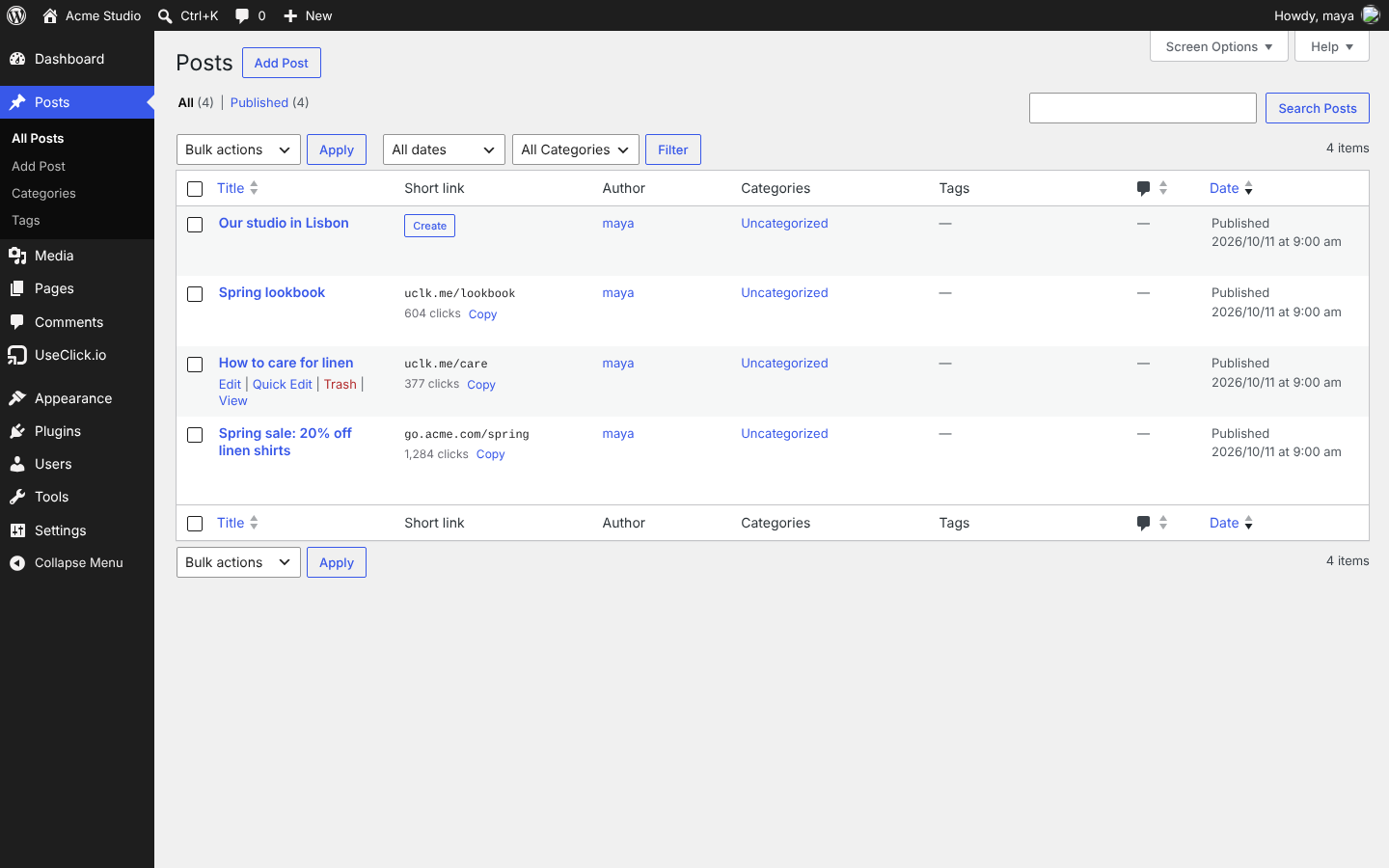
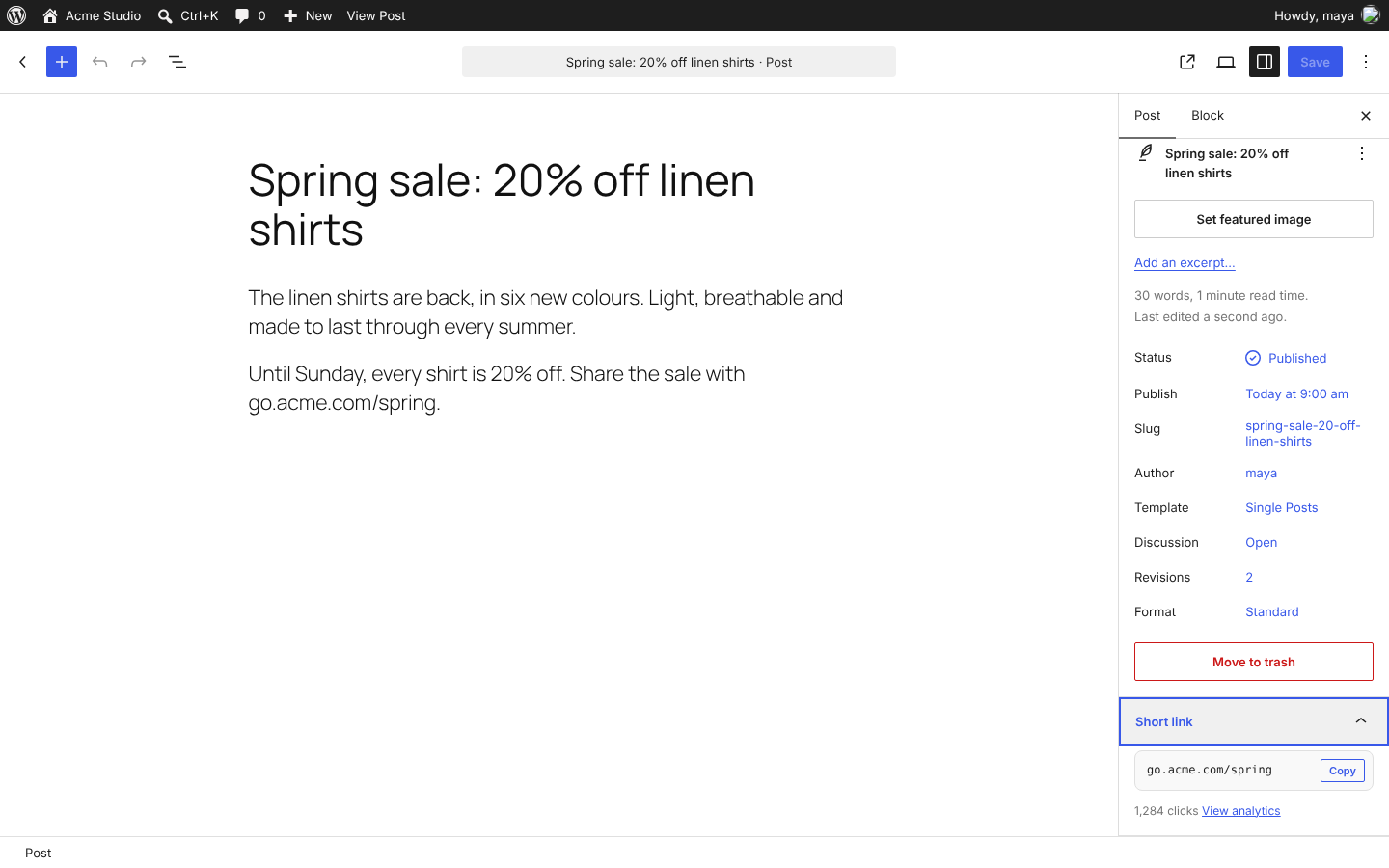
- A Short link box in the post editor and a Short link column in the post and page lists, with click counts.
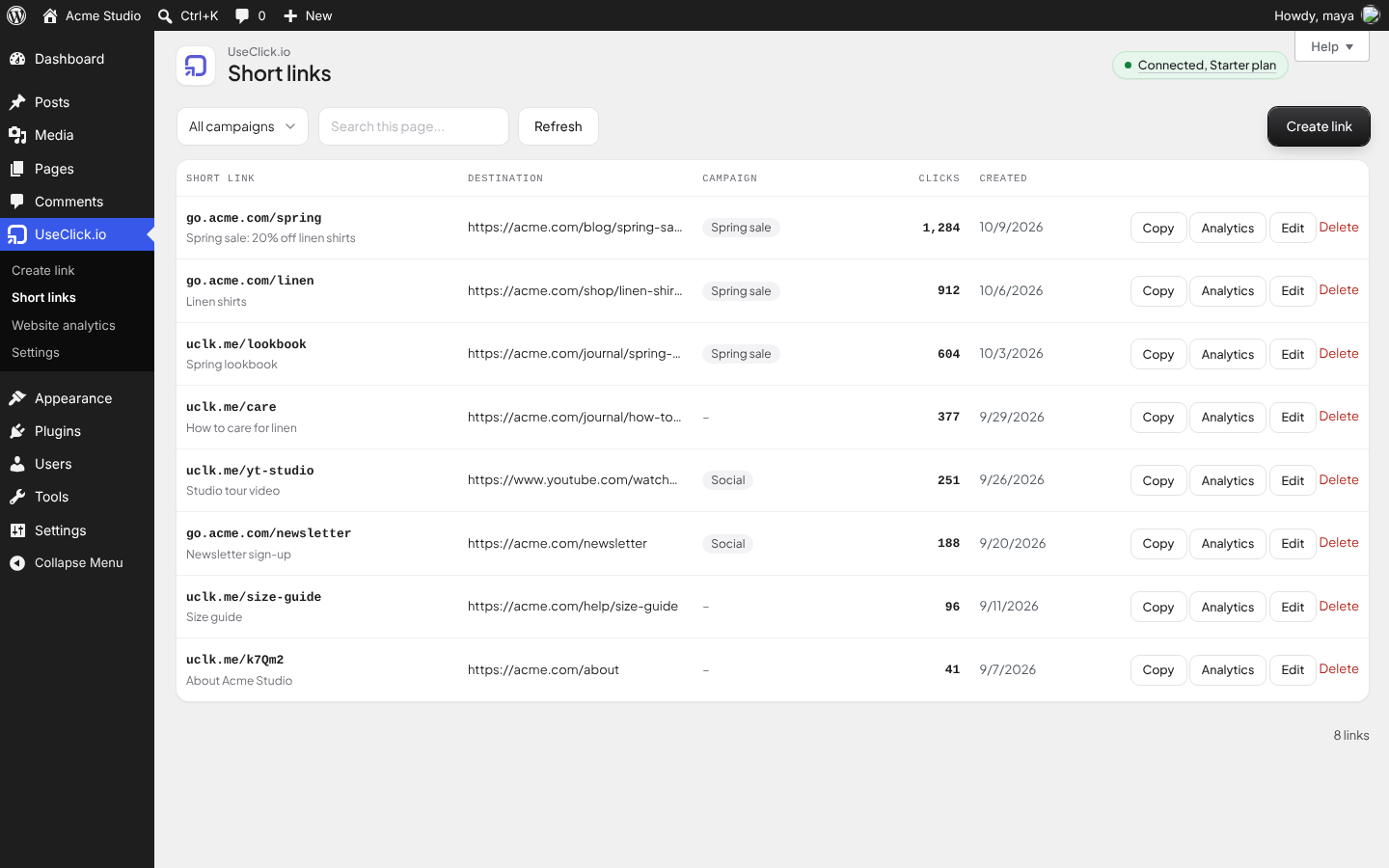
- A Short links screen with search, campaign filter, click counts, copy, edit and delete.
- Campaigns, UTM parameters and geo-targeting (send visitors from chosen countries to a different URL) on the Starter plan and above.
- Detailed click analytics (countries, devices, browsers, referrers) open in your UseClick.io dashboard.
Website analytics
- Pick one of your UseClick.io websites and switch tracking on. The plugin adds the UseClick.io tracker to the head of every public page.
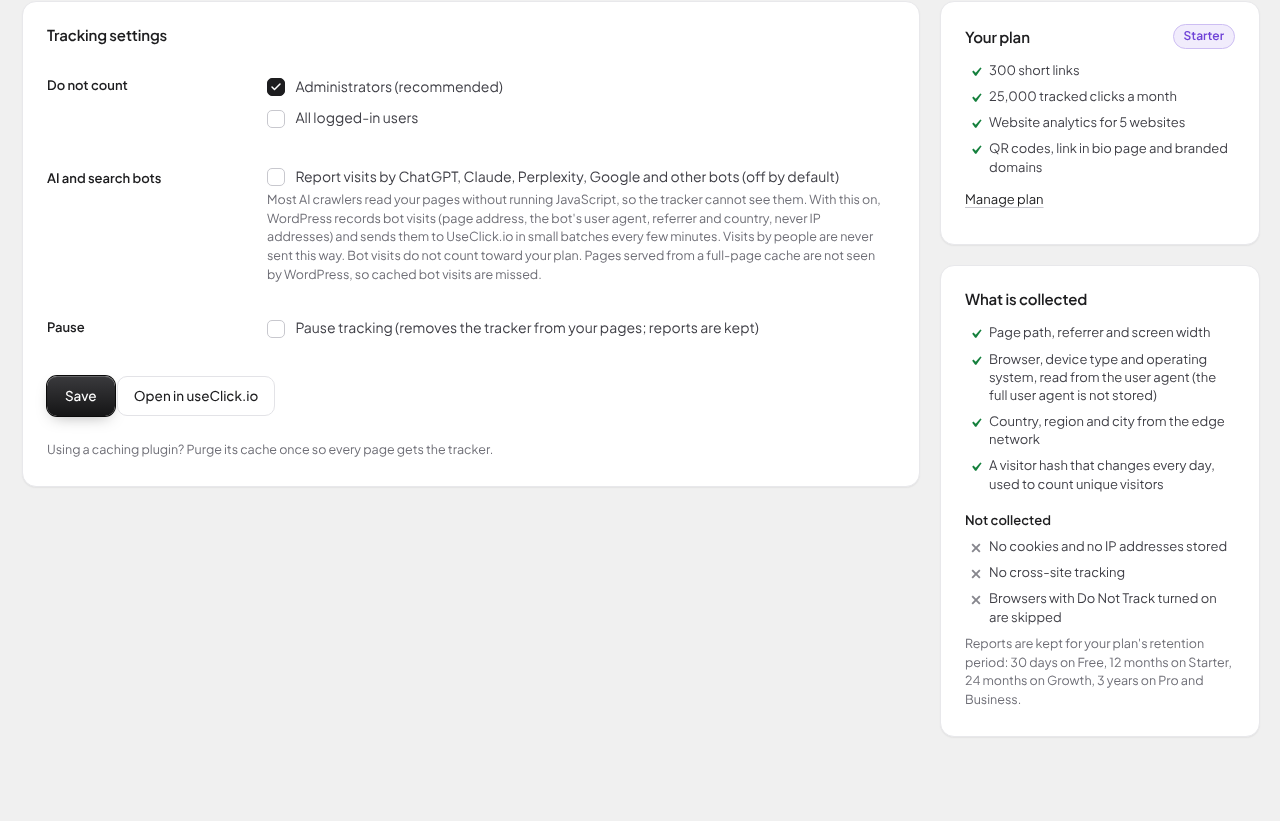
- No cookies. IP addresses are not stored. Browsers with Do Not Track turned on are skipped.
- Administrators are not counted by default; you can also skip all logged-in users.
- Free plan: one website as a 14-day trial. Starter and above: 5 to 100 websites.
- Optional, off by default: report visits by AI assistants and search bots (ChatGPT, Claude, Perplexity, Google) that never run JavaScript.
Plan-aware
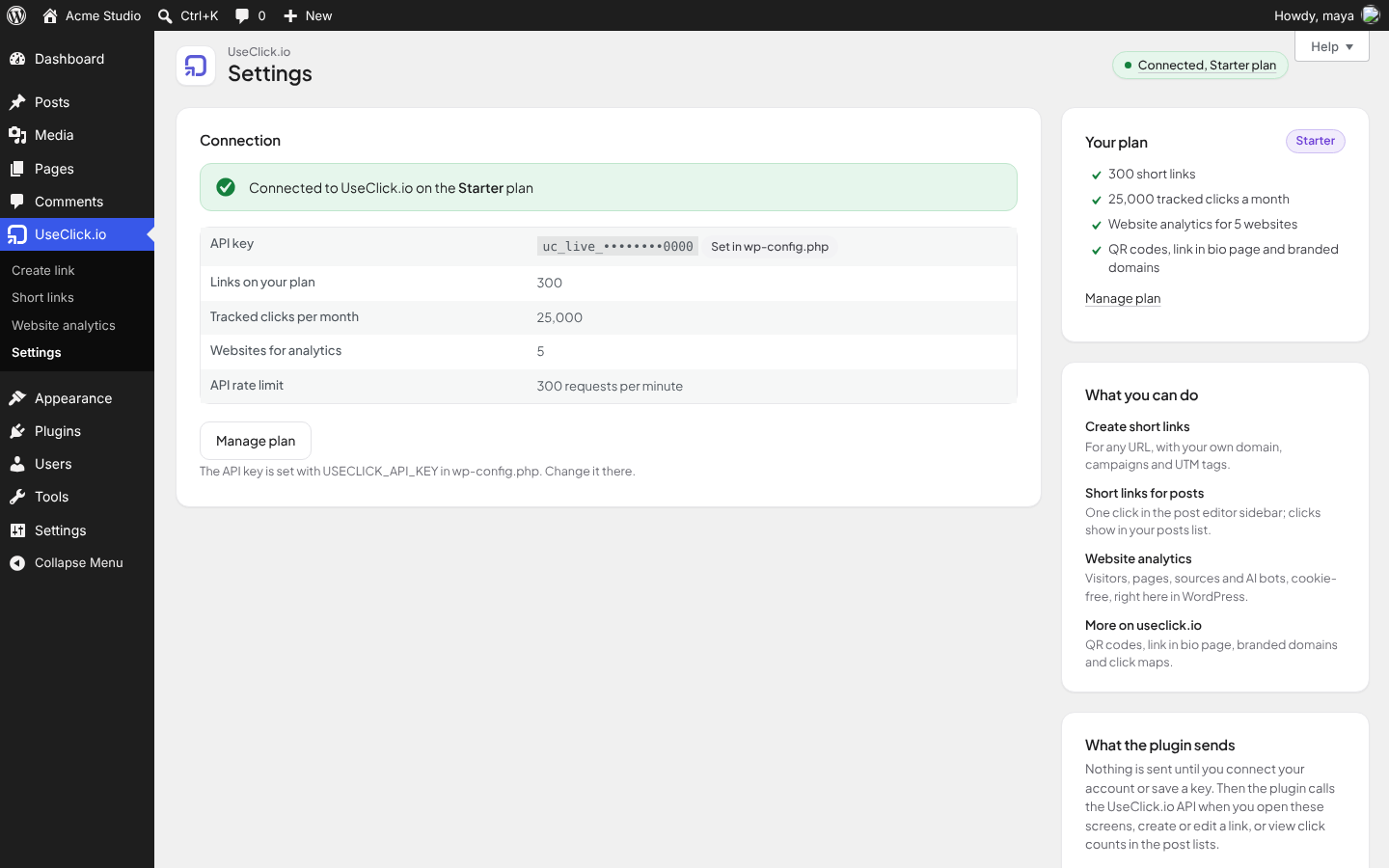
The plugin reads your plan from the API and marks features your plan does not include, so you do not fill in fields that the API would reject. When a request needs a higher plan, the error names the plan and links to the pricing page.
Account required
This plugin is a client for the UseClick.io service and needs a UseClick.io account. A free plan is available (10 links, 1,000 tracked clicks per month).
External services
This plugin connects to UseClick.io, a link shortening and analytics service run by UseClick.io. Nothing is sent to UseClick.io until you click Connect with useClick.io or save an API key on the Settings screen.
Connect with useClick.io (https://useclick.io/dashboard/connect/wordpress and https://useclick.io/api/integrations/wordpress/exchange)
Only when you click Connect with useClick.io. Your browser is sent to useclick.io with this site’s address, the address of its wp-admin and a random one-time value; after you sign in and confirm, it returns to wp-admin with a one-time code. WordPress then sends that code and this site’s address to UseClick.io and receives an API key for this site. Nothing else about your site or its users is sent.
UseClick.io API (https://useclick.io/api/v1)
Used to check your API key and read your plan, list your branded domains and Website Analytics websites, add this site to Website Analytics, and create, list, update and delete short links. Requests are sent when you save or test a key, open the plugin’s screens, create or edit a link, open the post editor or a post list (to show click counts, cached for five minutes), or click Create short link for a post. Each request carries your API key. When you create or edit a link it also carries the link details you entered: destination URL, slug, domain, campaign, UTM parameters, country targets and, for posts, the post title.
Reports on the Website analytics screen (https://useclick.io/api/v1/websites/{id}/stats)
When this site is tracked and an administrator opens the Website analytics screen, WordPress asks the UseClick.io API (with your API key) for this website’s numbers: visitors, page views, top pages, sources, countries, devices, browsers and bots for the chosen date range. The answer is cached for five minutes and drawn on that screen by the plugin; nothing is loaded from useclick.io in the browser.
UseClick.io tracker (https://useclick.io/analytics.js)
Only if you turn on Website analytics. The script is loaded by your visitors’ browsers on public pages and sends the page path, referrer, screen width and the website ID to UseClick.io. UseClick.io reads browser, device type, operating system and approximate location (country, region, city) from the request and counts unique visitors with a hash that changes every day. No cookies are set and IP addresses are not stored.
Bot visit reporting (https://useclick.io/api/analytics/server-hit)
Only if you turn on Website analytics and also tick “Report visits by ChatGPT, Claude, Perplexity, Google and other bots” (off by default). When a request to your site comes from a known bot user agent, WordPress records the page address, the bot’s user agent, the referrer, the visitor country header set by Cloudflare (if present) and your website ID, and sends these records to UseClick.io in batches every few minutes, authenticated with your API key. Requests from people are never sent this way and no IP addresses are sent.
Bot list (https://useclick.io/api/analytics/bot-signatures)
Only while bot visit reporting is on. Once a day WordPress downloads the current list of bot user-agent names from UseClick.io. No data about your site or visitors is sent with this request.
- Terms of service: https://useclick.io/terms
- Privacy policy: https://useclick.io/privacy
Credits
The admin screens use Plus Jakarta Sans (SIL Open Font License 1.1, assets/fonts/OFL.txt), bundled with the plugin; no fonts are loaded from other servers.
Details
Related plugins
Plugins that also contain the tag click-tracking
Track The Click

Linkt
ShortLinks Pro – Affiliate Links, Link Shortening, Click Tracking & Marketing

Smart Click Tracker
Simple URLs Legacy
Click Counter by Simple Tools

About
Plugin for that tries to help you find the WordPress plugin you are looking for.
| Please enjoy an image of Crush (this awesome turtle) and have a lovely day! |  |
We do not own any plugin listed on this site and do not work for or work with WordPress.com or it's associated companies. We simply provide a searchable list of the available WordPress plugins.