



UTM Tracker for Contact Form 7
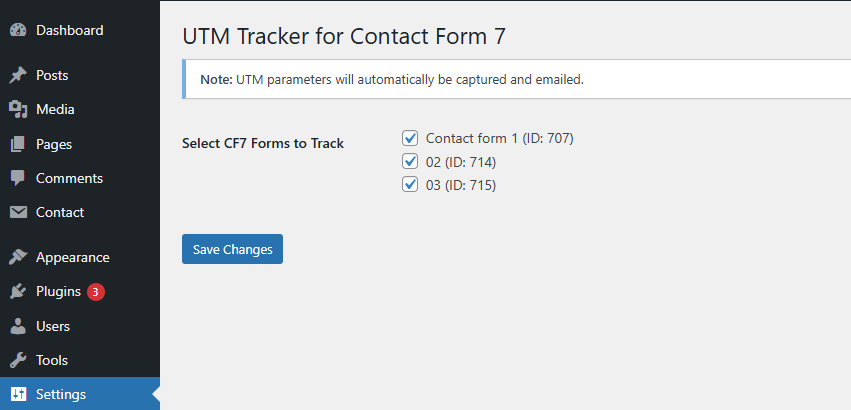
UTM Tracker for Contact Form 7 helps you track the source of every lead by automatically capturing UTM parameters from URLs and attaching them to form submissions.
Perfect for:
– Marketers who want to see which ads generate leads
– Agencies proving ROI to clients
– Business owners avoiding wasted ad spend
If you run Google Ads, Meta Ads, or other paid/organic campaigns with UTM parameters in your URLs, this plugin automatically:
1. Detects UTM parameters when a visitor arrives.
2. Stores them in cookies (up to 30 days).
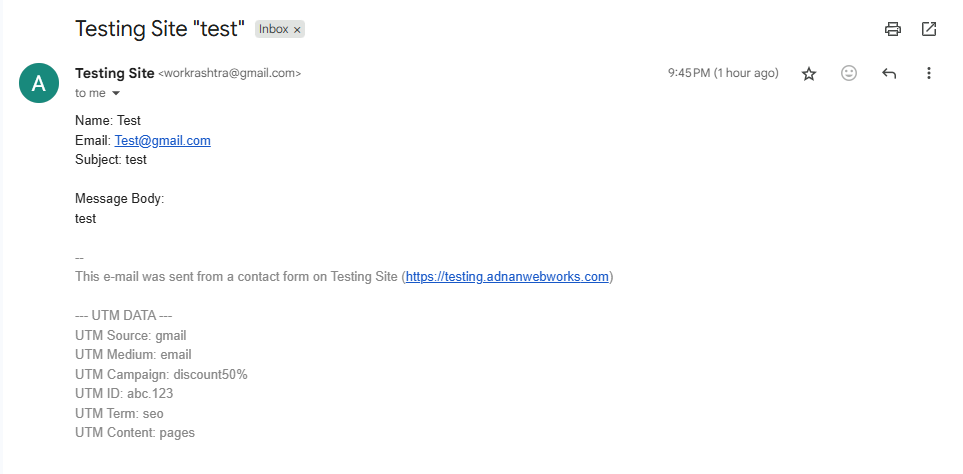
3. Appends them to your Contact Form 7 submission — works with plain text & HTML emails.
Works with popular caching plugins (e.g., WP Rocket, LiteSpeed, W3 Total Cache) and optimized for high-performance sites.
Key Features
- Tracks all standard UTM parameters +
utm_id(Campaign ID) - Works even if users browse multiple pages before submitting
- Stores UTM values for 30 days in cookies
- Compatible with HTML & plain text CF7 emails
- Backward compatible with WP 5.6.15 & CF7 5.1.9
- Zero coding needed — activate and go
- Fully compatible with cached pages
How It Works
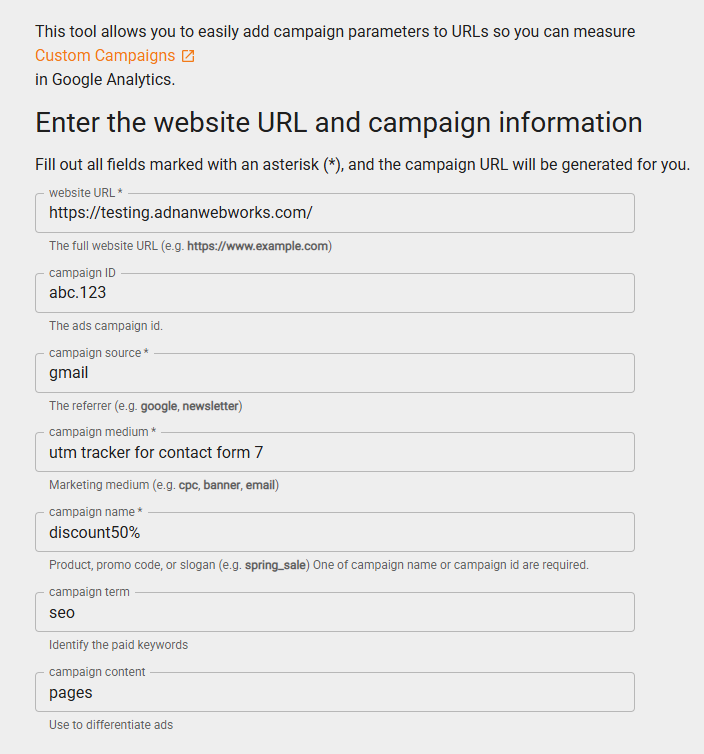
- Visitor lands on a page with UTM parameters:
https://yoursite.com/?utm_source=google&utm_medium=cpc&utm_campaign=spring_sale&utm_id=12345 - Plugin saves the UTM values in cookies.
- When they submit a CF7 form, the UTM data is included in the email.
- You instantly see which campaign generated the lead.
Details
Related plugins
Plugins that also contain the tag campaign-tracking
CallRoot

Telchar Referral Link Tracker

UTM Attribution for WooCommerce

DevLemon UTM Tracker

AutoEmails by AutoThink


About
Plugin for that tries to help you find the WordPress plugin you are looking for.
| Please enjoy an image of Crush (this awesome turtle) and have a lovely day! |  |
We do not own any plugin listed on this site and do not work for or work with WordPress.com or it's associated companies. We simply provide a searchable list of the available WordPress plugins.