



Volance Detection
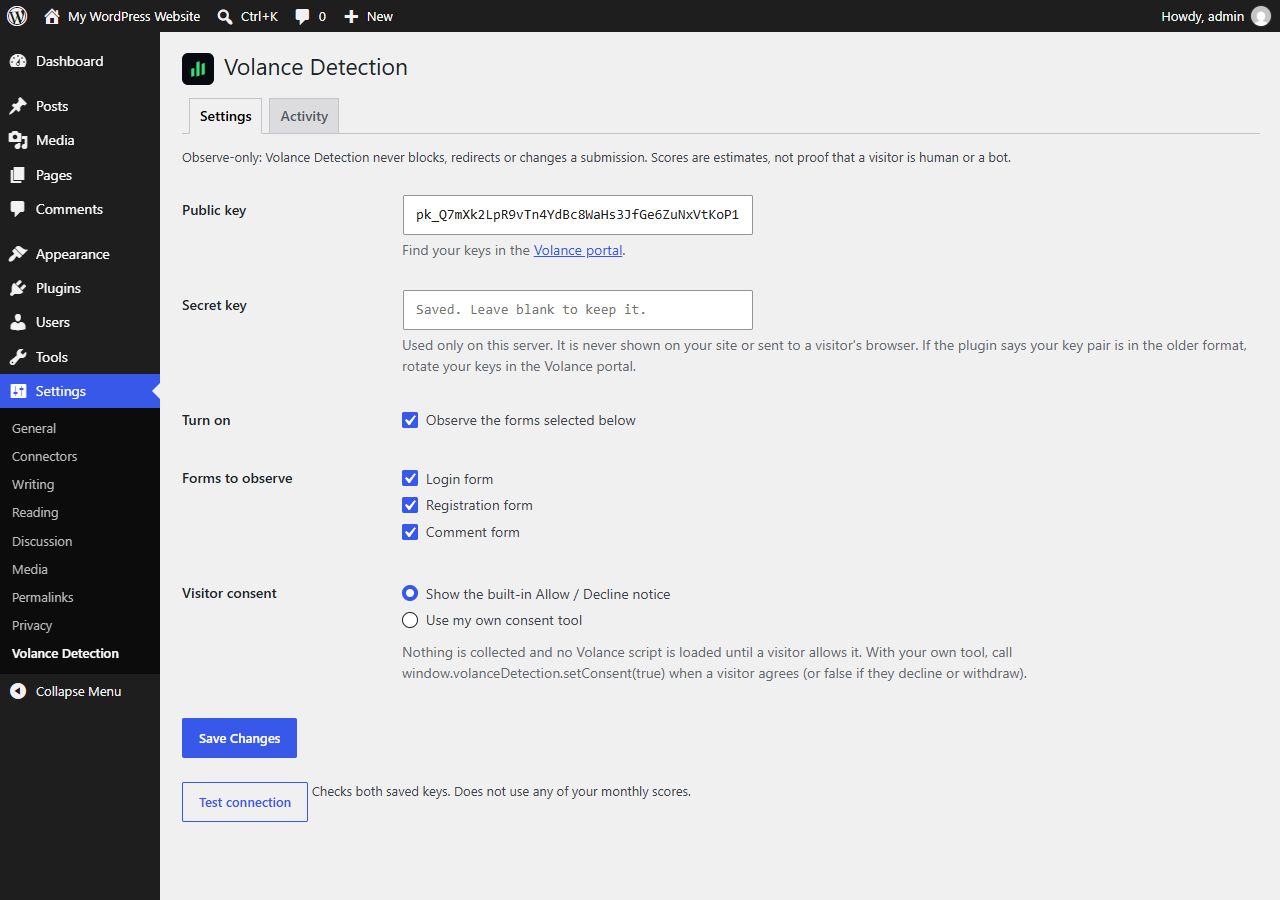
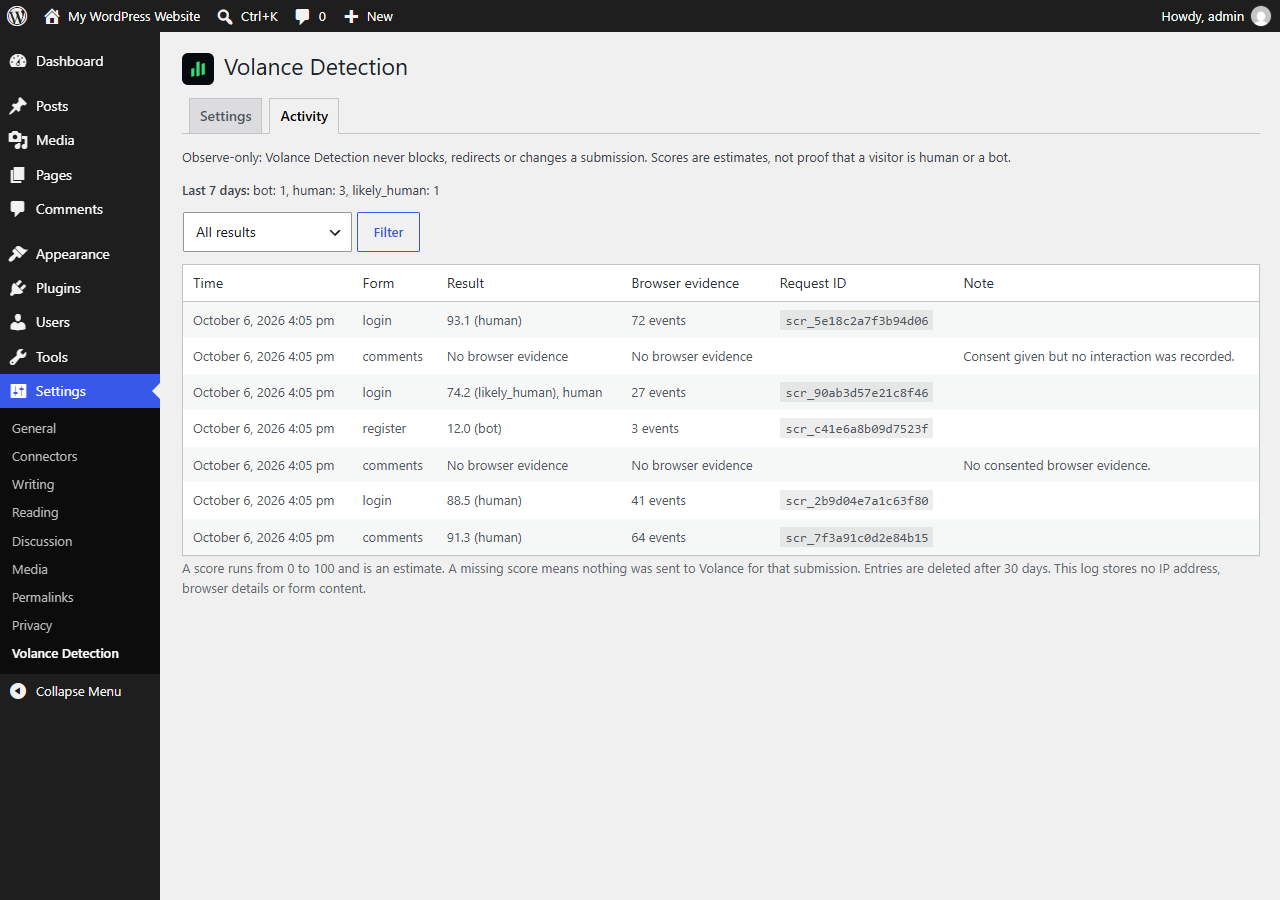
Volance Detection connects your site to the Volance service. When a visitor allows it, a small script records how they interact with the page, and your server passes that to Volance when they submit a login, registration or comment form. Volance returns an estimated human-likeness score, and the plugin shows it in your WordPress admin.
This plugin is observe-only. It never blocks a submission, never redirects and never changes what a visitor sees. If Volance is slow, down or over quota, your forms work exactly as before.
- Nothing is collected, and the Volance script is not even downloaded, until the visitor clicks Allow. A visitor who declines, or whose browser sends Global Privacy Control, is not observed.
- A score is an estimate. It is not proof that someone is human or a bot.
- Your secret key stays on your server. It is never printed on a page or sent to a browser.
- Fingerprinting is never used. If your Volance workspace has the fingerprint tier switched on, the plugin collects and sends nothing until you switch it off.
- The activity log keeps the score, verdict, form, time and request ID for 30 days. It stores no IP address, browser details or form content.
You need a Volance account. Create one at https://app.volance.com.
External services
This plugin connects to the Volance service, operated by Oops Games LLC, to estimate whether a form submission came from a human, an agent or a bot.
1. Volance script (visitor’s browser). After a visitor clicks Allow, their browser downloads and runs https://app.volance.com/trace.js. It makes no network requests of its own. Downloading it reveals the visitor’s IP address and browser details to Volance’s servers, as any web request does.
2. Volance scoring API (your server). When a visitor who allowed detection submits an observed form, your server sends Volance a request to https://app.volance.com/api/trace/session and then https://app.volance.com/api/trace/score, authenticated with your workspace keys. The request contains:
- interaction timing, pointer movement, wheel and scroll timing, key press timing (never which keys) and coarse browser and device descriptors recorded by the script;
- the visitor’s IP address, which Volance stores only as a one-way hash;
- the visitor’s User-Agent, Accept-Language, Sec-CH-UA and Sec-Fetch-Site / Sec-Fetch-Mode request headers.
It never contains typed characters, form values, clipboard contents, page text, page URLs or cookies. Without a visitor’s consent, nothing is sent.
3. Volance account calls (administrators). The Test connection button and the plan and usage line on the settings page call https://app.volance.com/api/trace/config, /session and /usage from your server with your keys. A scheduled task also checks your workspace settings twice a day.
Volance Terms: https://volance.com/terms
Volance Privacy Policy: https://volance.com/privacy
Details
Related plugins
Plugins that also contain the tag agents
WP Propery Listings

Chat Support for Telegram – Bubble & Button with Gutenberg, Elementor and Shortcode

Neptune Real Estate

Ace Social Chat

Mescio for Agents

DecaCrew


About
Plugin for that tries to help you find the WordPress plugin you are looking for.
| Please enjoy an image of Crush (this awesome turtle) and have a lovely day! |  |
We do not own any plugin listed on this site and do not work for or work with WordPress.com or it's associated companies. We simply provide a searchable list of the available WordPress plugins.