


WAC Flow – Automation Connect
WAC Flow – Automation Connect lets site administrators create automation scenarios inside WordPress. The Free edition includes an Elementor Forms trigger and a Telegram action and connection.
With the Free edition you can:
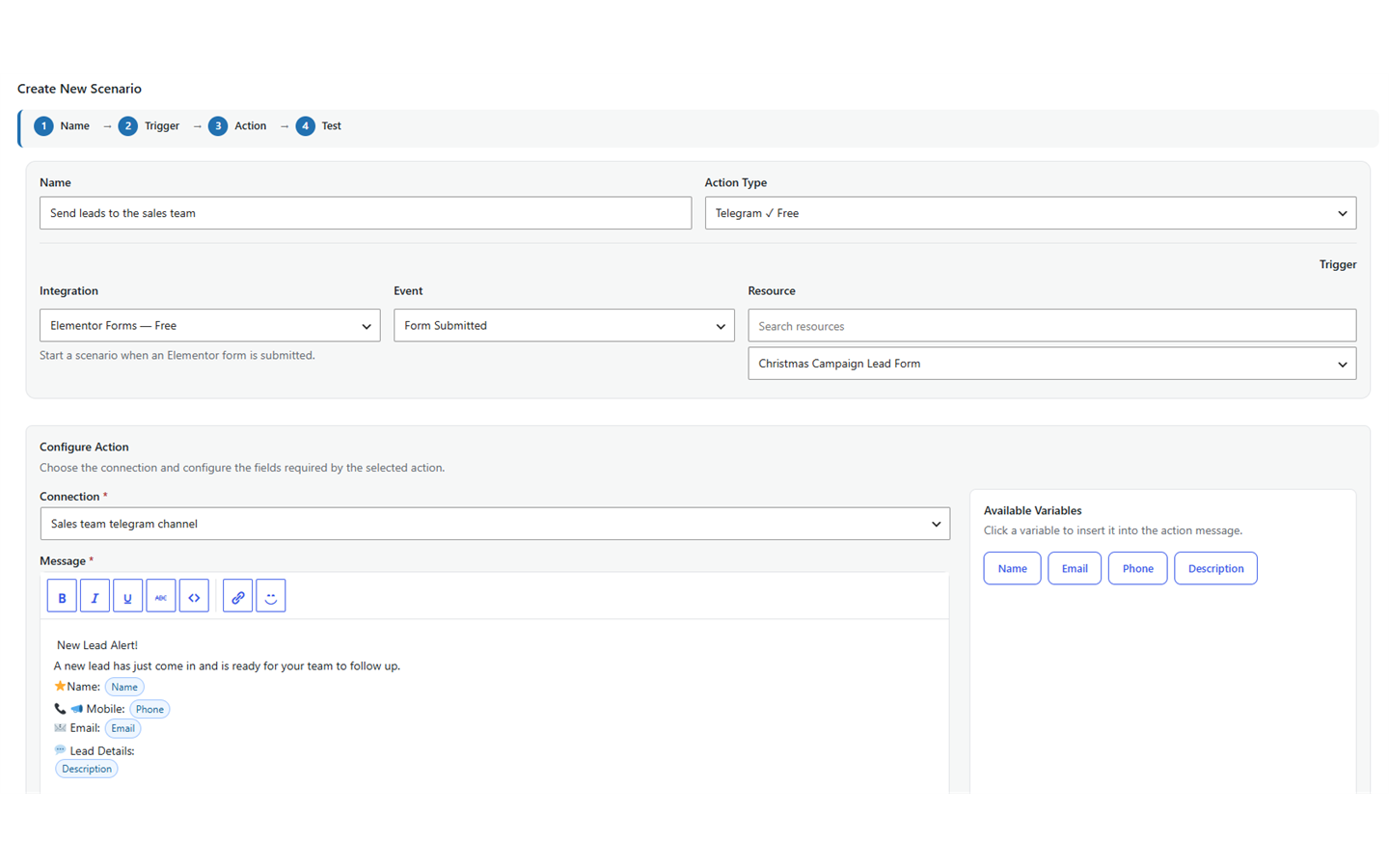
- Start a scenario when an Elementor form is submitted.
- Build a Telegram message from submitted form values.
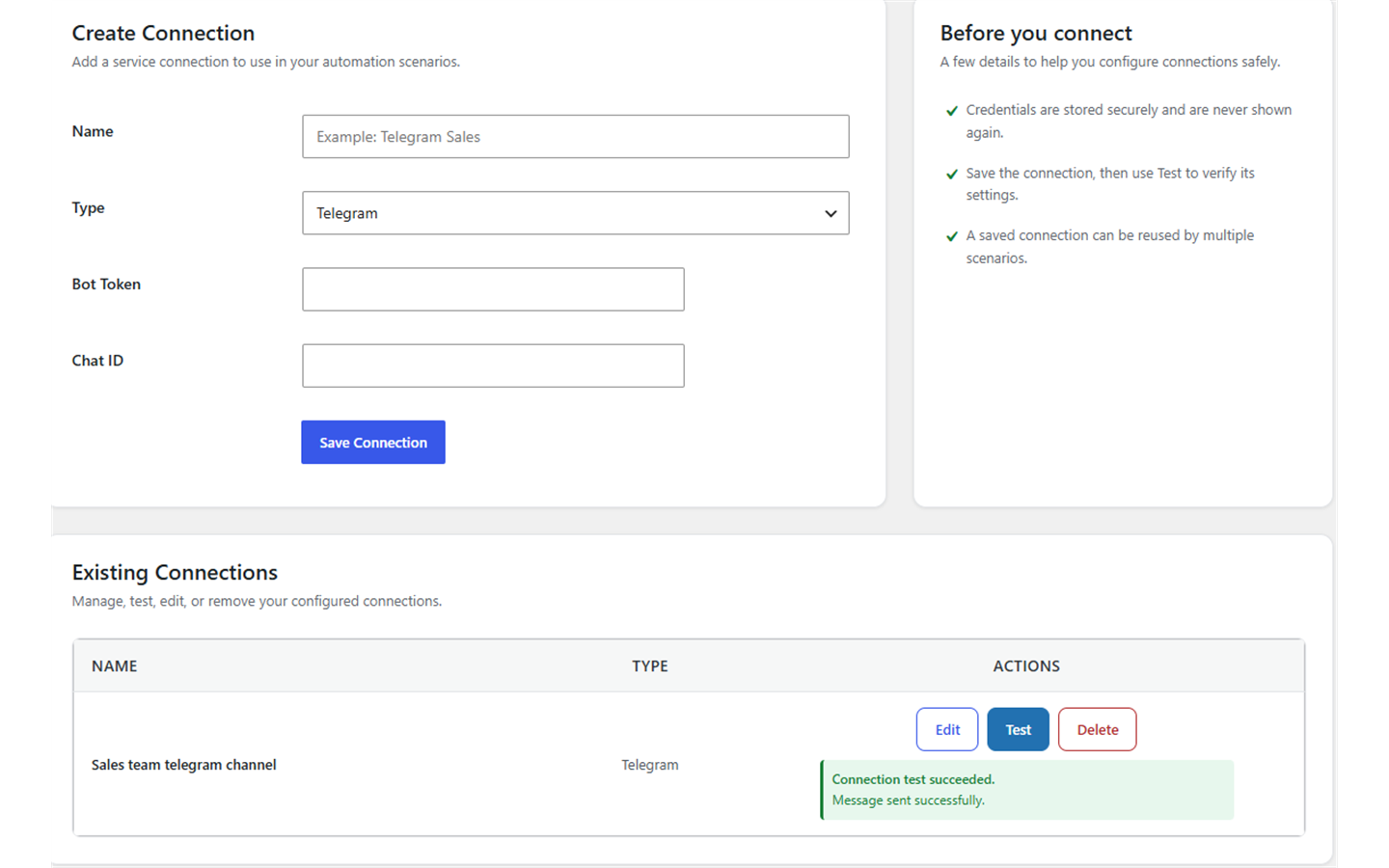
- Store Telegram credentials in a reusable connection.
- Run live actions through a background queue.
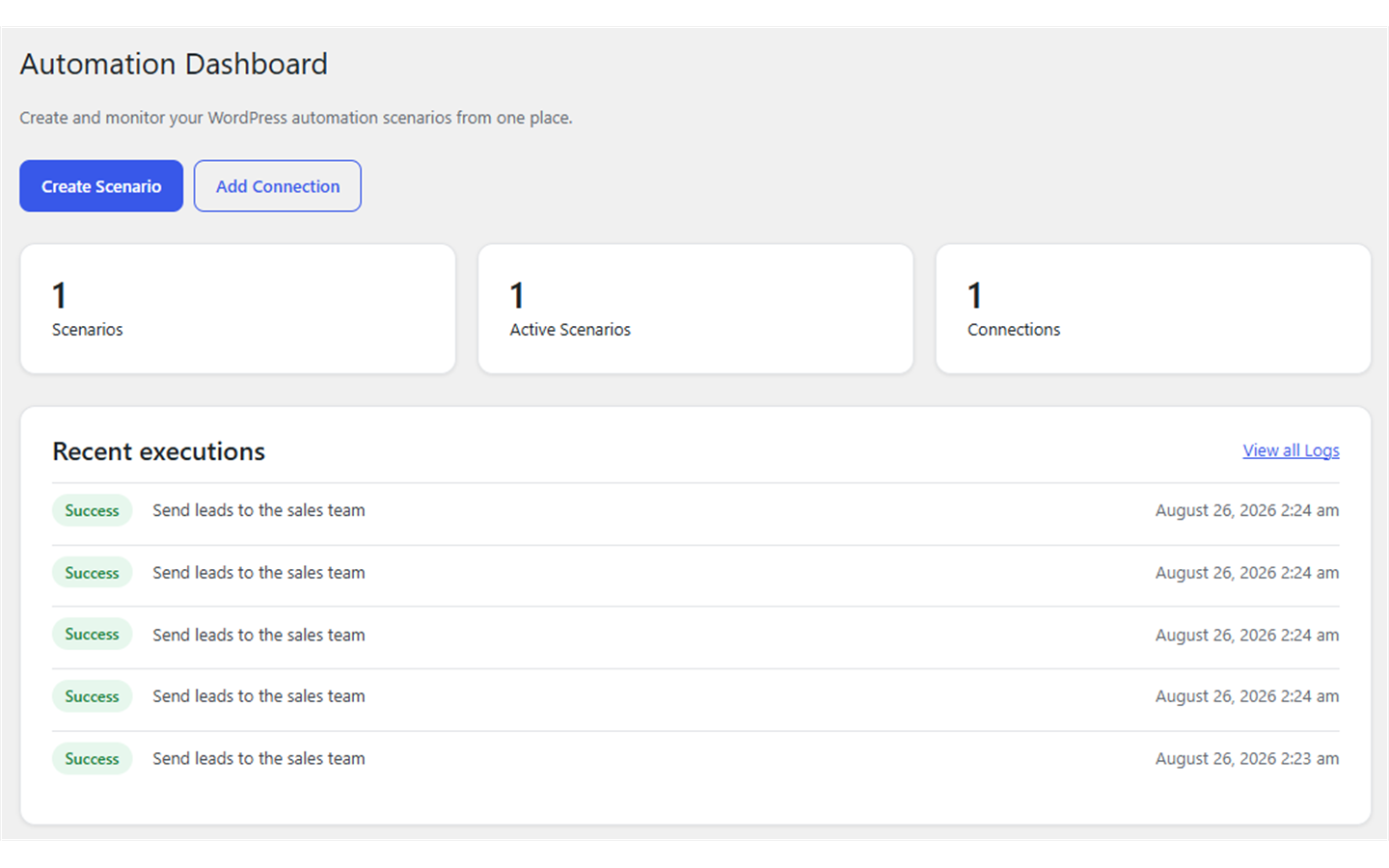
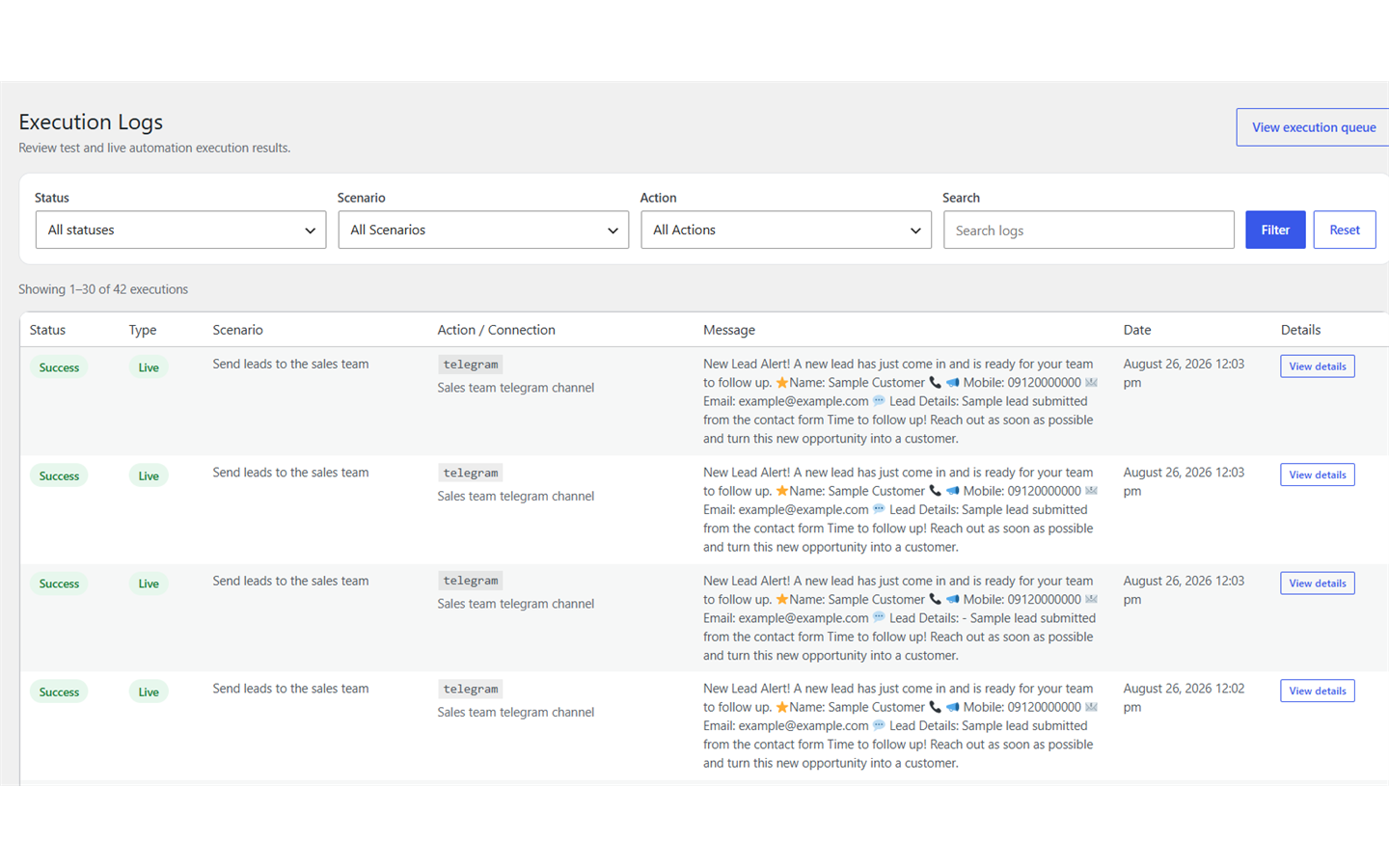
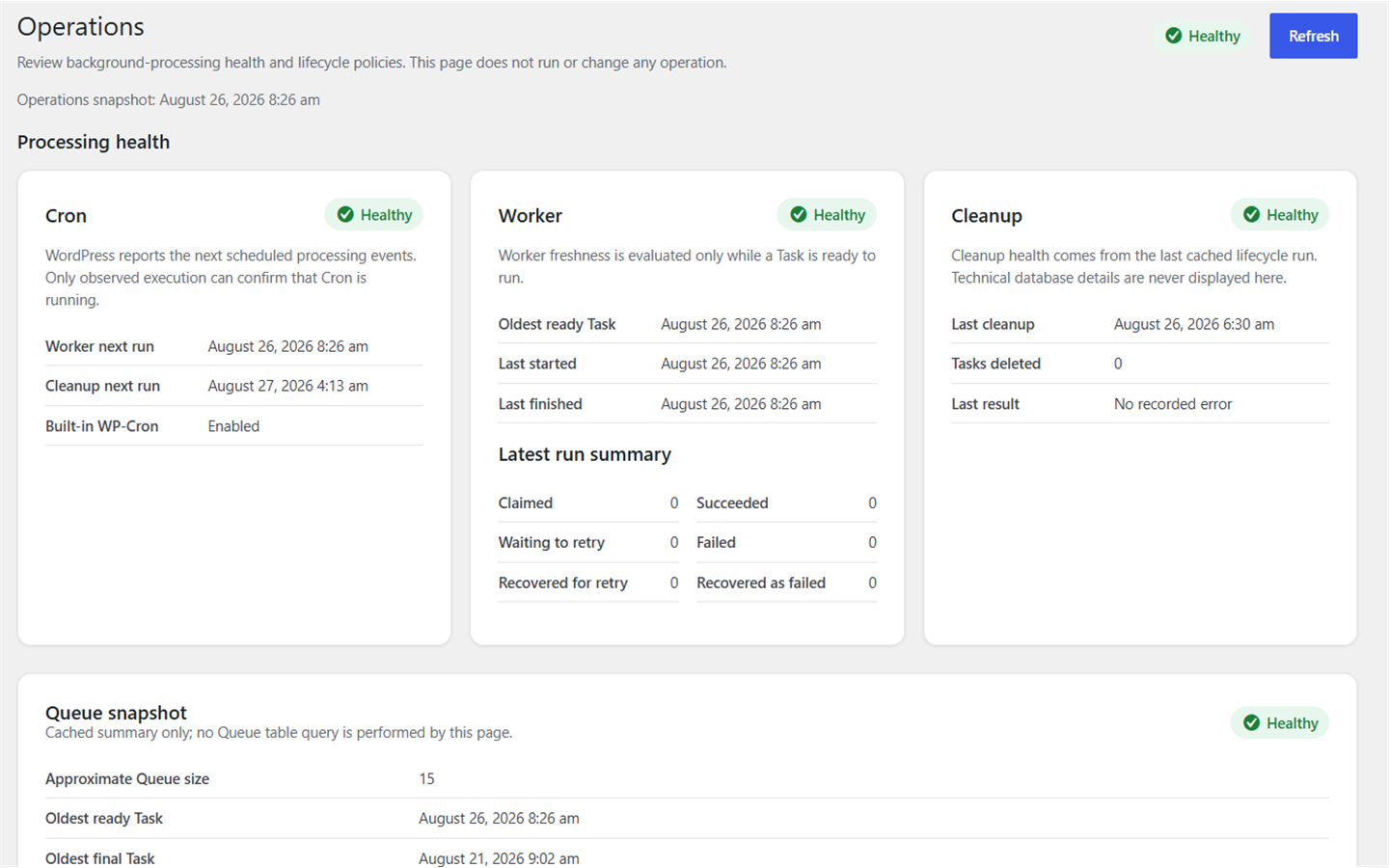
- Review execution logs, queue status, and operational health in WordPress admin.
- Test connections and scenarios before using them with live submissions.
Live scenarios are processed by WP-Cron. Sites with low traffic, disabled loopback requests, or strict hosting environments may need a real server cron job that calls WordPress cron reliably.
Automation Connect Pro is a separate commercial edition for licensed customers and includes Gravity Forms trigger support. The Free edition works independently and does not require Pro.
External services
This plugin connects to the Telegram Bot API to deliver messages configured by the site administrator.
When a Telegram connection is tested or an enabled scenario runs, the plugin sends the bot token in the Telegram API request URL and sends the destination chat ID, rendered message text, and optional parse mode to https://api.telegram.org. A rendered message may contain Elementor form values selected by the administrator. Telegram receives and processes this information under its own terms and privacy policy.
Telegram Bot API documentation: https://core.telegram.org/bots/api
Telegram Terms of Service: https://telegram.org/tos
Telegram Privacy Policy: https://telegram.org/privacy
On WordPress environments explicitly marked local, the development source supports an optional, developer-configured gateway. The gateway is not a public service supplied by this plugin, is not intended for production use, and requires server-side constants that are not included in the plugin package. When configured, it receives the Telegram bot token, destination chat ID, rendered message text, optional parse mode, and a gateway authentication key before forwarding the request to Telegram. Developers are responsible for the gateway, its security, and its privacy terms. Production environments connect directly to the Telegram Bot API.
Privacy and data
The plugin stores scenario configuration, connection configuration, execution logs, and background queue records in the site’s WordPress database. For scenario executions, the execution log stores the submitted trigger data, the rendered message as plain text, error details, and a safe diagnostic projection of the action result. Telegram diagnostics are limited to delivery status, HTTP and retry metadata, provider error code, message ID, and delivery time; raw provider responses and chat or sender metadata are not stored for new executions or displayed for historical executions. A Telegram connection test returns its result to the administrator but does not create an execution log through the scenario runtime. Telegram bot tokens are stored as encrypted credentials and are decrypted only when needed on the server.
Live form event data is temporarily stored in the background queue so the action can run. The queue payload is erased when a task reaches a final succeeded or failed state. Final succeeded task records are retained for 15 days and final failed task records for 45 days. Pending, running, and retry tasks are not removed by that retention cleanup.
The site owner decides which submitted values are included in a Telegram message and is responsible for providing any notices, consent, retention policy, or other privacy measures required for the site and its users.
Details
Related plugins
Plugins that also contain the tag automation
OttoKit: All-in-One Automation Platform

Zapier for WordPress

Uncanny Automator – Easy Automation, Integration, Webhooks & Workflow Builder Plugin

MailerLite – WooCommerce integration

WP Webhooks – Automate repetitive tasks by creating powerful automation workflows directly within WordPress

Thrive Automator


About
Plugin for that tries to help you find the WordPress plugin you are looking for.
| Please enjoy an image of Crush (this awesome turtle) and have a lovely day! |  |
We do not own any plugin listed on this site and do not work for or work with WordPress.com or it's associated companies. We simply provide a searchable list of the available WordPress plugins.