


Watchfox AI
Get a plain email when a plugin, theme or WordPress on your site has a known security problem, with what to do and by when. No jargon, and no email when all is quiet.
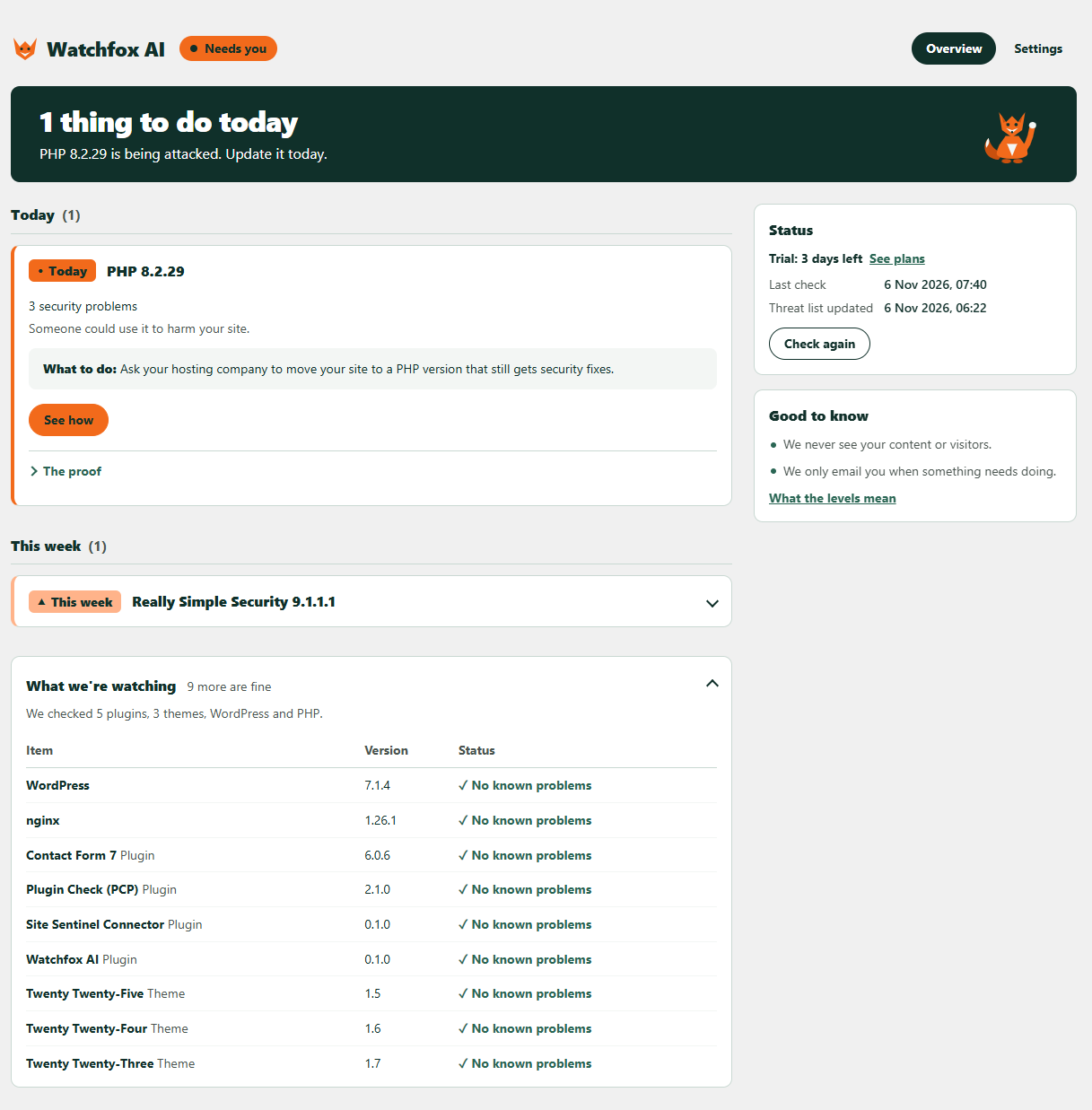
Watchfox AI keeps an eye on the plugins, themes, WordPress and PHP version on your site. When one of them has a known security hole, it tells you how serious it is and what to do: today, this week, or when you can.
Who it’s for
- Site owners who are not developers and want to know, in words they understand, when something needs updating.
- Small businesses and shops that rely on a WordPress site but have nobody watching it.
- Freelancers and agencies who look after client sites and want security alerts by email in one place (Agency plan).
How it works
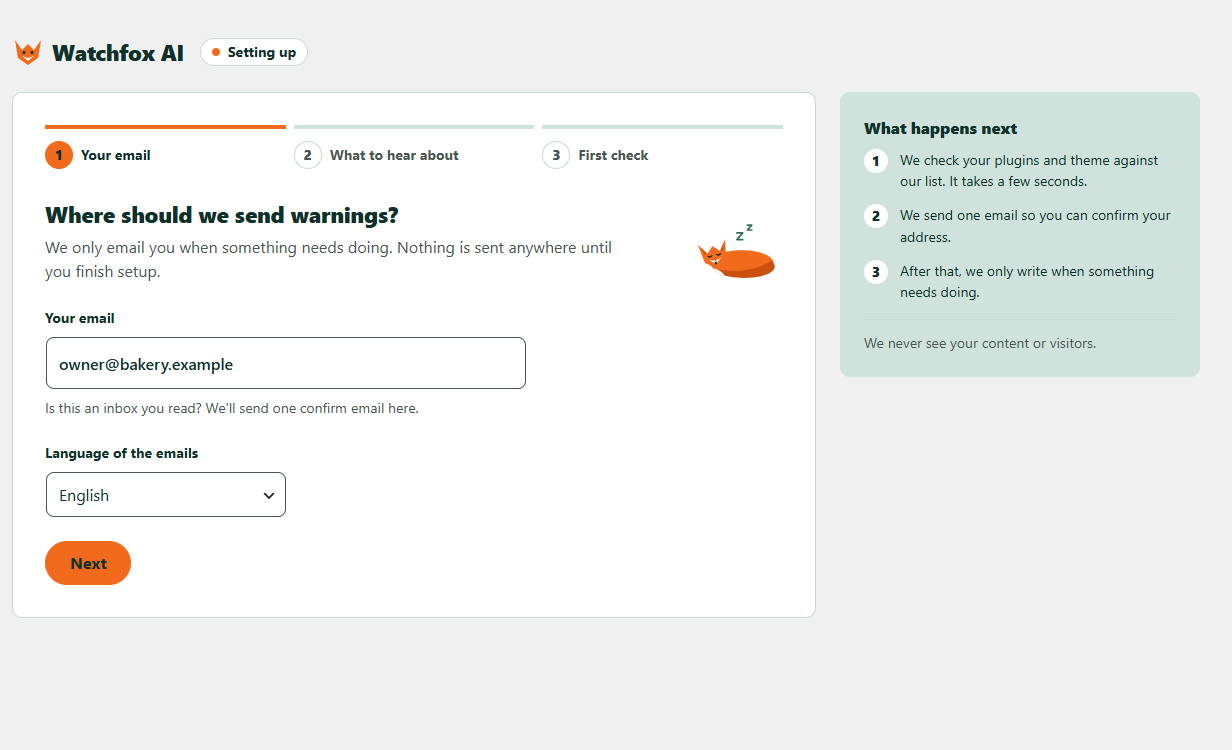
- Install and activate, then enter your email and choose English or Spanish.
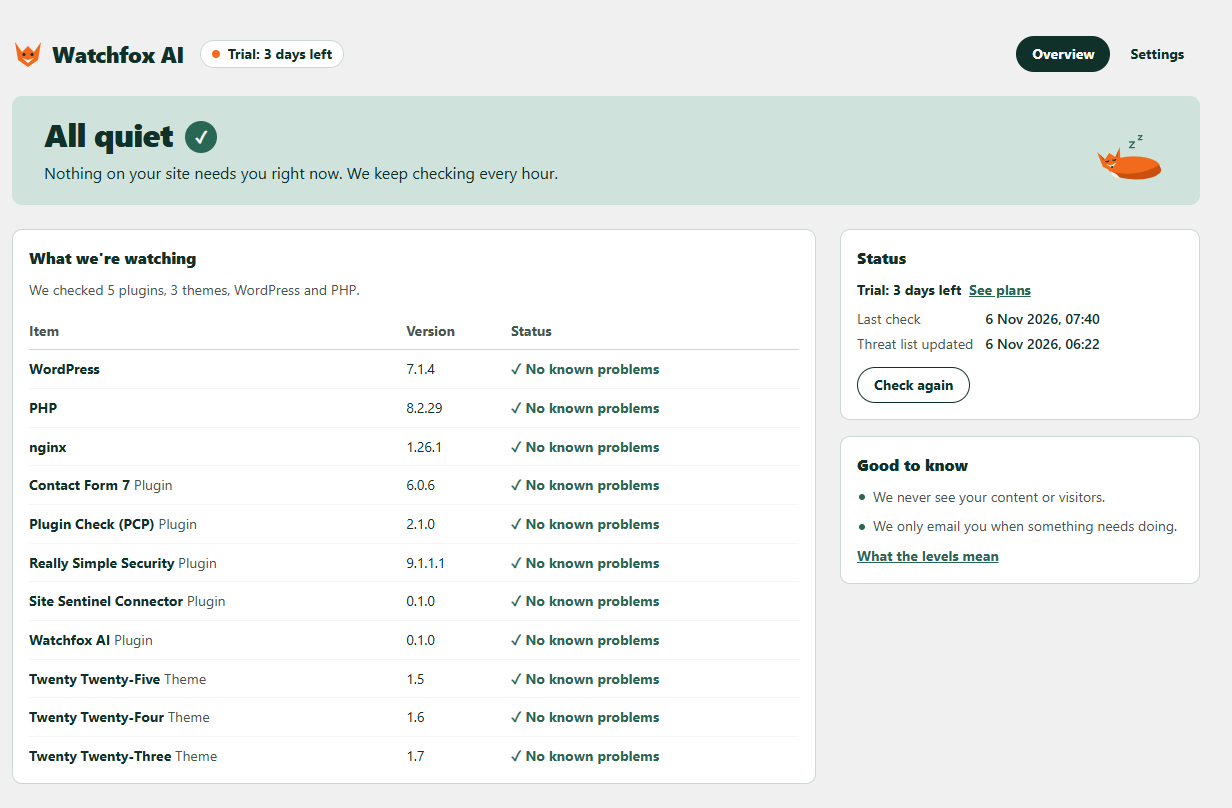
- Every hour your site compares its versions with a public, signed list of known problems. It only checks; it never changes your site.
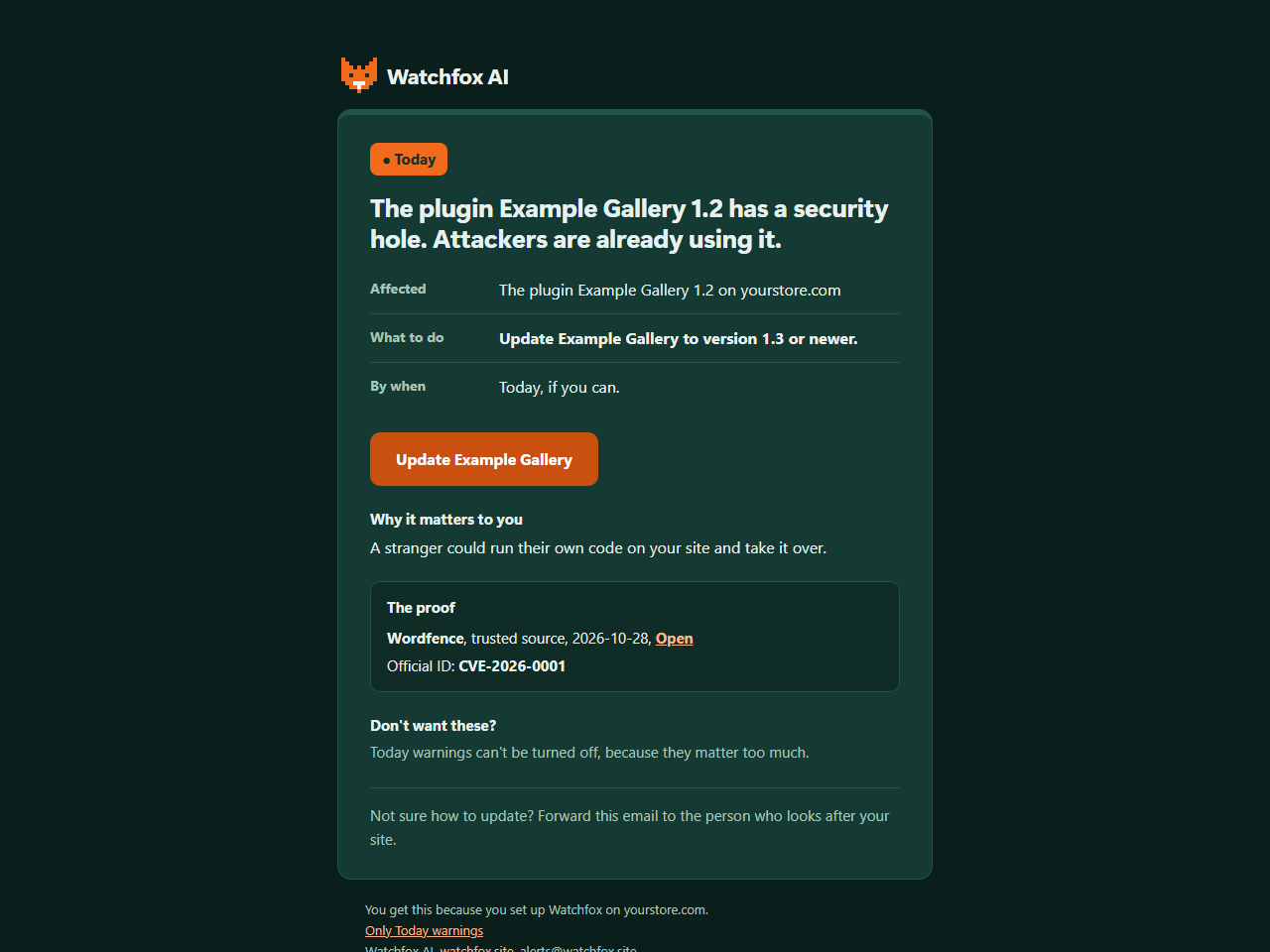
- When something needs you, you get an email with what to do and the proof behind it. You can also see it any time in WordPress.
Free and paid
Every finding shows in WordPress on every plan, free included. The plan only changes which emails you get.
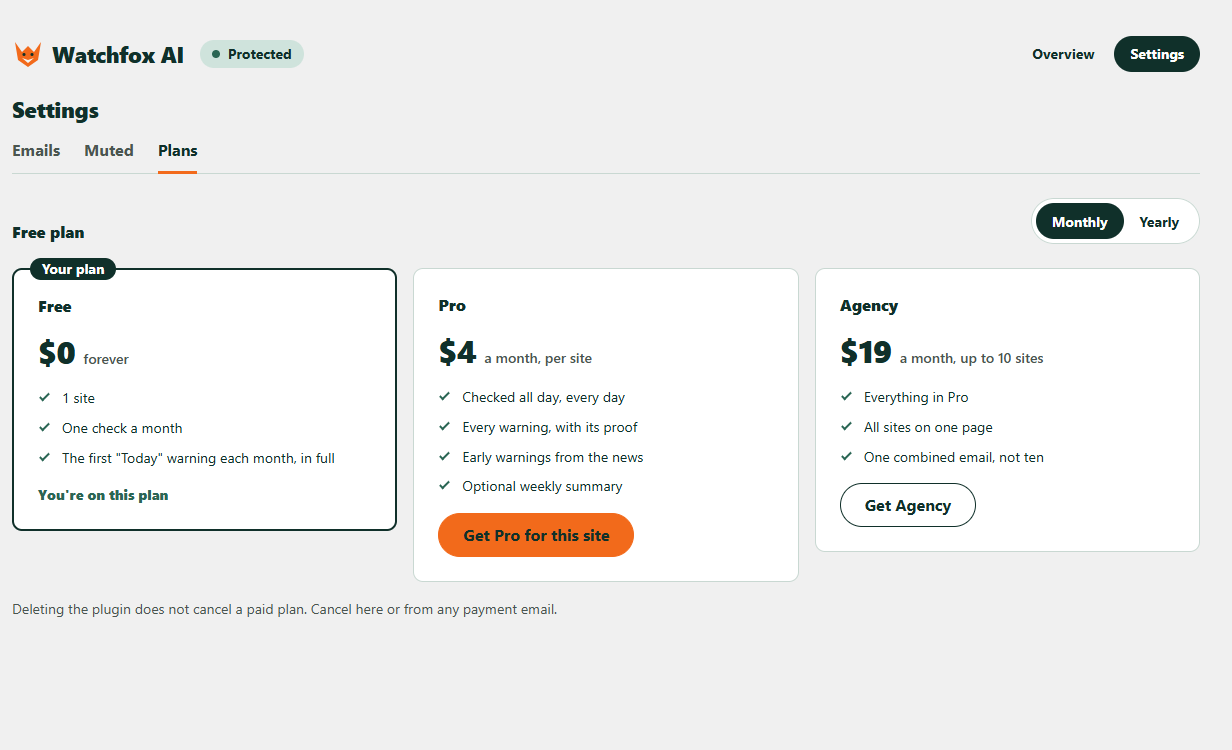
- Free: 1 site for each email address, one safety-check email a month, and the first “Today” warning each month in full by email.
- Paid (Pro, or Agency for up to 10 sites): checked all day, every day, every warning by email in full with its proof, “This week” and “When you can” warnings, optional early warnings from the news, “Sorted” emails when you fix things, and an optional weekly summary.
Why it is different
- Plain words. Each warning says who is at risk, what to do and by when, so you can act or forward it to whoever looks after your site.
- Proof, not scare. Every warning shows where it comes from, such as a trusted security source and an official ID, so you can check it.
- Early warnings. The AI runs on our service to read public security news, so new problems can be added to the list early; the plugin itself only compares versions and runs no AI.
- Quiet by design. You only hear from us when something needs doing.
What you get:
- A plain page in your WordPress admin that lists what needs doing, with the proof behind each warning.
- An email when something needs you, so you do not have to remember to look.
- Warning emails in English or Spanish, your choice.
- It only checks. It never changes your site.
How it works in detail: Watchfox AI downloads a public, signed list of known problems and compares it with the versions on your site. If you sign up for emails, your site sends back only the problems it found, so we can write to you.
External services
Watchfox AI uses four outside services. Nothing is sent to any service until you finish setup.
- api.watchfox.site (run by the Watchfox AI team, https://watchfox.site). This is the service behind the plugin. Terms: https://watchfox.site/terms. Privacy policy: https://watchfox.site/privacy.
- Threat list download: your site fetches the public list (an index and small files). Only the files that match what is installed are fetched. The request carries no account or site details, but each file name is a short hash prefix of an installed item, and your server address is visible like in any web request.
- Site registration: when you finish setup, your site sends the email address and language you chose, your site address, and the Watchfox AI, WordPress and PHP versions, so we can email you.
- Reports: after each check your site sends only the problems it found (an ID, the item folder name, its version, a status, how serious it is, what kind of item it is and its display name), the IDs of warnings a trusted source has withdrawn, your email and warning settings (including which warnings you muted), and the Watchfox AI, WordPress and PHP versions. It never sends your full list of plugins and themes. Reports are signed with a secret that belongs to your site.
- Removal: when you delete the plugin, your site tells the service to stop watching it.
- Emails and payments: when you press “Send it again” or “Send me a sample warning”, or choose a paid plan, your site asks the service to send that email or to prepare a payment link (with the plan you picked and your site ID).
- Brevo (https://www.brevo.com), through api.watchfox.site. Brevo delivers our emails (the confirmation, warnings, a sample warning and a weekly all-quiet note) from alerts@watchfox.site. Your email address and the name and address of your site are passed to Brevo only to deliver those emails. Terms: https://www.brevo.com/legal/termsofuse/. Privacy policy: https://www.brevo.com/legal/privacypolicy/.
- Dodo Payments (https://dodopayments.com), only if you choose a paid plan. Your browser opens a Dodo Payments page, the merchant of record, which collects the payment and handles taxes. Card details go only to Dodo Payments, never through your site or Watchfox AI. Cancelling also happens on a Dodo Payments page that the plugin links to. Buyer terms: https://dodopayments.com/legal/buyer-terms. Privacy policy: https://dodopayments.com/legal/privacy-policy.
- api.wordpress.org (https://wordpress.org). Once a day, for a few plugins that WordPress.org used to list but no longer does, your site asks the WordPress.org plugin information API whether the plugin was closed. This sends the plugin folder name and your server address. Terms and privacy: https://wordpress.org/about/privacy/.
The plugin contains no tracking, ads or hidden links.
Details

Related plugins
Plugins that also contain the tag email-notifications
Contact Forms by Cimatti

Delayed Notifications for Contact Form 7

Update customer

P2 By Email

Product Lifecycle Tracker

PawaVerify


About
Plugin for that tries to help you find the WordPress plugin you are looking for.
| Please enjoy an image of Crush (this awesome turtle) and have a lovely day! |  |
We do not own any plugin listed on this site and do not work for or work with WordPress.com or it's associated companies. We simply provide a searchable list of the available WordPress plugins.