

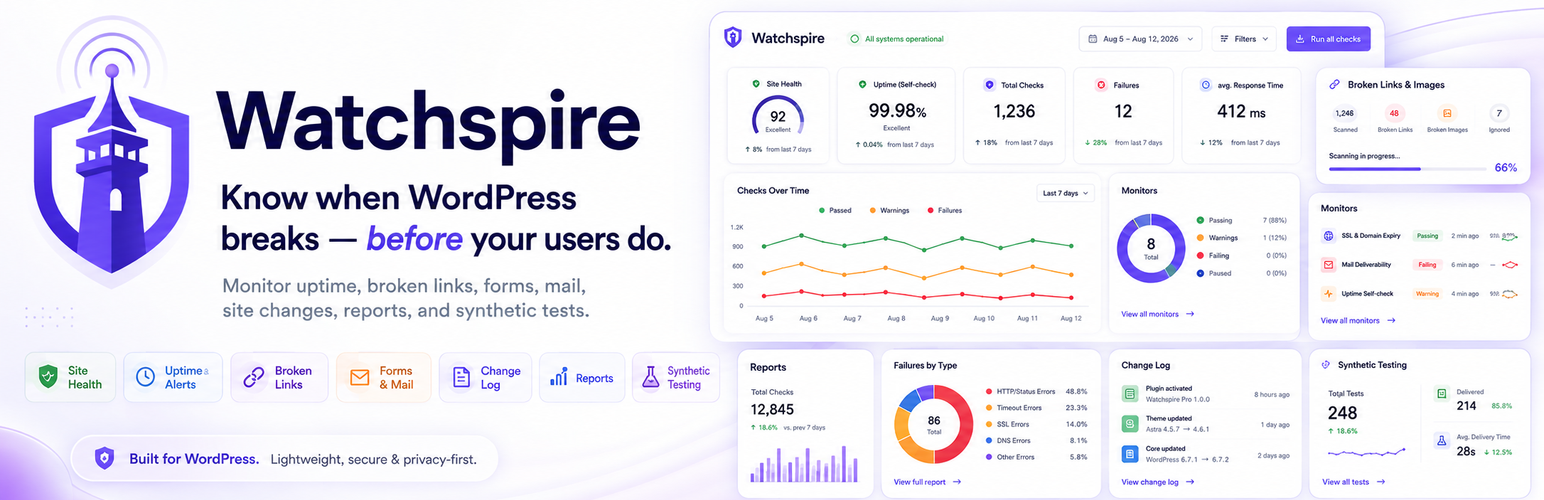

WatchSpire – Form, Email & Uptime Monitor with Failure Alerts
A WordPress site doesn’t have to be completely down to be broken.
Your contact form not sending email, form submissions not arriving, an approaching SSL expiry, sudden 404 errors, or unexpected site downtime can quietly cost you leads and customers long before anyone reports the problem.
WatchSpire is your WordPress early-warning system.
It monitors form delivery, email health, SSL certificate expiry, uptime, 404 and server errors, broken links, site changes, and AI crawler activity — all from one dashboard.
WatchSpire watches the signals that matter and tells you when something isn’t right.
Instead of checking several plugins, logs, and dashboards, WatchSpire brings your site’s operational health into one place — helping you spot problems earlier and understand what is happening across your WordPress site.
One dashboard. The signals that matter.
- Form Delivery Monitoring — know when real form submissions fail to send.
- Submission Gap Detection — spot unusual periods when forms suddenly stop receiving leads.
- Mail Health & Risk Score — detect mail failures, SMTP configuration problems, and sender-domain mismatches.
- SSL Certificate Expiry — get advance warnings before your certificate expires or stops covering your hostname.
- 404 & Server Error Monitoring — identify broken URLs and server failures before they become widespread problems.
- Uptime Self-Checks — monitor your homepage and important pages for errors and abnormal responses.
- Broken Links & Images — scan safely in small background batches without hammering your server.
- WordPress Change Log — see plugin, theme, core, and important configuration changes around the time an issue appeared.
- AI Crawler Activity — discover when GPTBot, ClaudeBot, PerplexityBot, and other AI crawlers visit your site.
- Weekly Health Summary — get a concise overview of what happened on your site without living inside the WordPress dashboard.
Built for WordPress, not around it
WatchSpire is designed to stay lightweight. Heavy scans run in controlled background batches, link scanning is disabled until you enable it, and monitoring data stays in your own WordPress database.
There are no artificial limits on the number of supported forms, pages, or links you can monitor.
Privacy-first by design
WatchSpire does not send your monitoring history, form submissions, customer information, or usage analytics to us.
Form field contents are never stored. Only operational metadata such as delivery status, form ID, timestamps, response codes, and aggregated counts are recorded.
WatchSpire does not contact any third-party service. Its checks talk to your own site, and — only if you turn on broken link scanning — to the URLs your own content already links to.
Form delivery monitoring
Forms can fail silently.
A visitor can successfully press Submit, see a success message, and leave — while the notification email never reaches your mail system.
WatchSpire listens to real submission and mail outcomes from supported form plugins and records whether delivery succeeded or failed.
Supported form builders include:
- Contact Form 7
- WPForms
- Gravity Forms
- Elementor Pro Forms
- Fluent Forms
- Forminator
When a supported form reports a delivery failure, WatchSpire can alert you immediately.
No field contents are stored. No customer messages are recorded.
Only the information required to understand the health of the form is retained.
Know when a form suddenly goes quiet
Not every form problem produces an error.
Sometimes leads simply stop arriving.
WatchSpire builds a submission baseline for each form and can detect when a normally active form experiences an unusual period of silence.
It doesn’t treat every form the same.
A contact form that normally receives five submissions a day and a quotation form that receives one submission a week have completely different normal patterns.
WatchSpire waits until enough history exists before evaluating submission gaps, helping reduce noisy or meaningless alerts.
SSL certificate expiry monitoring
An expired certificate can take an otherwise healthy website offline.
WatchSpire reads your site’s own certificate directly and monitors:
- SSL certificate validity
- Certificate expiration
- Hostname coverage
- Certificate issuer
Certificate warnings can be raised before expiration at:
- 30 days
- 14 days
- 7 days
- 1 day
The certificate is read straight from your own server over TLS. No third-party lookup service is involved.
Mail health & risk score
WordPress email can appear to work until the day it doesn’t.
WatchSpire looks for common mail configuration risks including:
- WordPress relying on PHP
mail() - No SMTP plugin detected
wp_mail()failures- From-address and site-domain mismatches
- Other mail configuration warning signs
WatchSpire can also perform a scheduled test send to an email address you configure.
WatchSpire tells you whether WordPress successfully handed the message to its configured mail system.
404 & server error monitoring
A few broken URLs may be harmless.
A sudden increase can mean something important changed.
WatchSpire aggregates HTTP errors so your database isn’t filled with thousands of duplicate rows.
It can monitor:
- 404 Not Found errors
- 5xx server errors
- Repeated errors affecting the same URL
- Error frequency and recent activity
Known bot noise and common junk requests can be filtered so you can focus on problems affecting real pages.
Uptime self-checks
WatchSpire checks your homepage and a configurable important page from inside WordPress.
It can detect:
- 404 responses
- 500 responses
- Slow responses
- Soft 404 pages
- Maintenance-mode problems
- Fatal-error or broken-page responses
This gives you another signal when an important page stops behaving normally.
Important: because WatchSpire runs on the website itself, it cannot alert you from that same server if the entire server becomes unreachable.
Broken links & images — without hammering your server
Broken-link scanners have a reputation for consuming server resources.
WatchSpire is deliberately conservative.
Scanning is:
- Off by default
- Enabled only when you choose
- Processed in small background batches
- Pausable
- Resumable
- Cancellable
- Automatically adjusted for constrained hosting environments
WatchSpire checks links and images in supported content sources and gives you clear results with recheck and ignore controls.
Large scans continue in the background instead of trying to process an entire website in one request.
See what changed before the problem appeared
A site starts failing.
The next question is usually:
What changed?
WatchSpire keeps a timeline of important WordPress activity including:
- Plugin updates
- Plugin activations
- Plugin deactivations
- Plugin deletions
- Theme changes
- WordPress core updates
- Auto-updates
- Selected important settings changes
When an issue appears, you can compare it with recent site changes instead of trying to remember what happened hours or days earlier.
See which AI crawlers are visiting your site
AI crawlers are becoming another part of how websites are discovered and consumed.
WatchSpire can identify activity from supported crawlers including:
- GPTBot
- ChatGPT-User
- OAI-SearchBot
- ClaudeBot
- Claude-User
- Claude-SearchBot
- PerplexityBot
- Perplexity-User
- Google-Extended
- CCBot
- Bytespider
- Amazonbot
- Applebot-Extended
- Meta external agents
- And more
WatchSpire records compact daily aggregates instead of creating one database row for every request.
You can see:
- Which AI crawlers visited
- How many requests they made
- Successful responses
- 404 responses
- 5xx responses
WatchSpire can also inspect your robots.txt rules to help you understand which supported AI crawlers are currently allowed or blocked.
More than an uptime monitor
A green homepage does not necessarily mean a healthy WordPress site.
Your homepage can return 200 OK while:
- Your contact form stops delivering leads
- WordPress email fails
- Important pages return errors
- Your SSL certificate approaches expiration
- Images disappear
- Links break
- A plugin update changes important functionality
- A normally active form suddenly stops receiving submissions
Traditional uptime tools mainly answer:
“Is the website responding?”
WatchSpire helps you answer a more important question:
“Is my WordPress site actually healthy?”
No limits, no trial
WatchSpire is fully functional. There is no trial period, no license key, and no locked feature.
You are not restricted to:
- One form
- A handful of pages
- Five broken links
- A time-limited trial
- A monitoring quota
Monitor as many supported forms, pages, and links as your site reasonably needs.
External services
WatchSpire does not use, connect to, or depend on any third-party or external service.
It has no API of its own, performs no license check, sends no analytics, and transmits no data to WatchSpire, to CodeSolz, or to anyone else. All monitoring data is created and stored in your own WordPress database.
For completeness, these are the only outbound HTTP requests the plugin can make, and all of them are to your own site or to addresses your own content already points at:
1. Uptime self-check — your own site
WatchSpire requests your own homepage and the optional key page you configure, in order to record the HTTP status code and response time. The request goes to your own server. Nothing is sent anywhere else.
2. robots.txt read — your own site
WatchSpire reads your own /robots.txt so it can show which AI crawlers you currently allow or block. The request goes to your own server.
3. Broken link & image scanning — URLs your own content links to (off by default)
This feature is disabled until you explicitly enable it in WatchSpire Settings Scanning.
Once enabled, WatchSpire sends an HTTP HEAD (falling back to GET) request to each link and image URL found in your own content, in order to record whether that URL still responds. Where a link points to another website, the request naturally reaches that website — exactly as a visitor clicking the link would. Only the URL already published in your content is requested; no data about you, your site, or your visitors is added to it.
The SSL certificate check is not an external service either: WatchSpire opens a direct TLS connection to your own hostname and reads the certificate your own server presents.
Details


Related plugins
Plugins that also contain the tag broken-links
Broken Link Checker

Broken Link Checker by AIOSEO – Easily Fix/Monitor Internal and External links

Internet Archive Wayback Machine Link Fixer

External Links Overview

Check for Broken Links

Scanfully


About
Plugin for that tries to help you find the WordPress plugin you are looking for.
| Please enjoy an image of Crush (this awesome turtle) and have a lovely day! |  |
We do not own any plugin listed on this site and do not work for or work with WordPress.com or it's associated companies. We simply provide a searchable list of the available WordPress plugins.