



Web357 SMTP Connect for Gmail
Web357 SMTP Connect for Gmail does exactly one thing: it delivers your WordPress email through your own Gmail or Google Workspace mailbox over OAuth 2.0 (XOAUTH2). It is not a multi-provider mailer — there is no provider dropdown and no SMTP password field.
Why another SMTP plugin?
The directory already has plenty of general-purpose mailers, and if you need to switch between SendGrid, Mailgun, Amazon SES, Postmark and Gmail, one of those is the better tool. This plugin is built for the site owner who has already decided on Gmail or Google Workspace and wants that one path done properly. Four things follow from that decision:
1. OAuth 2.0 is the only authentication path — deliberately.
Most general SMTP plugins accept a Google 16-character App Password because it is the quickest route to a working setup. That password is a long-lived credential stored in plain text in wp_options; anyone with database read access can send mail as you, and Google has been steadily restricting App Password issuance. This plugin has no password field at all. You authorise once through Google’s consent screen, the plugin stores a refresh token scoped to your own Google Cloud OAuth client, and it renews the short-lived access token itself. Revoking access in your Google Account instantly kills the site’s ability to send — something an App Password cannot give you.
2. Your OAuth client, your Google Cloud project.
You create the Client ID and Secret in your own Google Cloud Console project. The plugin never brokers the connection through a Web357-owned OAuth app, so consent screens, scopes and quota all belong to you and survive independently of this plugin.
3. Nothing is routed through anyone else’s servers.
Your site talks directly to accounts.google.com, oauth2.googleapis.com and smtp.gmail.com. There is no Web357 relay, no analytics endpoint, no phone-home. Message bodies, recipients and headers never leave the path between your server and Google.
4. It hooks pre_wp_mail, and that is the whole footprint.
No replacement of core PHPMailer classes, no admin dashboard widgets, no cron jobs, no database writes on the send path. The plugin registers one filter and hands the message to WordPress’s own bundled PHPMailer with XOAUTH2 configured. On a WooCommerce checkout that means the mail path adds a token check and an SMTP handshake, and nothing else.
Transport settings are fixed to what Gmail actually accepts for XOAUTH2 — smtp.gmail.com on port 587 with STARTTLS and full certificate verification. There are no encryption, port or “disable SSL verification” toggles, because every other combination either fails against Gmail or weakens the connection that carries your access token.
Full setup, Google Cloud OAuth registration, and troubleshooting steps are in the official documentation.
Features
- OAuth 2.0 (XOAUTH2) authentication against your own Google Cloud OAuth client, with automatic access-token refresh.
- Reroutes every
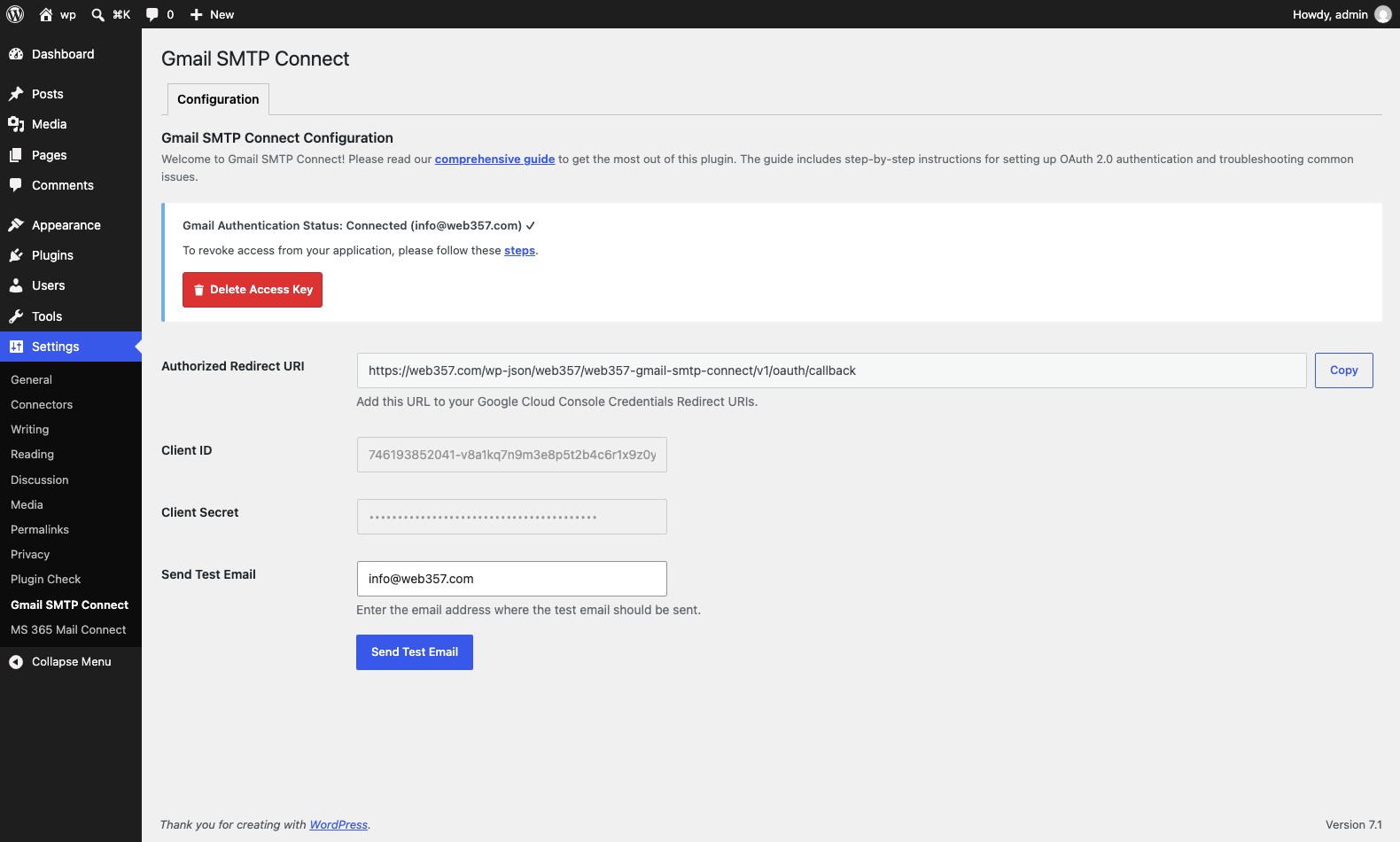
wp_mail()call through your Gmail or Google Workspace mailbox. - Built-in Test Email tool that sends a real message from the admin and reports the exact failure reason when it does not arrive.
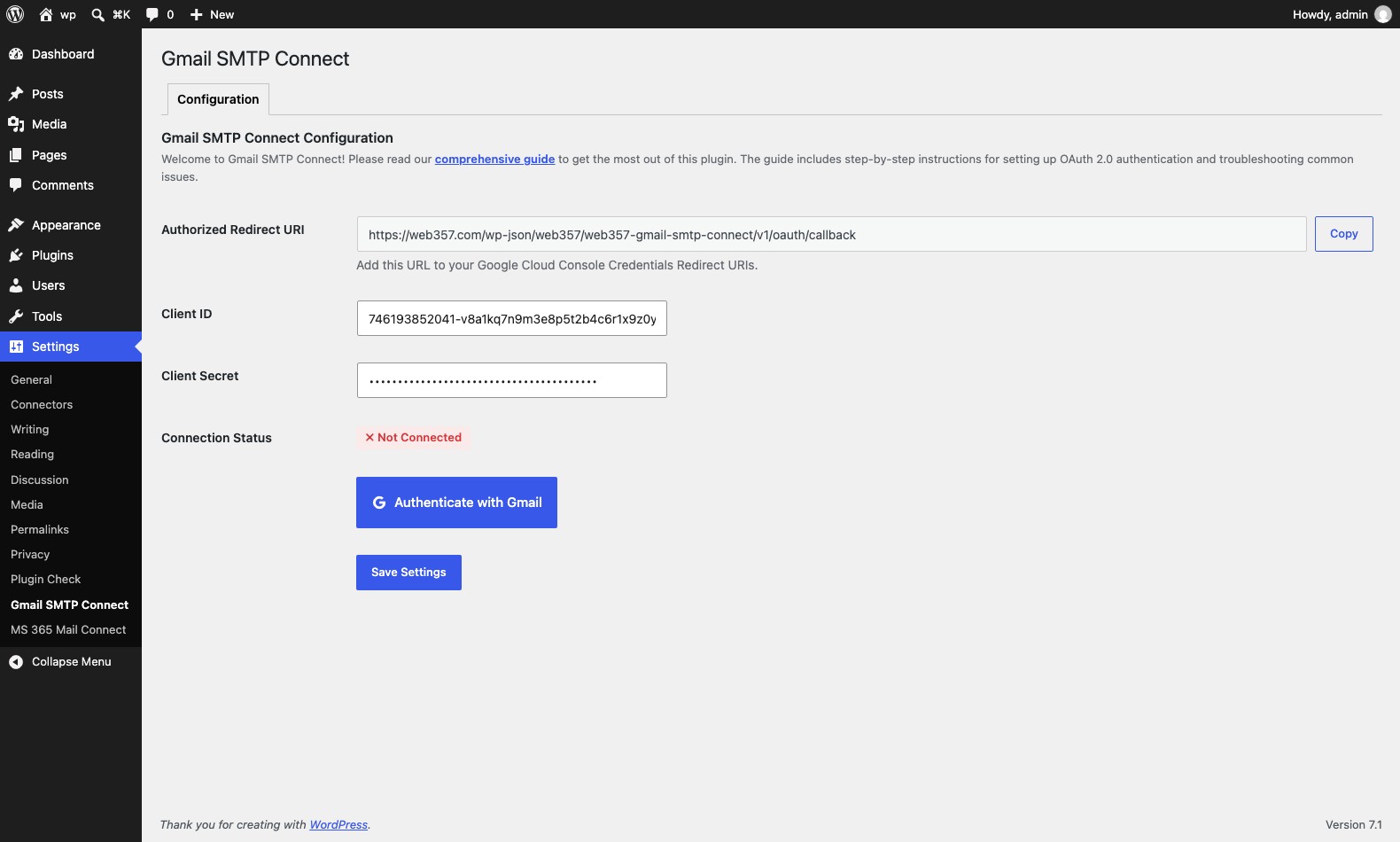
- Authorized Redirect URI helper with one-click copy, so the value you paste into Google Cloud Console matches character for character.
- One-click revoke that deletes the stored tokens from your site.
- Works with WooCommerce, Contact Form 7, WPForms, Fluent Forms, Gravity Forms, MemberPress, LearnDash, and anything else that calls
wp_mail(). - Translation-ready, no external assets, no tracking.
External services
This plugin connects to Google’s identity and mail services so it can send WordPress emails through your Gmail or Google Workspace mailbox using OAuth 2.0. It requires a Google Cloud project and OAuth Client ID/Secret that you create and control.
Google’s identity platform (accounts.google.com, oauth2.googleapis.com) is used to authorize the plugin against your Google account and to exchange/refresh the resulting access token. When you click “Authenticate with Gmail” in the Configuration tab, and again automatically whenever a stored access token is near expiry, the plugin sends your app’s Client ID, Client Secret, redirect URI, and the OAuth authorization code or refresh token, and receives back an access token and refresh token in return. Right after you authorize, it also calls Google’s https://www.googleapis.com/oauth2/v3/userinfo endpoint once to read the connected account’s email address.
Terms of use: https://policies.google.com/terms — Privacy statement: https://policies.google.com/privacy
Gmail’s SMTP server (smtp.gmail.com) is used to actually send every outgoing email — the message subject, body, recipient addresses, headers, and attachments — authenticated via OAuth 2.0 (XOAUTH2), not a stored password. This happens every time WordPress (or any plugin using wp_mail()) sends an email, and when you use the built-in Test Email tool.
Sending mail over Gmail’s SMTP with OAuth requires Google’s full-account mail scope (https://mail.google.com/) rather than a narrower “send only” scope — this is a constraint of Gmail’s SMTP+XOAUTH2 authentication itself, not a plugin choice. The plugin only ever uses this access to send the emails WordPress generates; it does not read, modify, or delete anything in your mailbox.
No data is sent to Google until you complete the OAuth connection yourself.
Details


Related plugins
Plugins that also contain the tag email
MC4WP: Mailchimp for WordPress

Post SMTP – Complete Email Deliverability and SMTP Solution with Email Logs, Alerts, Backup SMTP & Mobile App

WP Mail Logging

Creative Mail – Easier WordPress & WooCommerce Email Marketing

Mailchimp for WooCommerce

SureMail – SMTP and Email Logs Plugin with Amazon SES, Postmark, and Other Providers


About
Plugin for that tries to help you find the WordPress plugin you are looking for.
| Please enjoy an image of Crush (this awesome turtle) and have a lovely day! |  |
We do not own any plugin listed on this site and do not work for or work with WordPress.com or it's associated companies. We simply provide a searchable list of the available WordPress plugins.