


Webcasata Filter Gallery
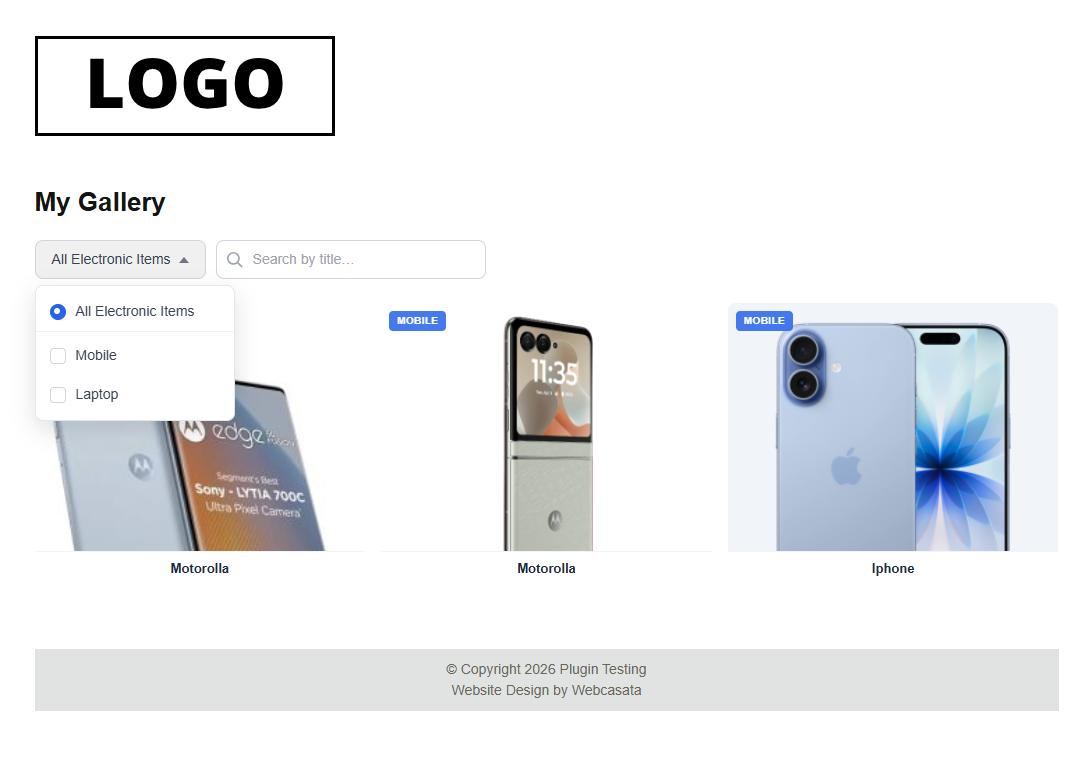
Webcasata Filter Gallery lets you build stunning, responsive image galleries where visitors can instantly filter images using custom dropdown menus — all without any page reload.
Key Features
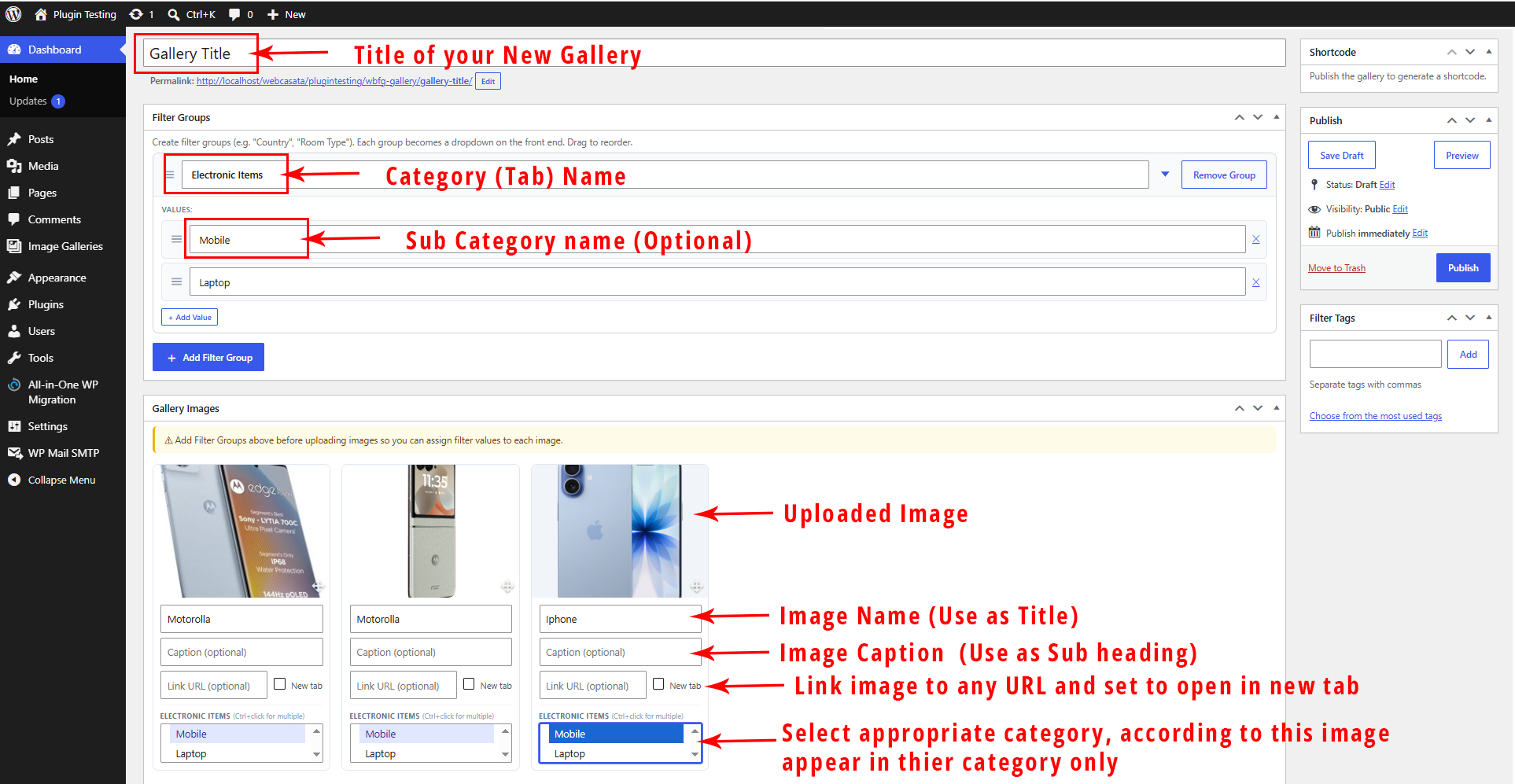
- Multi-group dropdown filtering — Create filter groups (e.g. “Country”, “Room Type”). Each becomes a styled dropdown on the front end.
- AND logic across groups, OR within a group — Country=India AND Room=Kitchen; image can belong to multiple countries.
- Custom styled dropdowns — Single-select, closes on pick, with active pill indicators.
- Real-time title search — Search box with 220ms debounce filters images as you type.
- Equal Grid & Masonry layouts — Choose your preferred display style.
- Configurable columns — 1 to 6 columns with automatic responsive breakpoints.
- Slide / Fade / None animations — Smooth transitions when switching filters.
- Load More pagination — Shows a configurable number of images on load; load more on click. Set to -1 to show all.
- Built-in Lightbox — Full-screen image viewer with prev/next, keyboard support, and optional Visit Link button.
- Image URL link — Assign an external URL to any image, with optional new tab.
- Image Title & Caption — Display below each image. Title hideable via shortcode.
- Filter labels on image cards — Show assigned filter values as badge labels or ribbons.
- Template override system — WooCommerce-style. Copy templates to your theme to customise layout completely.
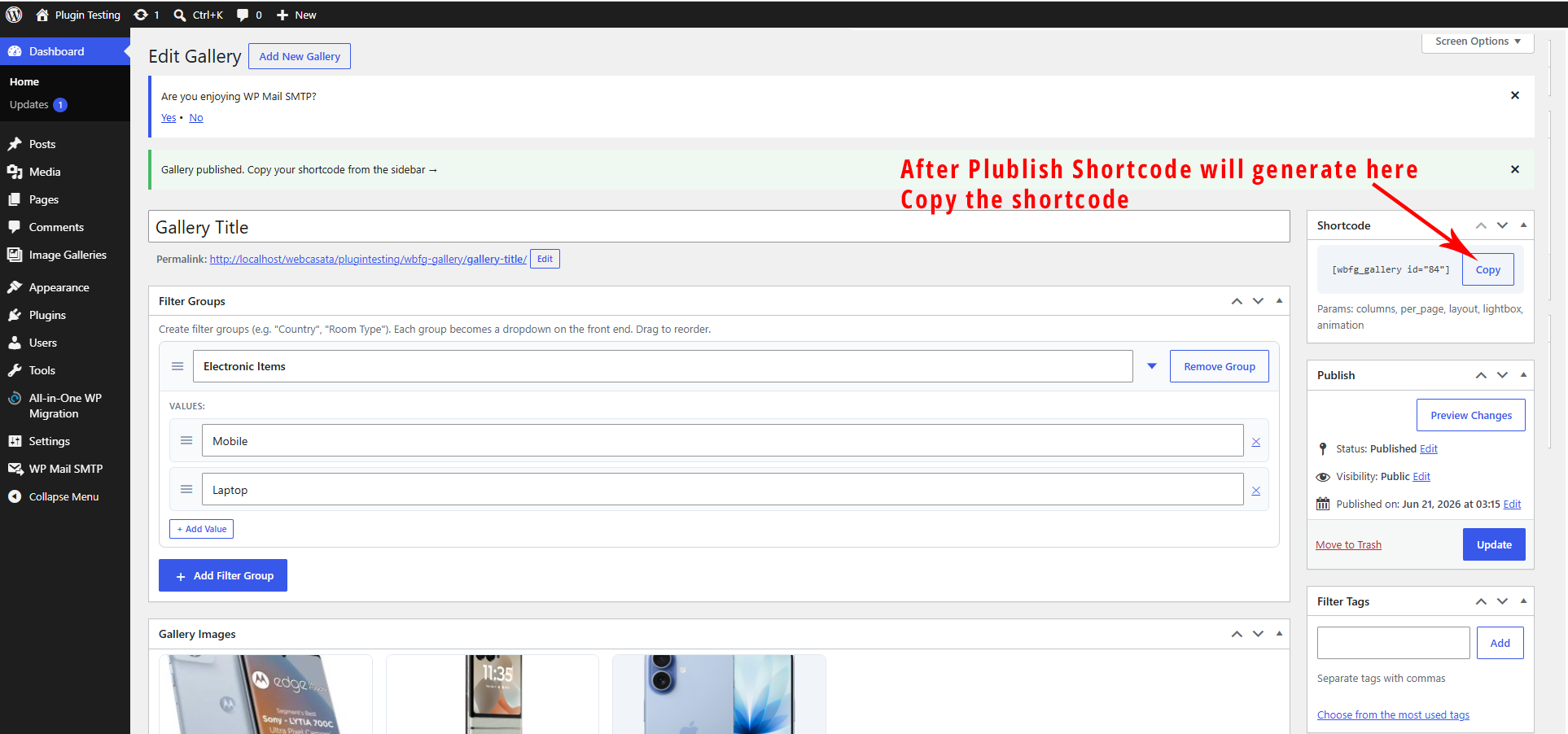
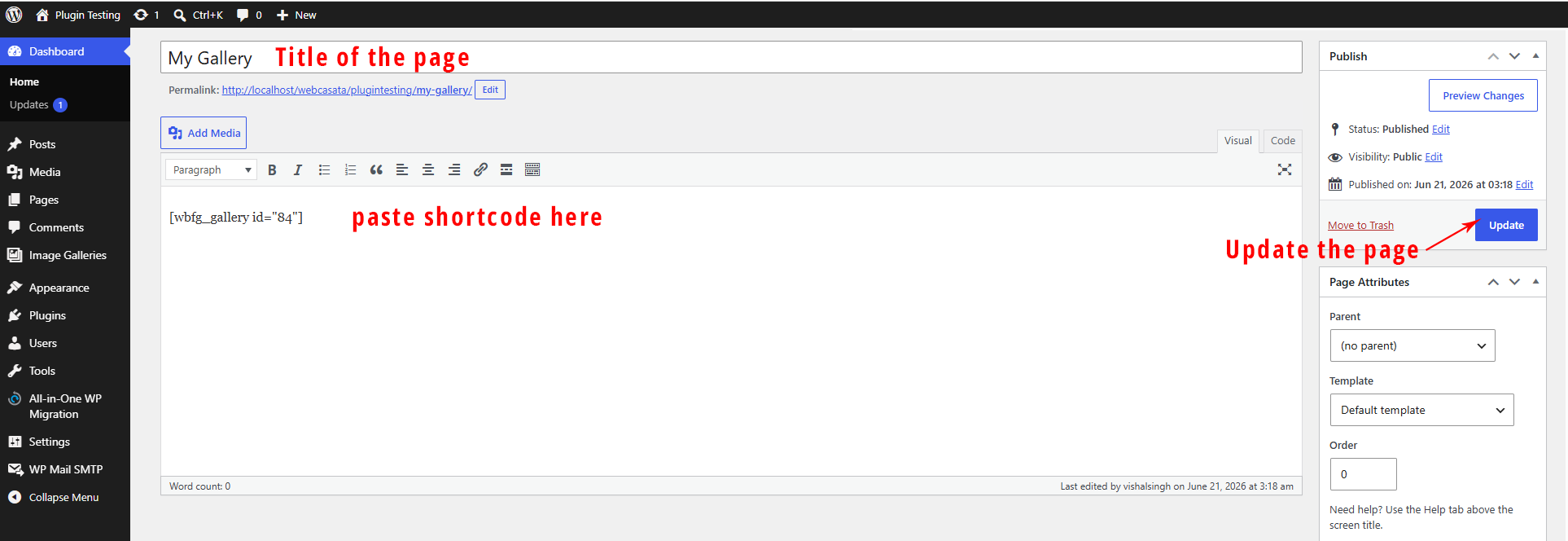
- Shortcode —
[wbfg_gallery id="X"]with full inline attribute overrides. - Gutenberg Block — Live preview block with full sidebar controls.
- Per-gallery custom CSS — Fine-tune each gallery independently.
- Global settings — Control defaults for all galleries from one Settings page.
- Accessibility — ARIA roles, keyboard-navigable dropdowns, focus management.
- Fully responsive — Mobile-first CSS with sensible breakpoints.
Template Override System
Copy templates to your active theme to customise the output:
your-theme/webcasata-filter-gallery/image-card.php
your-theme/webcasata-filter-gallery/gallery-template.php
All image variables are available in image-card.php: $image, $title, $caption, $link_url, $link_new_tab, $filters, $lightbox, $show_title, $index, $gallery_id.
Shortcode Parameters
[wbfg_gallery id="X" columns="3" show_all="yes" per_page="6" loadmore="6" layout="grid" lightbox="yes" animation="slide" title="show"]
Parameter
Values
Default
id
Gallery post ID
(required)
columns
1–6
3
show_all
yes / no
yes
per_page
number or -1
6
loadmore
number
6
layout
grid / masonry
grid
lightbox
yes / no
yes
animation
slide / fade / none
slide
title
show / hide
show
Credits
Developed by Vishal Singh at Webcasata.
Details
Related plugins
Plugins that also contain the tag filter
HUSKY – Products Filter Professional for WooCommerce

Search & Filter

YMC Filter

Jetpack Search

Advanced Post Manager

Random Post Plugin – Redirect URL to Post


About
Plugin for that tries to help you find the WordPress plugin you are looking for.
| Please enjoy an image of Crush (this awesome turtle) and have a lovely day! |  |
We do not own any plugin listed on this site and do not work for or work with WordPress.com or it's associated companies. We simply provide a searchable list of the available WordPress plugins.