


Which AI Sent
People now ask ChatGPT who to hire and where to buy. Which AI Sent shows you which of those recommendations turned into real customers.
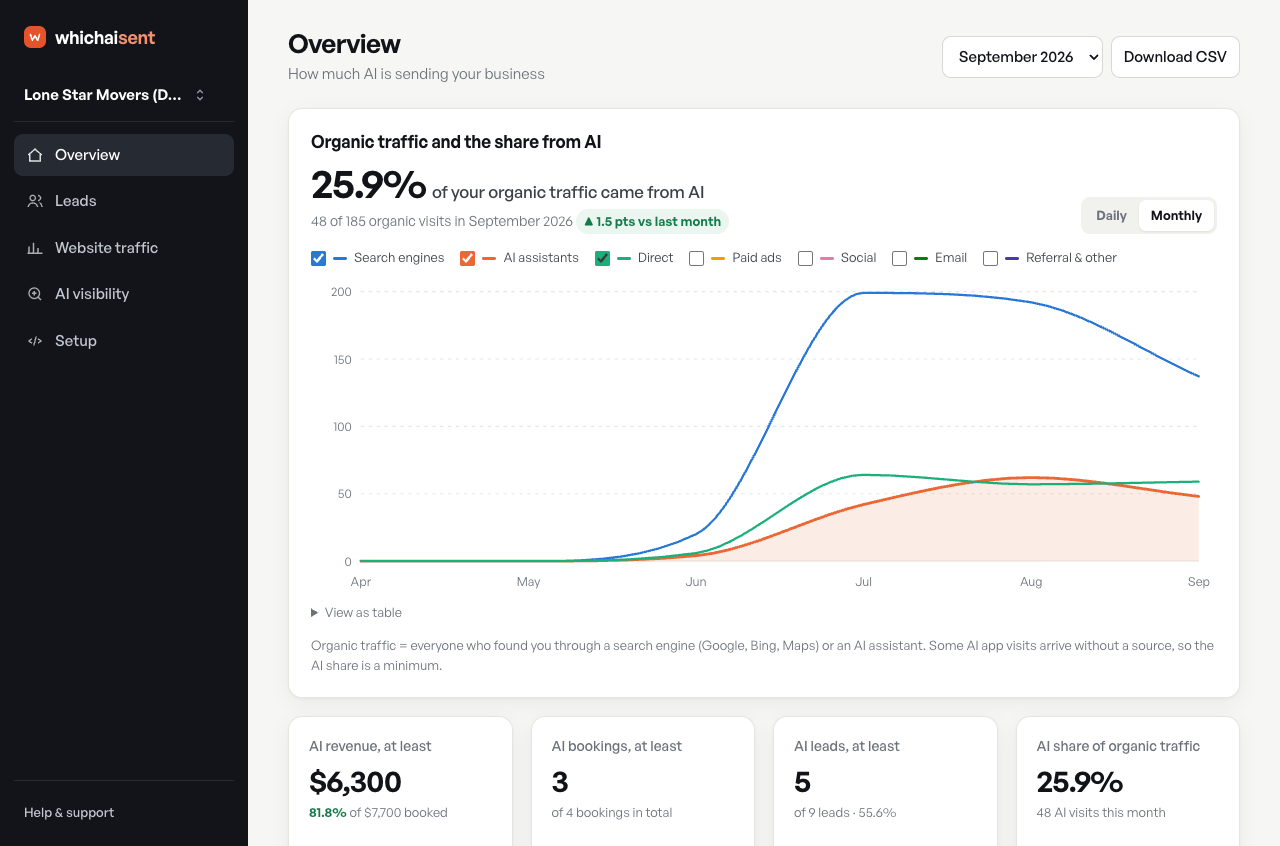
Most analytics tools only see clicks. But many people who find a business through an AI assistant never click: they search the business name, or just call. Analytics then credits Google, or nothing at all. Which AI Sent measures the whole picture, from the first AI visit to the lead, booking or sale.
What you can see
- AI traffic from every major assistant: ChatGPT, Gemini, Perplexity, Claude and Copilot, plus Meta AI, Grok, DeepSeek, Mistral, You.com, Phind and Poe, next to Google, social and every other channel.
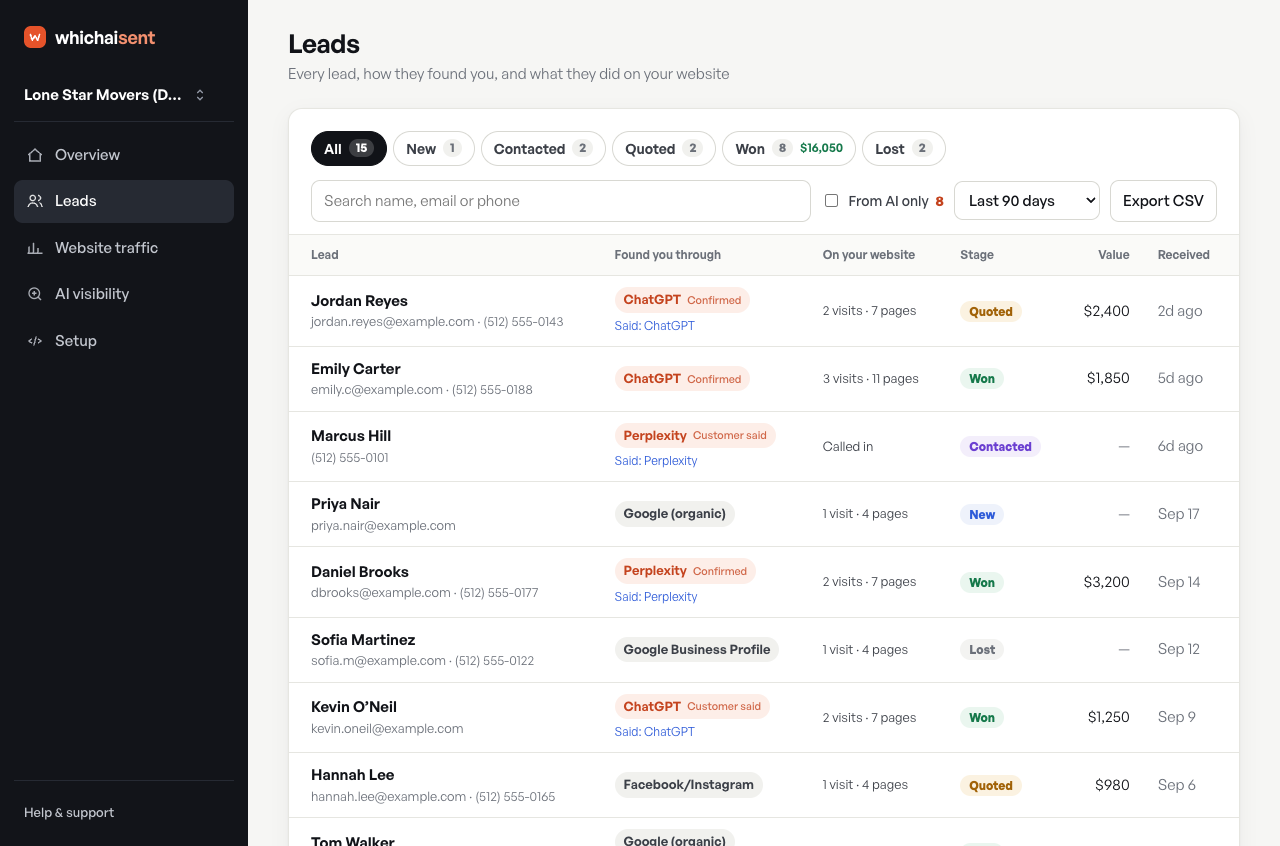
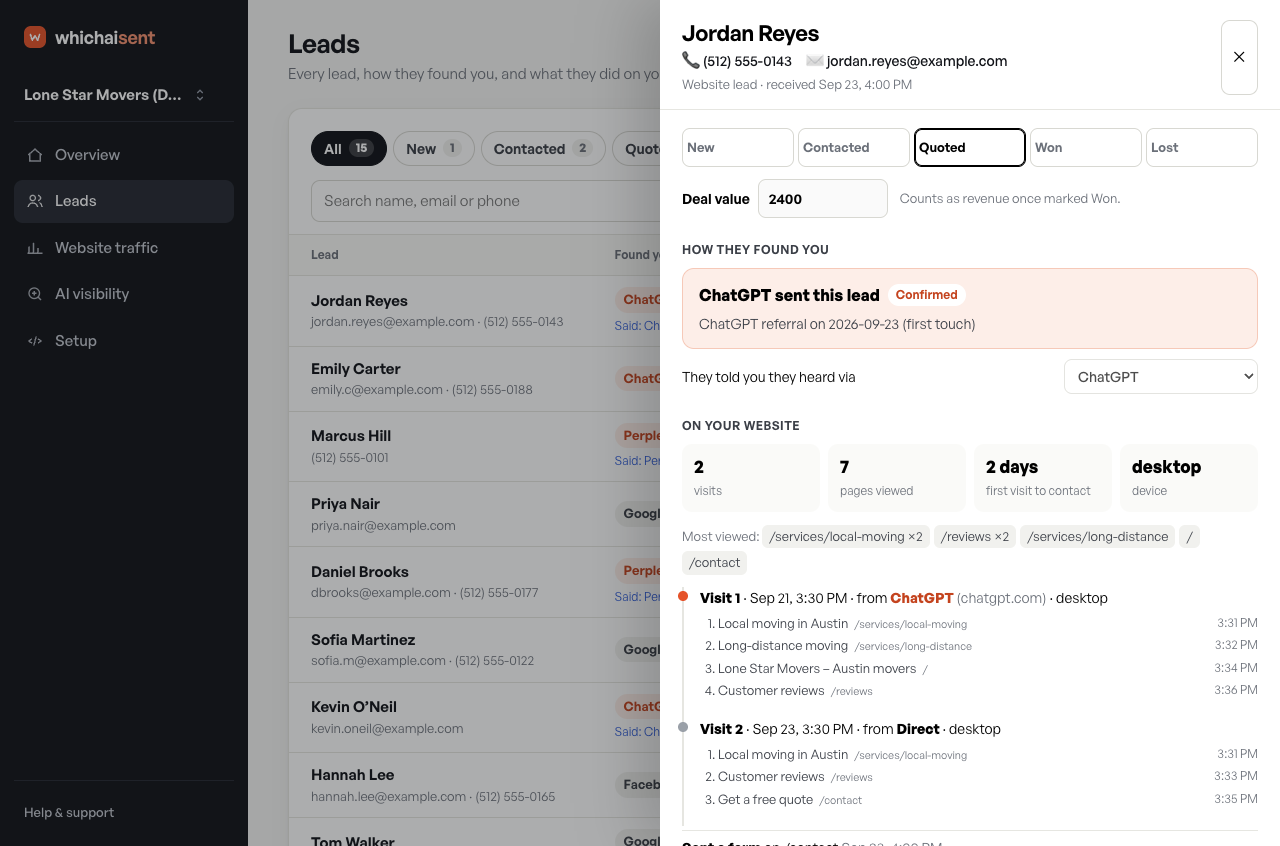
- Leads from AI: which contact form submissions came from an AI assistant, and which pages each visitor read before getting in touch.
- WooCommerce orders and revenue from AI: each completed order is counted once, so you can see which sales ChatGPT and other assistants sent you.
- The customers analytics misses: a “How did you first hear about us?” question catches people who asked an AI and then phoned or searched your name.
- Evidence you can defend: every AI lead is labelled Confirmed (tracked AI visit), Declared (the customer said so) or Assisted. Google AI Overviews clicks are never guessed into the AI column, so your AI revenue figure is a true minimum.
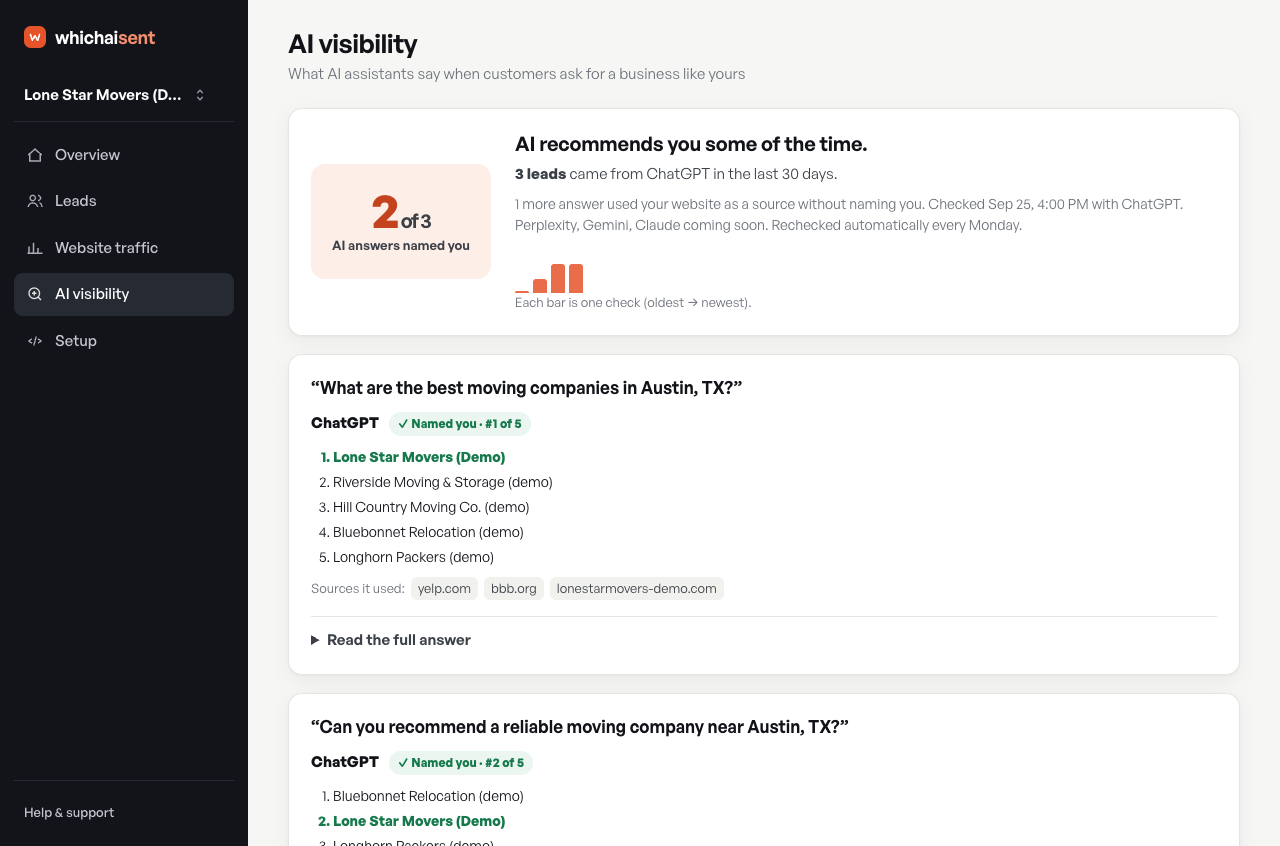
- AI visibility checks: see whether ChatGPT recommends your business for the questions your customers ask.
Who it’s for
- Local and service businesses (movers, roofers, dentists, lawyers, contractors and more) who want to know whether AI search is bringing in jobs.
- WooCommerce stores that want to see orders and revenue from ChatGPT and Perplexity.
- Marketing agencies proving the value of AI visibility and GEO (generative engine optimization) work to clients.
How it works
- Create a free Which AI Sent account at https://whichaisent.com.
- Click “Connect WordPress” in your dashboard and approve it in WordPress, or install this plugin and paste your site key.
- Your dashboard starts filling in straight away: AI visits, leads, orders and revenue.
The free plan shows how much of your traffic comes from AI, for one website, with no card needed. Paid plans add every lead and sale, AI visibility checks, CRM connections and more. See https://whichaisent.com/pricing/.
Why not just use Google Analytics?
GA4 now has an “AI Assistant” channel, but it only covers some assistants, it only counts sessions, and it can’t see customers who never click. Which AI Sent follows AI visitors to the lead or sale and adds what customers tell you. Many sites use both. Learn more: https://whichaisent.com/compare/which-ai-sent-vs-ga4/
Privacy
- No IP addresses are stored and no advertising cookies are set.
- Respects the Global Privacy Control signal.
- See https://whichaisent.com/data/ for exactly what is collected, and https://whichaisent.com/privacy/ for our privacy policy.
Free guides
- How to track ChatGPT traffic: https://whichaisent.com/track-chatgpt-traffic/
- ChatGPT traffic in GA4: https://whichaisent.com/chatgpt-traffic-ga4/
- Free AI referral regex generator for GA4, GTM and Looker Studio: https://whichaisent.com/tools/ai-referral-regex/
External services
This plugin connects your site to Which AI Sent (https://whichaisent.com), an analytics service that shows which visits, leads and sales came from AI assistants. It does nothing until you connect it with your site key.
Once connected:
- What is loaded: the Which AI Sent tracking script, from https://whichaisent.com/t.js, on your site’s public pages.
- What is sent, and when: on each page view, the referring site, the page address (without the part after “?”), campaign tags and phone/computer, with random visitor and visit IDs. When a visitor submits a contact form, the details they typed in that form. With WooCommerce, on the order-received page, the order number, total and currency only (no names, emails or addresses).
- What is not collected: no IP addresses are stored, no advertising cookies are set, and passwords and hidden form fields are never read. Visitors whose browser sends the Global Privacy Control signal are not tracked.
- Where it goes: to whichaisent.com, where it is shown only to you in your Which AI Sent dashboard.
The one-click “Connect WordPress” button in your dashboard uses a WordPress Application Password that you approve. It is used once to install and configure this plugin, then deleted straight away.
Service terms: https://whichaisent.com/terms/
Privacy policy: https://whichaisent.com/privacy/
Exactly what is collected: https://whichaisent.com/data/
Details
Related plugins
Plugins that also contain the tag ai
SEOPress – On-site SEO & Analytics

AI Engine – The Chatbot, AI Framework & MCP for WordPress

GetGenie – AI Content Writer with Keyword Research & SEO Tracking Tools

SEO Plugin by Squirrly SEO

Website LLMs.txt

Smartsupp – live chat, AI shopping assistant and chatbots


About
Plugin for that tries to help you find the WordPress plugin you are looking for.
| Please enjoy an image of Crush (this awesome turtle) and have a lovely day! |  |
We do not own any plugin listed on this site and do not work for or work with WordPress.com or it's associated companies. We simply provide a searchable list of the available WordPress plugins.