


Wholelink – Make Group, Column and Cover Blocks Clickable
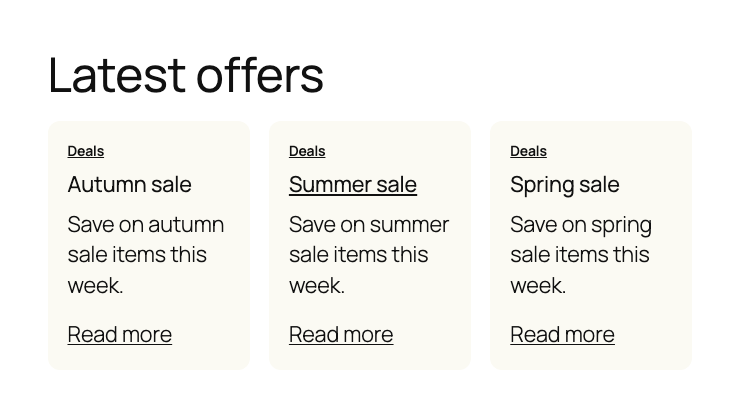
Wholelink makes a whole Group, Column or Cover block clickable. Select the block, press the link button in its toolbar and pick a page or paste a URL: visitors can now click anywhere on the block, not only on a heading or a button. It works with the Group block’s Row, Stack and Grid variations, and it turns Query Loop post cards into clickable cards that each link to their own post.
The block editor has no setting for this: a link can wrap text or a button, but not a whole Group, Column or Cover. Wholelink adds that setting to the core blocks you already use, so there is no extra wrapper block to insert and nothing to rebuild.
How to use it
- Link to a page or URL. Select a Group, Row, Stack, Grid, Column or Cover block, press the link button in the block toolbar and search for a page or post, or paste any URL. It is the same link box as on the Button block. You can also use Add link under Whole block link in the block settings.
- Clickable Query Loop cards. Inside a Query Loop post template, select the Group that holds a post, press the link button and choose Link to this post at the top. Each card then links to its own post.
- Link options. Open the link in a new tab or mark it nofollow or sponsored under Advanced in the link box, as on the Button block. Set a label for screen readers in the block settings.
What visitors get
- The whole block is one link: click anywhere on it, middle-click or Ctrl/Cmd-click to open it in a new tab, or long-press to copy the link. It works with JavaScript turned off and search engines see a normal link.
- Links, buttons and form fields inside the block keep working on their own, so a category link inside a post card still goes to the category.
- The pointer cursor shows over the whole block and its headings are underlined on hover. Keyboard users reach the block with Tab and see a focus outline around the whole block.
- Screen readers announce the link by your label, the post title in a Query Loop, the block’s first heading or its text. When a block has no text, such as a Cover with only an image, the image description or the link address is used and the editor asks for a label.
Lightweight and safe to remove
Wholelink renders a plain HTML link on the server and adds one small stylesheet only on pages that show a linked block. It loads no JavaScript on the front end, stores no settings and connects to no external service. The link settings live in the block’s attributes, so deactivating or deleting the plugin leaves every block valid: the blocks simply stop being links.
Details


About
Plugin for that tries to help you find the WordPress plugin you are looking for.
| Please enjoy an image of Crush (this awesome turtle) and have a lovely day! |  |
We do not own any plugin listed on this site and do not work for or work with WordPress.com or it's associated companies. We simply provide a searchable list of the available WordPress plugins.