



Widewalk – Accessibility Toolbar
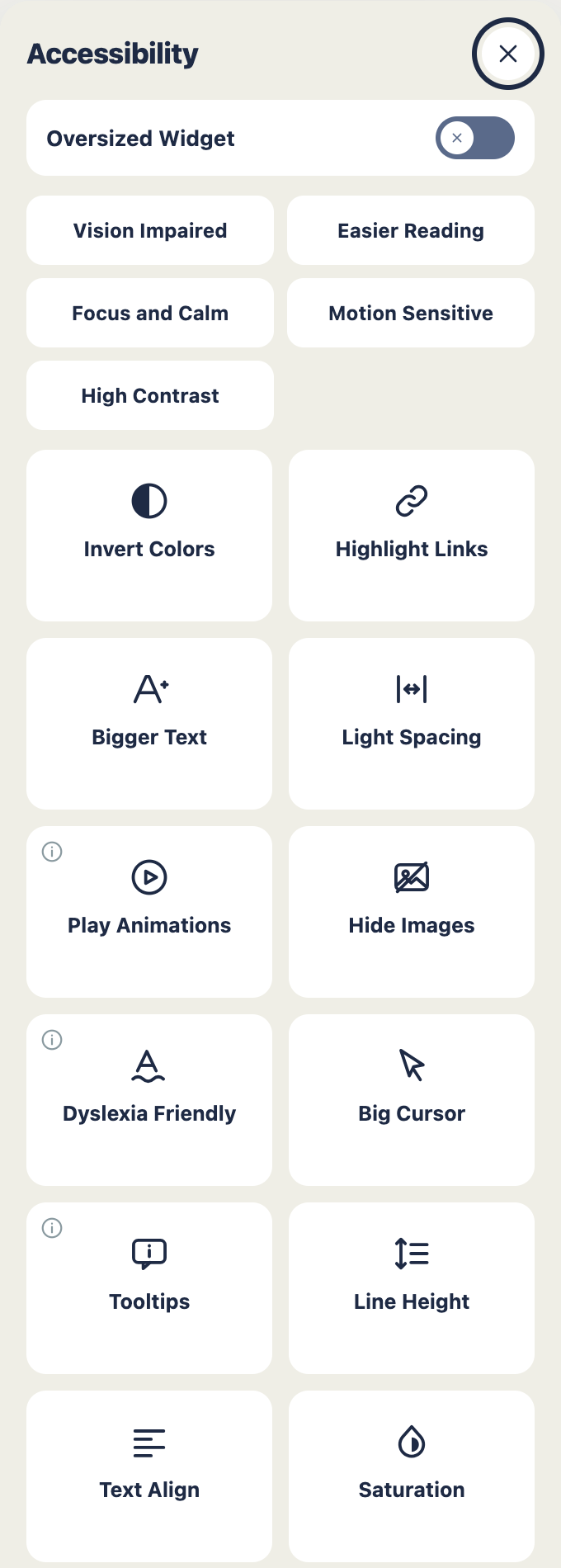
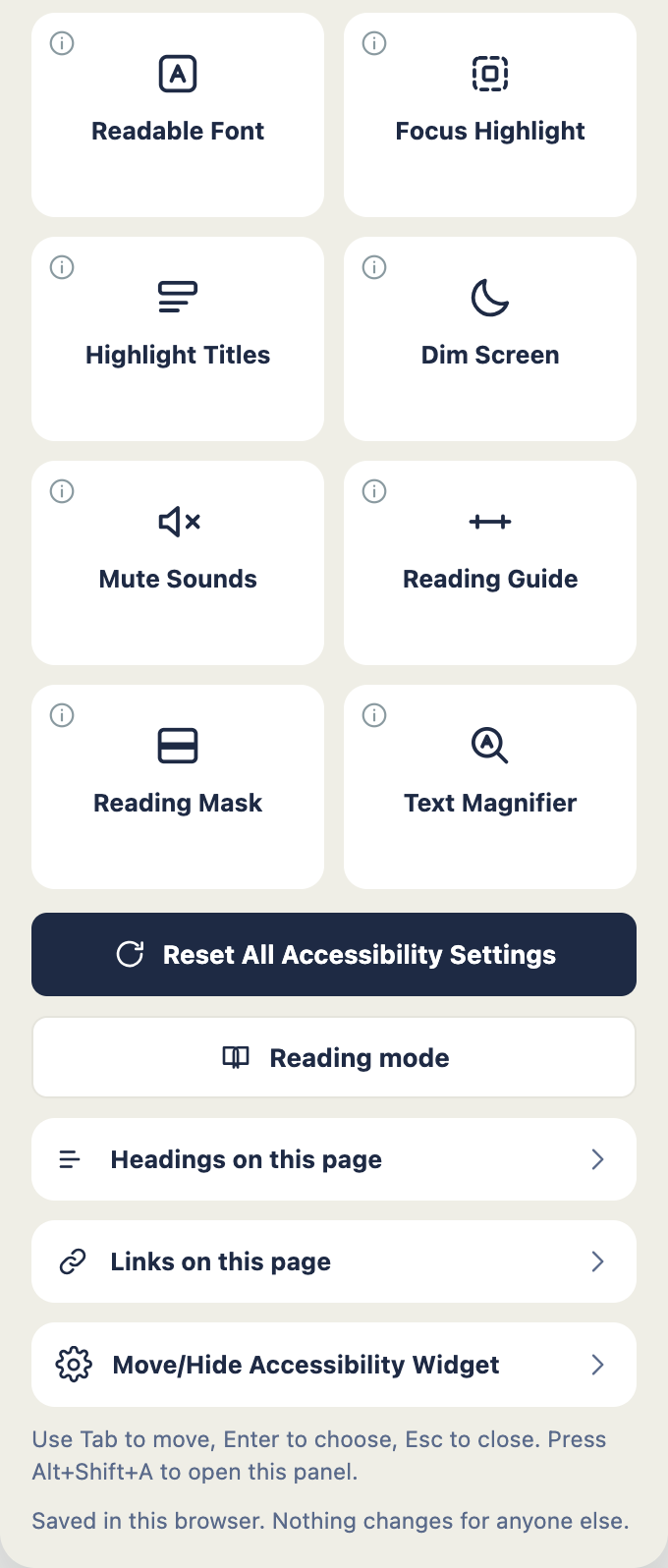
Widewalk puts a small button in the corner of your site. A visitor presses it and
a panel opens with the settings they need in order to read you: bigger text, more
air between the lines, letters further apart, links they can actually pick out of
a paragraph, a calmer palette, a pointer large enough to find. Whatever they
choose is kept in their own browser. Nobody else’s view of your site moves an inch.
You switch it on once. It works with the theme you already have.
The name comes from pavements built wide enough for everyone at the same time:
the wheelchair, the pushchair, the delivery trolley, and the people walking
alongside them. Widen the path rather than build a second one round the back.
What a visitor can change
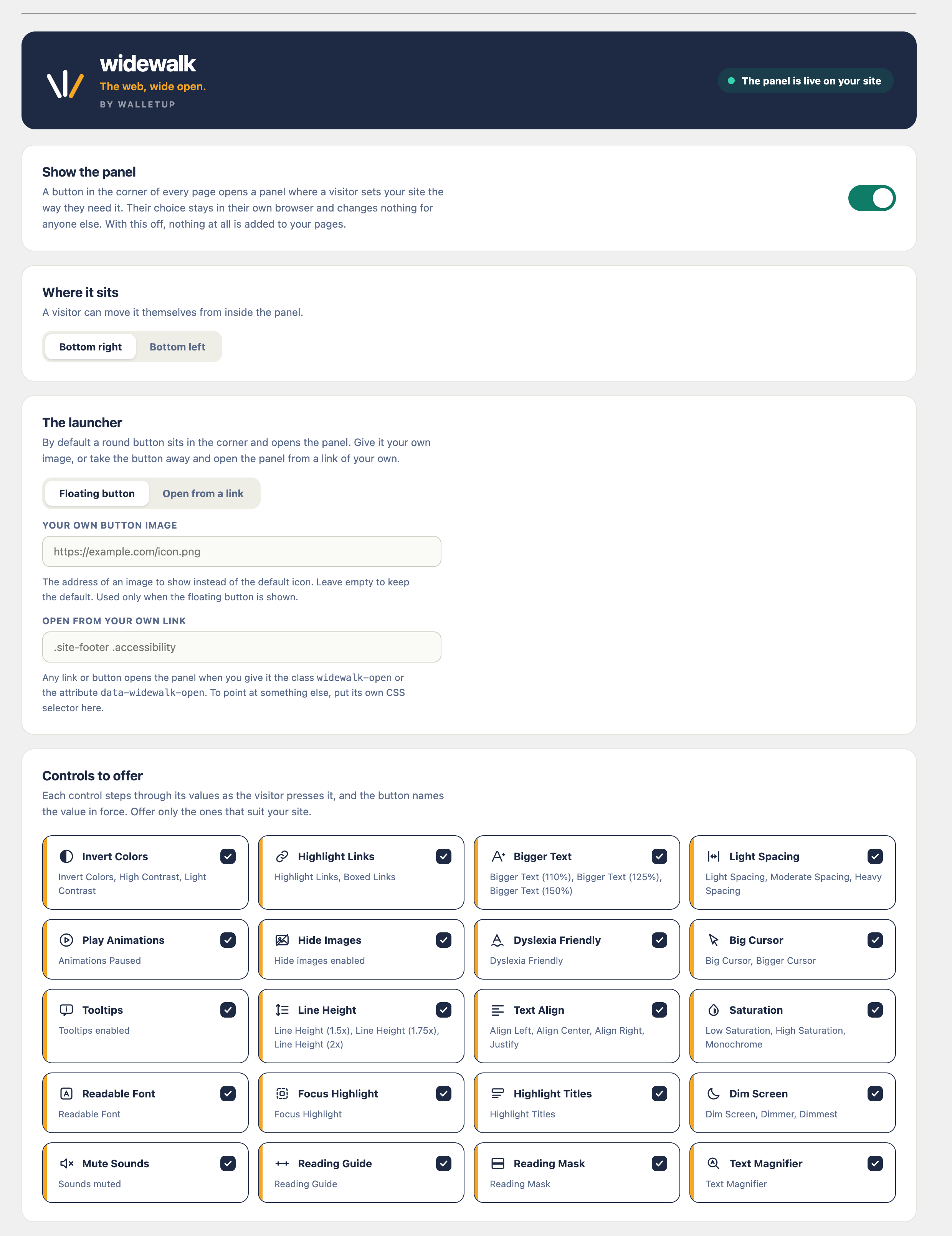
Each control steps through its settings as it is pressed, and the button says
which step it is on. “Line Height (1.75x)” or “Low Saturation” tells a visitor
where they are without making them guess.
- Bigger Text, at 110%, 125% and 150%
- Line Height, at 1.5x, 1.75x and 2x
- Letter and word spacing, from light through to heavy
- Invert Colors, then High Contrast
- Saturation: low, high, or monochrome
- Highlight Links, then Boxed Links
- Dyslexia Friendly type
- Big Cursor, then Bigger Cursor
- Pause animations
- Hide images
- Text alignment: left, centre, right
- Tooltips, which read out the descriptions a screen reader gets and a mouse user never sees
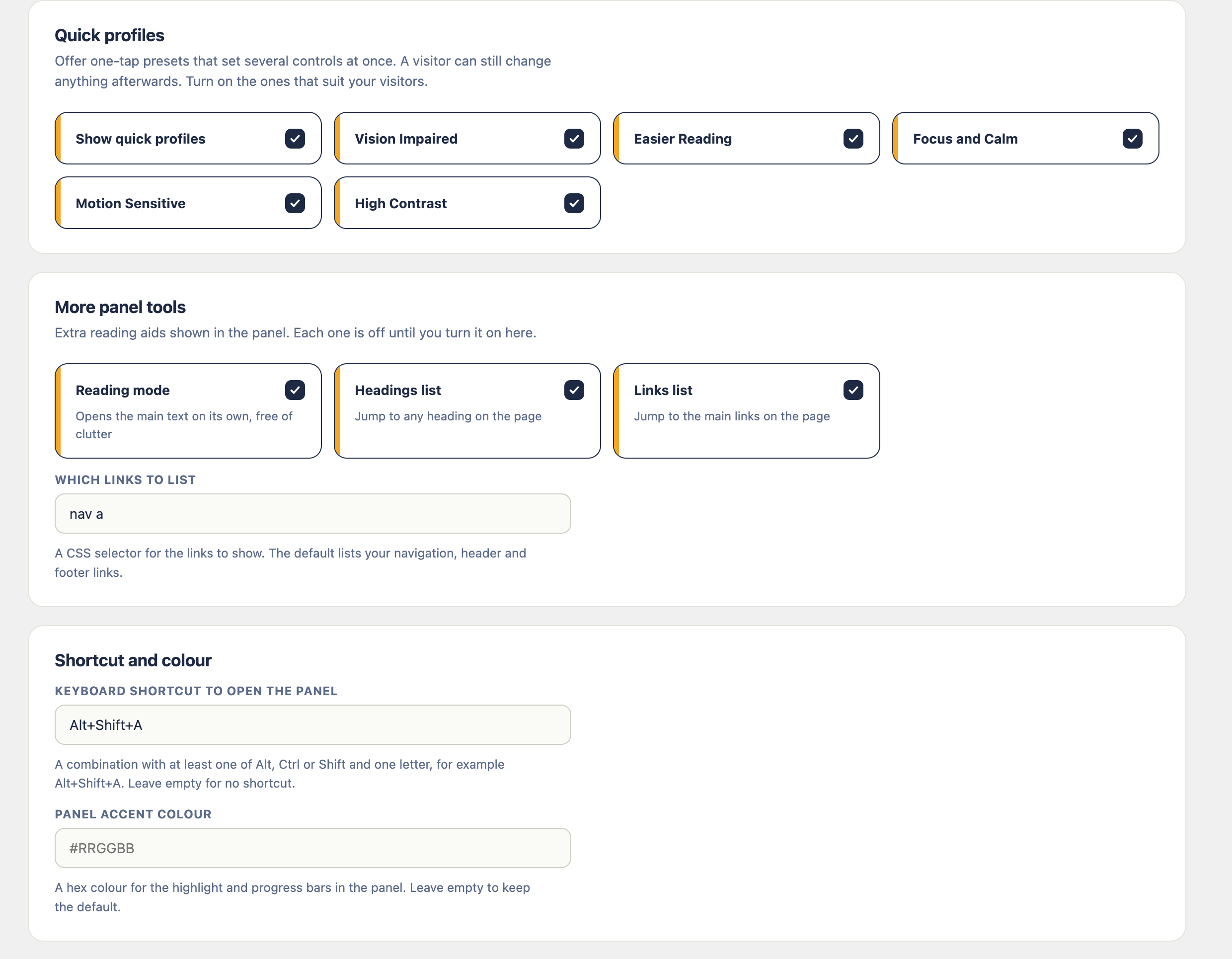
Twelve of them, and each has its own switch on the settings screen. Offer the
ones that suit your site and leave the rest off.
This is not an overlay
Worth saying plainly, because that word has earned its reputation. Widewalk does
not scan your pages, does not rewrite them for everybody, and makes no claim
about your legal compliance. Those three promises are what the overlay industry
sells, and no plugin is in a position to keep them.
Accessibility lives in your own markup. Your headings, your alt text, your colour
contrast, your link text, your forms. Five minutes with any plugin will not
change what is underneath.
What Widewalk does is smaller and it is true. It hands a visitor the settings
they would otherwise have to fight your stylesheet for, which is real help to
somebody with low vision, or dyslexia, or a migraine coming on, or a phone held
up in bright sunlight. Do the underlying work as well. This sits beside it.
It writes your accessibility statement
Any site that offers a panel like this ought to say what it is aiming for and how
to report a problem. Most plugins tell you to go away and write one. Widewalk
writes it for you, out of what you have actually switched on, and shows you the
whole thing before a word of it is published.
Choose the complete version, which follows the structure the W3C recommends, or
the short one if your site is small. You supply two things: an address where
somebody can report a barrier, and the number of working days you will take to
reply. Promise something you can keep.
Publish it and you have an ordinary WordPress page, yours to edit like any other.
Widewalk will not overwrite it later. The wording claims partial conformance and
nothing beyond that, because a plugin cannot certify a site it has never seen.
Built to survive your theme
The panel renders inside a shadow root. Your stylesheet cannot reach into it, and
its stylesheet cannot leak out into your pages. It has been measured against a
theme written for the sole purpose of breaking it: global button rules marked
!important, a forced box model, oversized icons, a page claiming the highest
stacking order there is. It came through without a mark.
Block themes, classic themes, page builders. It mounts on wp_footer, which
every theme fires.
Light, and quiet about it
- About 7 KB gzipped covers everything a visitor downloads. One stylesheet, one small script, no framework, no jQuery.
- Switch the panel off and nothing at all is added to your pages.
- No outbound requests anywhere in the plugin. No account, no API key, no third-party service, no fonts pulled from somebody else’s server.
- No tracking and no cookies. Preferences sit in local storage on the visitor’s own device, under a single key.
Made to the standard it talks about
- Every control works from the keyboard alone, with a focus outline you can see.
- The panel is a labelled dialog. Focus stays inside it while it is open, and returns where it came from when it closes.
- Changes are announced to screen readers as they happen.
- Motion stops when a visitor’s device has asked for less of it.
- Text and background inside the panel meet WCAG 2.2 AA contrast.
Who installs it
Sites whose readers are not all twenty-five with good eyes and a large monitor.
Charities, galleries, schools, clinics, councils, artists, shops, small
newsrooms. Anywhere that would rather be read than admired.
Details


Related plugins
Plugins that also contain the tag a11y
Ally – Web Accessibility & Usability
AccessibleWP – Accessibility Toolbar
WP Accessibility Helper (WAH)

Contact Form 7: Accessible Defaults

Accesibilidad Web con el Widget de AccedeMe
Accessibility New Window Warnings


About
Plugin for that tries to help you find the WordPress plugin you are looking for.
| Please enjoy an image of Crush (this awesome turtle) and have a lovely day! |  |
We do not own any plugin listed on this site and do not work for or work with WordPress.com or it's associated companies. We simply provide a searchable list of the available WordPress plugins.