



WingPilot – Your AI Site Consultant & Security Expert
The AI site manager you’d hire if you could.
WingPilot connects your WordPress site to WPPilot, an AI consultant that understands your site the way a senior expert would: its pages, products, plugins, design and the business behind it. Ask it anything, get answers grounded in what is actually on your site, and let it prepare improvements you approve with one click. No migration. No rebuild. No AI API keys.
Your site, understood
Connect your site and within about 90 seconds WPPilot writes your Briefing: what your site is for, who it serves, what is already working, and what needs attention first. Not a checklist, not a score. A real assessment in plain language, with the next steps spelled out.
Talk to your site
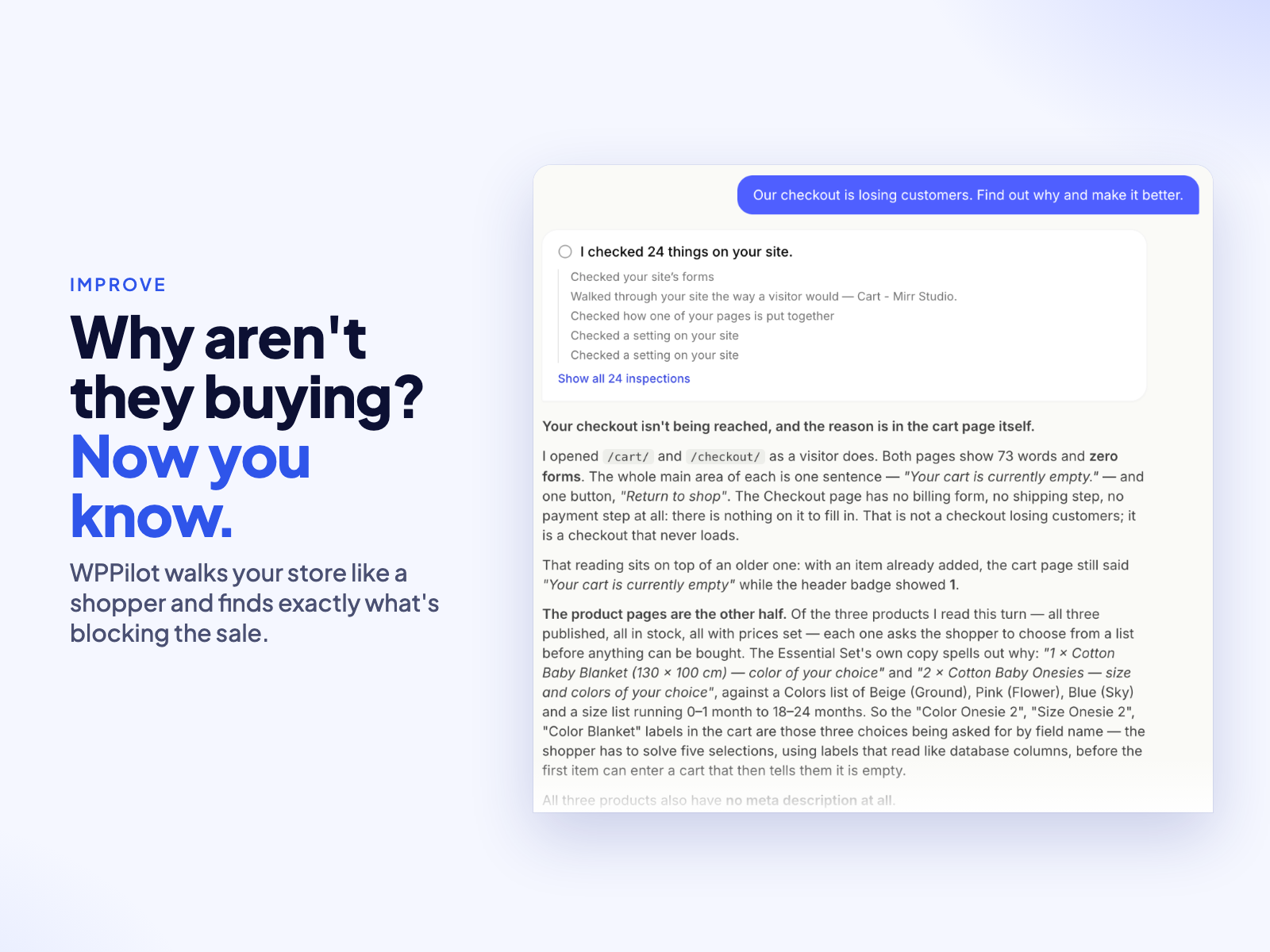
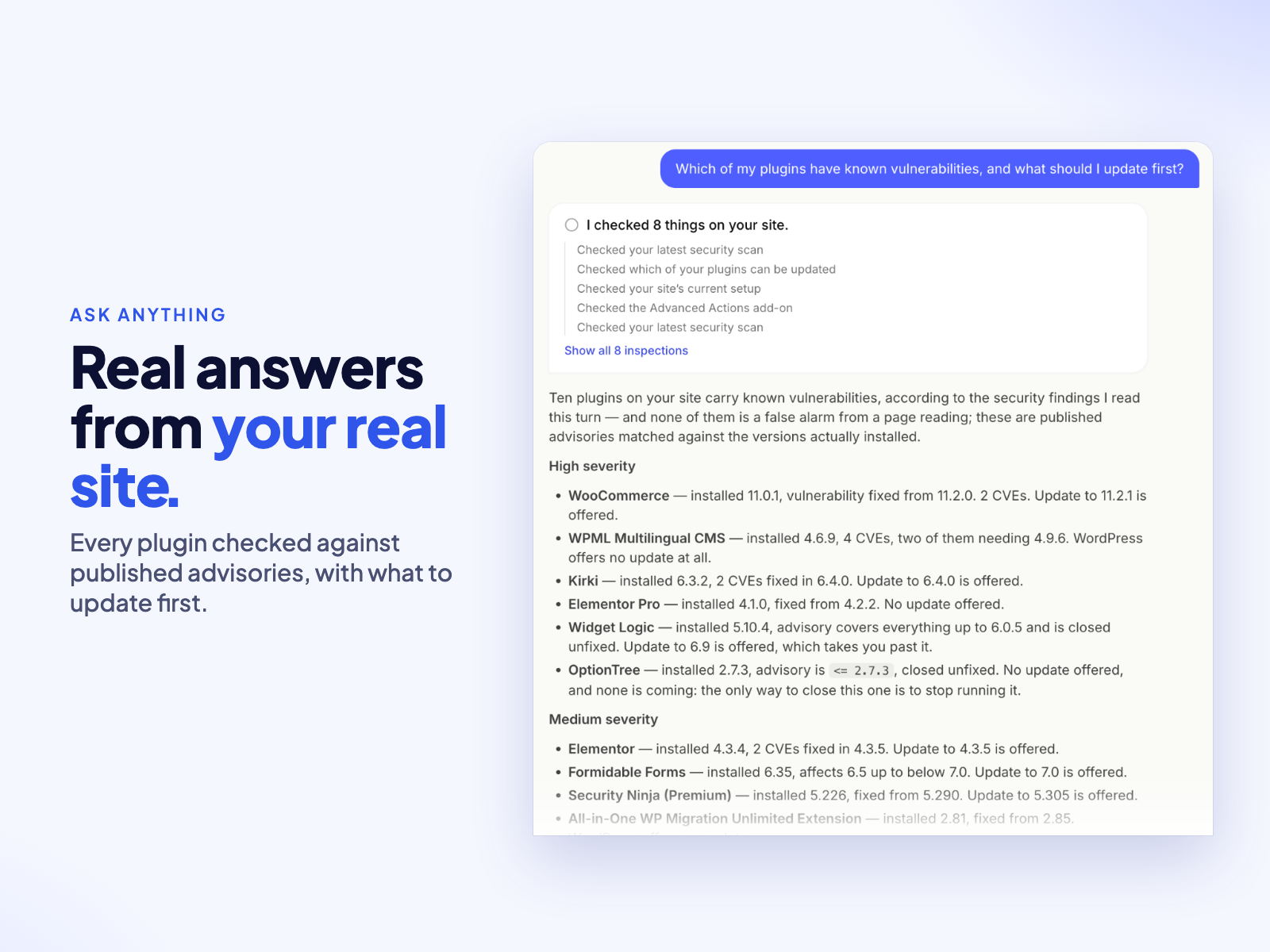
Ask a simple question or bring it a messy problem. “What should I improve first?” “Which of my plugins have known vulnerabilities?” “Why does this page not convert?” WPPilot investigates your live site, connects the dots across your content, plugins and settings, and answers with specifics, not generic AI advice. It remembers your conversations and decisions, so every answer builds on the last.
Improvements you approve
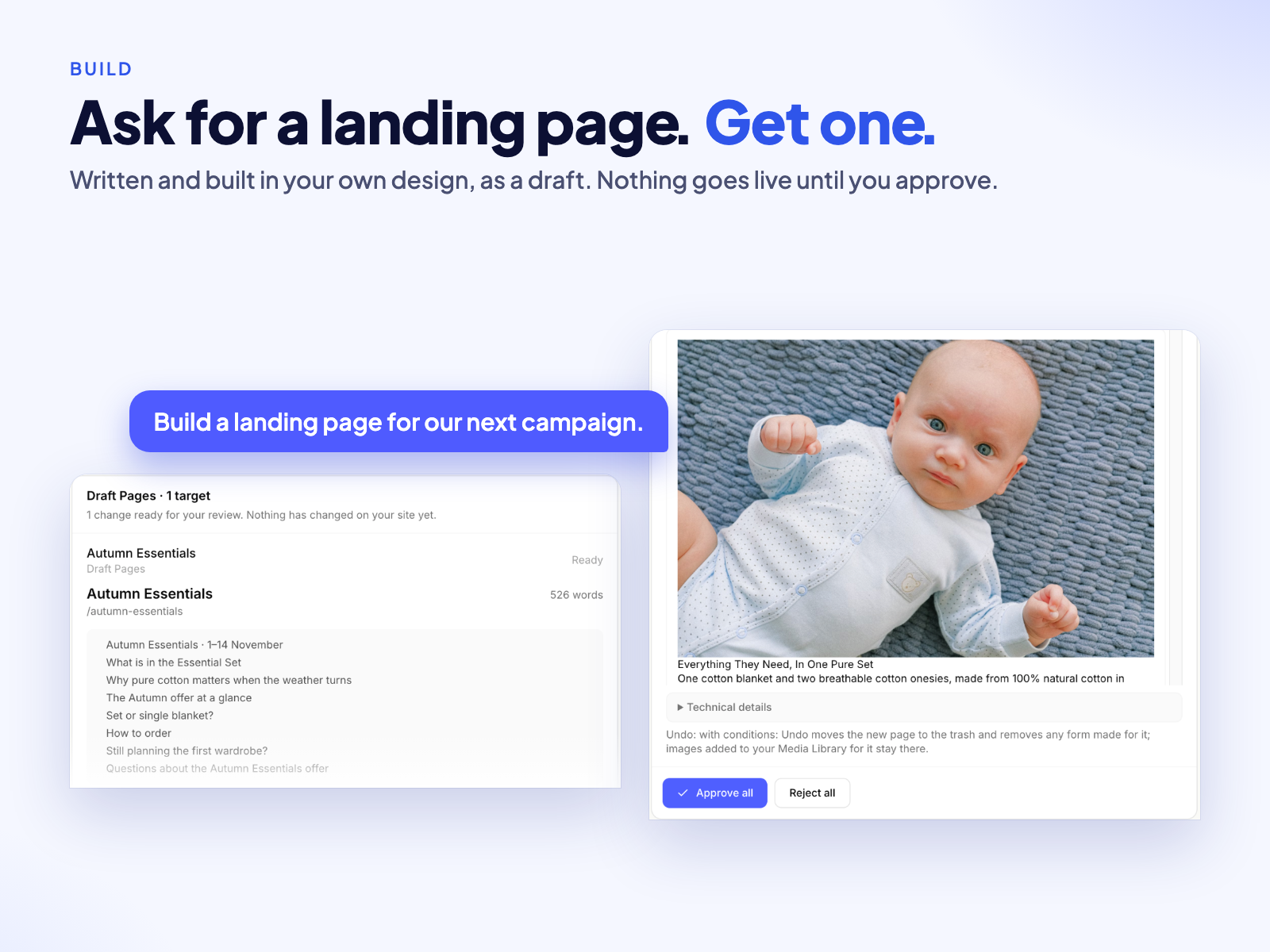
Tell WPPilot the outcome you want and it prepares the change: rewritten titles and descriptions, better page copy, new draft pages, fixed menus, cleaner SEO, alt text for your images and more. You see exactly what is there now, what it proposes and how Undo will put it back. Approve, refine or reject. Nothing changes until you say so, and every change can be undone.
Watchtower keeps watch
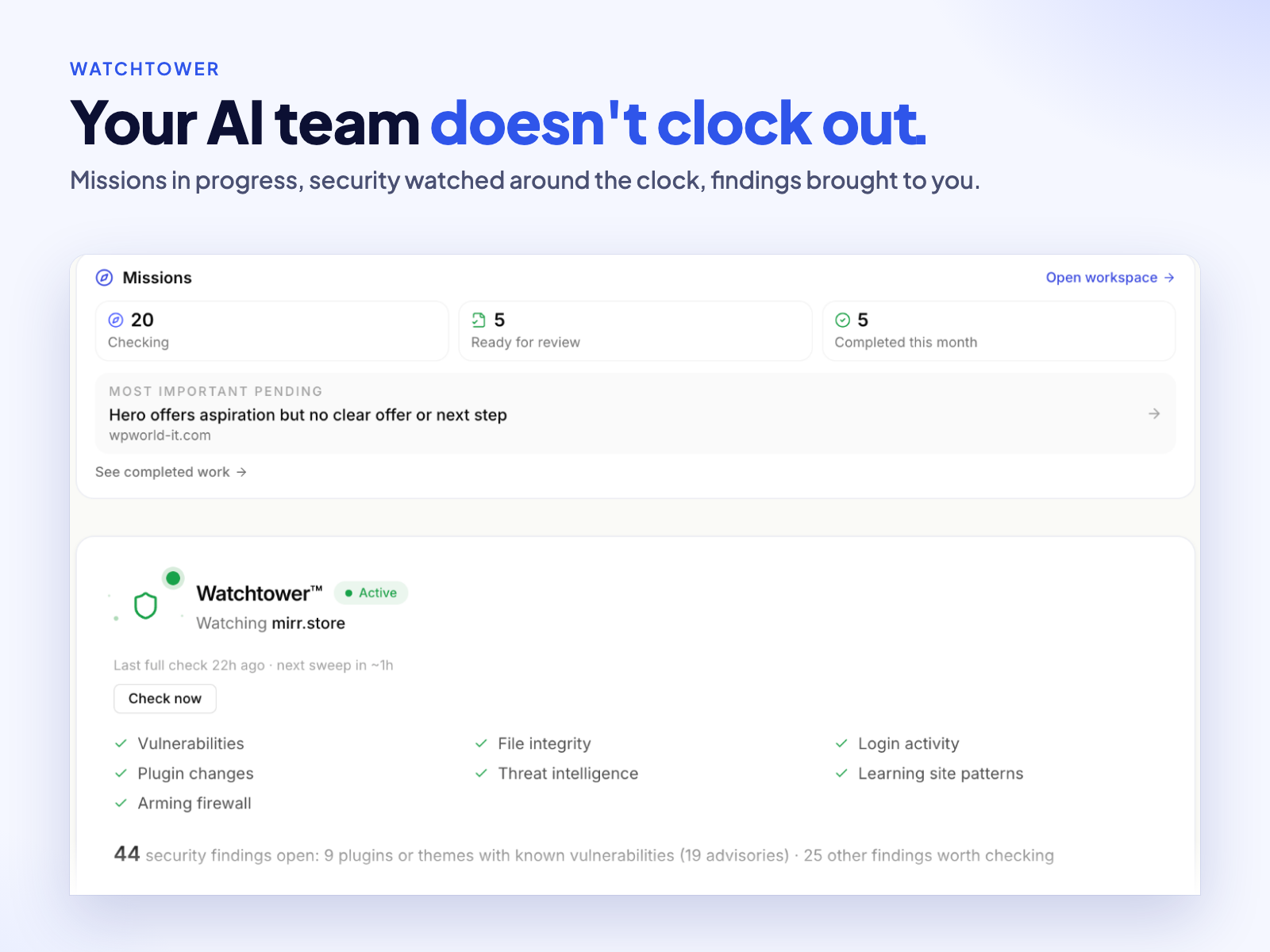
Watchtower checks your plugins against the latest vulnerability intelligence, verifies your files, watches what changes on your site and tells you what matters in language you can act on. A live activity feed shows every login, edit and change.
Know what your visitors do
Connect Google Analytics in the WPPilot app and it turns visitor behaviour into plain recommendations: which pages keep attention, where people leave and what to change.
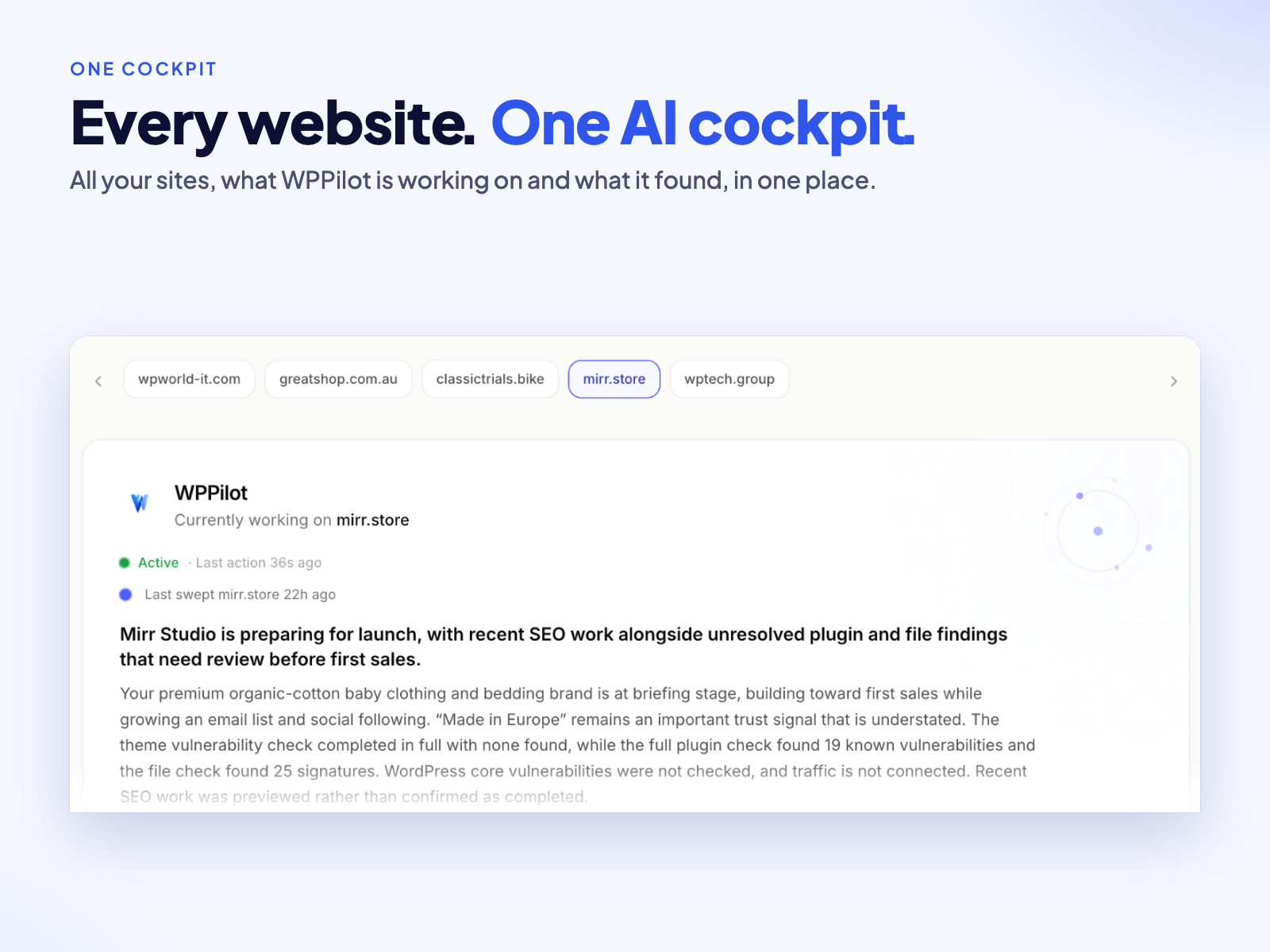
One place for all your sites
The WPPilot cockpit shows every connected site, its latest Briefing and the work waiting for your review.
Start free
Free connects one site, writes your Briefing, answers your questions and completes your first real improvements, with no credit card. Starter, Pro and Agency add more work, more sites and proactive improvements WPPilot finds and prepares for you; see getwppilot.com/pricing. The plugin itself has no locked features.
External services
WingPilot needs a free WPPilot account and a connection to the WPPilot service at api.getwppilot.com, which provides the Briefing, the conversation, approved changes and Watchtower monitoring. Without a connection the plugin does nothing except keep WPPilot lead forms on your pages working (form messages stay on your site).
Once you connect, your site shares with the service what it needs to do that work: your site address, WordPress, PHP, plugin and theme versions; the content WPPilot reads to answer you or prepare a change (pages, posts, products, menus, comments awaiting moderation, and a public page’s HTML when your host blocks WPPilot’s own request); site activity events such as logins and plugin changes; and security-scan file fingerprints and the contents of changed core, plugin and theme code files. Configuration files such as wp-config.php, uploads and data files are checked on your server and never sent. Your admin email is sent when you click Connect, to propose your account address. Approved changes are written back through the plugin’s own REST API.
Data is sent when you connect or open WPPilot, as activity happens on a connected site, during daily heartbeats and scans, when WPPilot reads content to answer you, and when you approve a change. When you approve a page illustrated with a stock photo, your site downloads that image (https only) from Pexels or the original Openverse host.
Terms of Use: getwppilot.com/terms · Privacy Policy: getwppilot.com/privacy · Pexels: terms, privacy · Openverse: terms, privacy
Details

Related plugins
Plugins that also contain the tag ai
SEOPress – On-site SEO & Analytics

AI Engine – The Chatbot, AI Framework & MCP for WordPress

GetGenie – AI Content Writer with Keyword Research & SEO Tracking Tools

SEO Plugin by Squirrly SEO

Website LLMs.txt

Smartsupp – live chat, AI shopping assistant and chatbots


About
Plugin for that tries to help you find the WordPress plugin you are looking for.
| Please enjoy an image of Crush (this awesome turtle) and have a lovely day! |  |
We do not own any plugin listed on this site and do not work for or work with WordPress.com or it's associated companies. We simply provide a searchable list of the available WordPress plugins.