

Back

Free Shipping Per Product for WooCommerce
Details
View on WordPress
Back
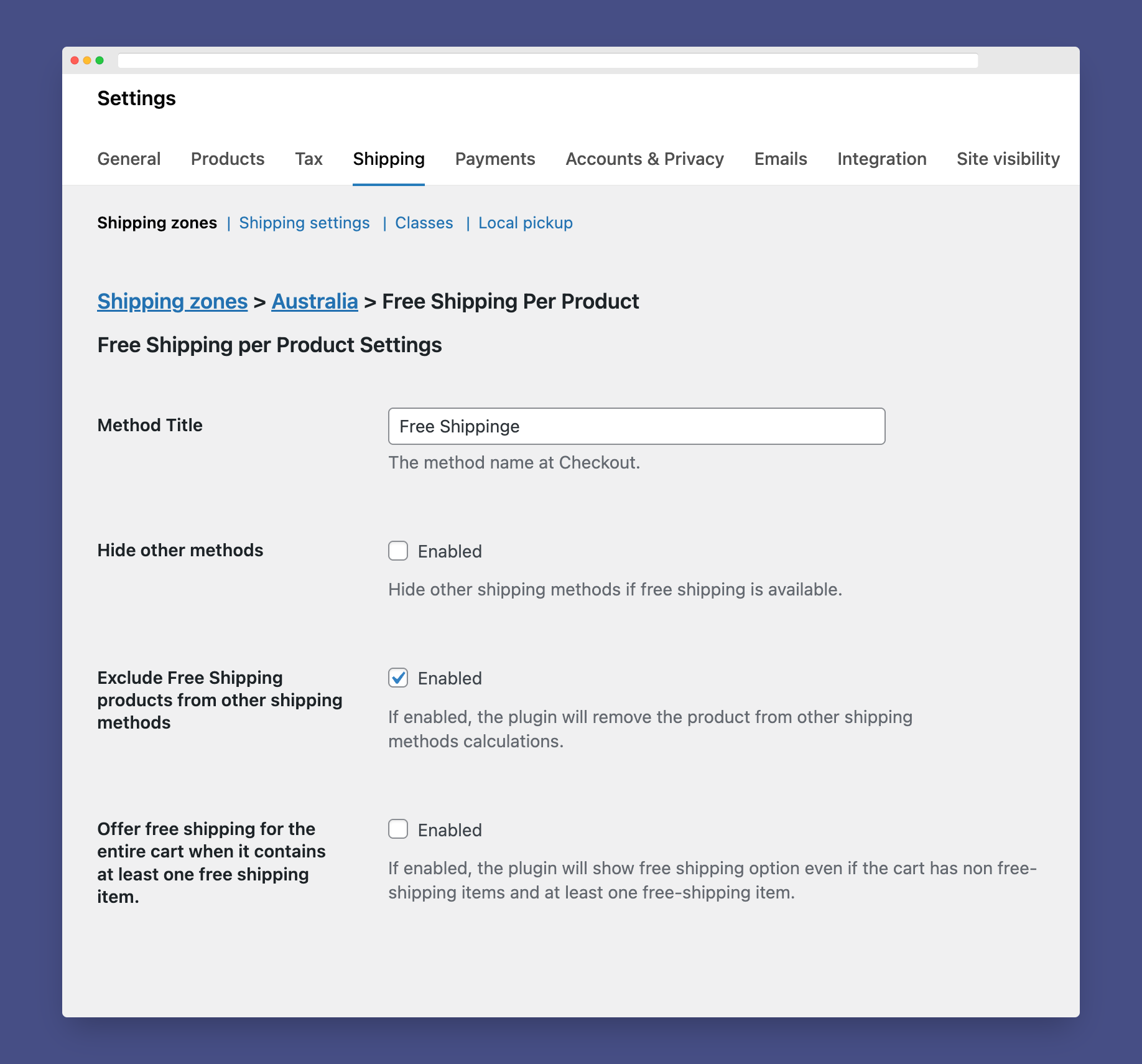
The plugin acts as a regular WooCommerce shipping method. For setting up the plugin, please follow the instructions:
- Install and activate the plugin.
- Go to WooCommerce => Settings ⇒ Shipping ⇒ Shipping Zones.
- Assign Free Shipping Per Product to one or more of the shipping zones.
- At the method’s settings, you can choose if you want to hide other shipping methods at Checkout if the free shipping was available.
- To make a product eligible for free shipping, you can create a shipping class and name it free-shipping then, assign the class to any product you need.
Looking For More Flexibility?
Details
Plugin code:
woo-free-shipping-per-product
Plugin version:
1.3.4
Author:
Outdated:
No
WP version:
4.0 or higher
PHP version:
7.4 or higher
Test up to WP version:
6.9
Total installations:
3,000
Last updated:
2025-12-08
Rating:
Times rated:
33
free-shipping
shipping
shipping-method
woocommerce
woocommerce-extension
Related plugins
Plugins that also contain the tag free-shipping
Advanced Free Shipping for WooCommerce

Table Rate Shipping for WooCommerce

Hide Shipping Method For WooCommerce
Free Shipping Label and Progress Bar for WooCommerce

WPC Free Shipping Bar for WooCommerce

Free Shipping Bar: Amount Left for Free Shipping for WooCommerce


About
Plugin for that tries to help you find the WordPress plugin you are looking for.
| Please enjoy an image of Crush (this awesome turtle) and have a lovely day! |  |
We do not own any plugin listed on this site and do not work for or work with WordPress.com or it's associated companies. We simply provide a searchable list of the available WordPress plugins.