



Estimated Delivery Date for WooCommerce
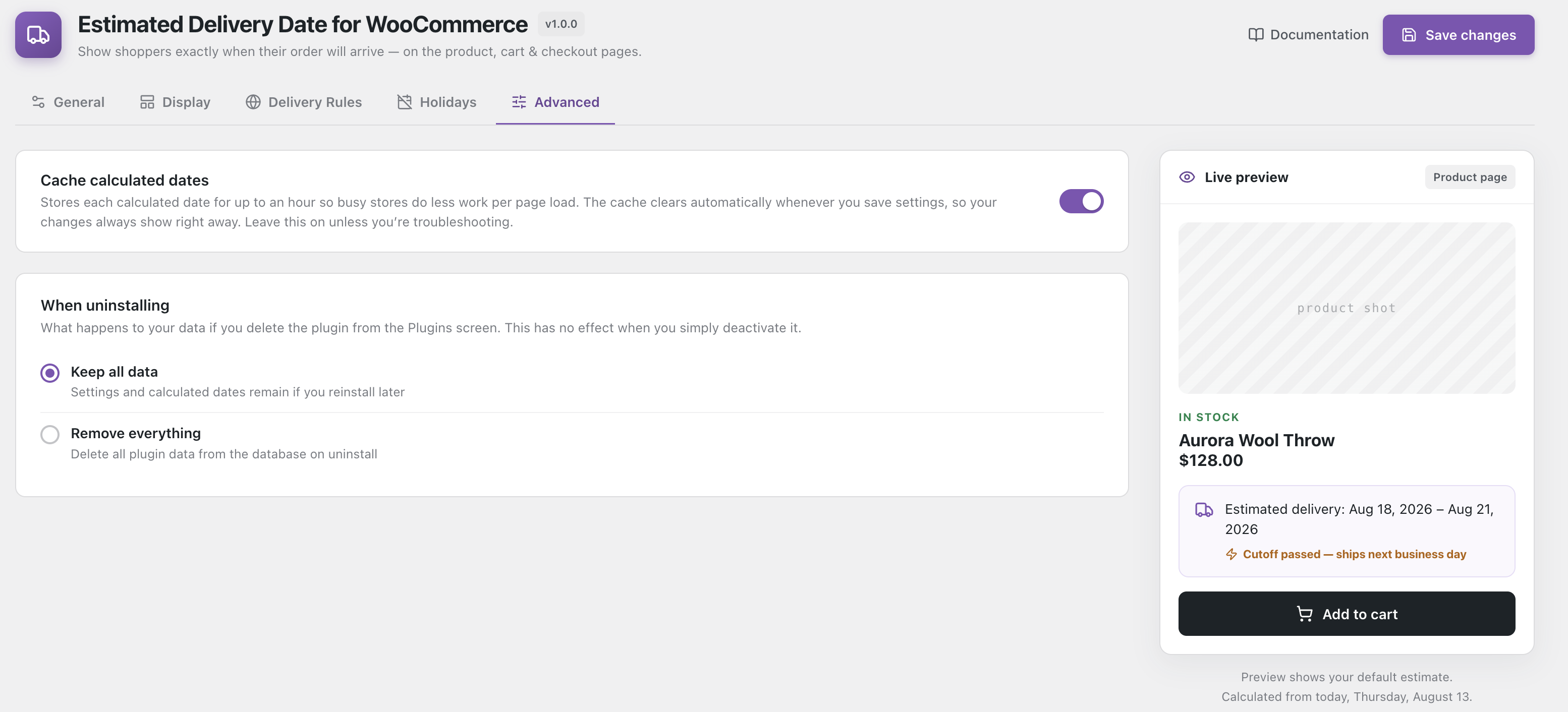
Estimated Delivery Date for WooCommerce tells shoppers exactly when their order will arrive — before they buy. It shows a clear “get it by” delivery date on the product page, shop archive, cart, checkout and order emails, calculated from your own shipping rules rather than a guess.
Stores that show a delivery estimate convert better than stores that make customers wonder. “Arrives Thu, Aug 14 – Mon, Aug 18” answers the question that otherwise sends people to a competitor.
How the delivery date is calculated
You set a delivery window in business days (for example 2–5 days). The plugin counts forward from today, and automatically:
- skips weekends and any weekday you do not ship on
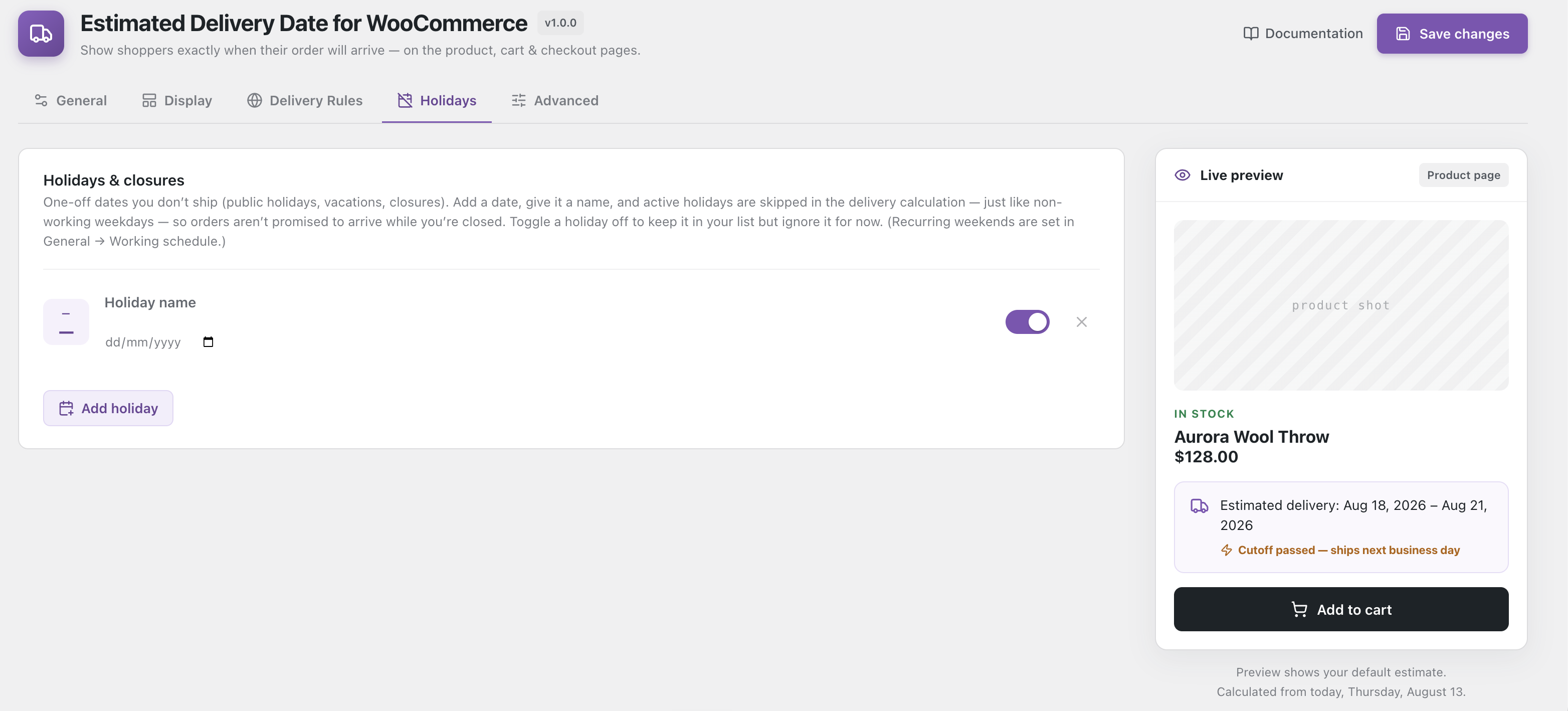
- skips your store holidays and closures
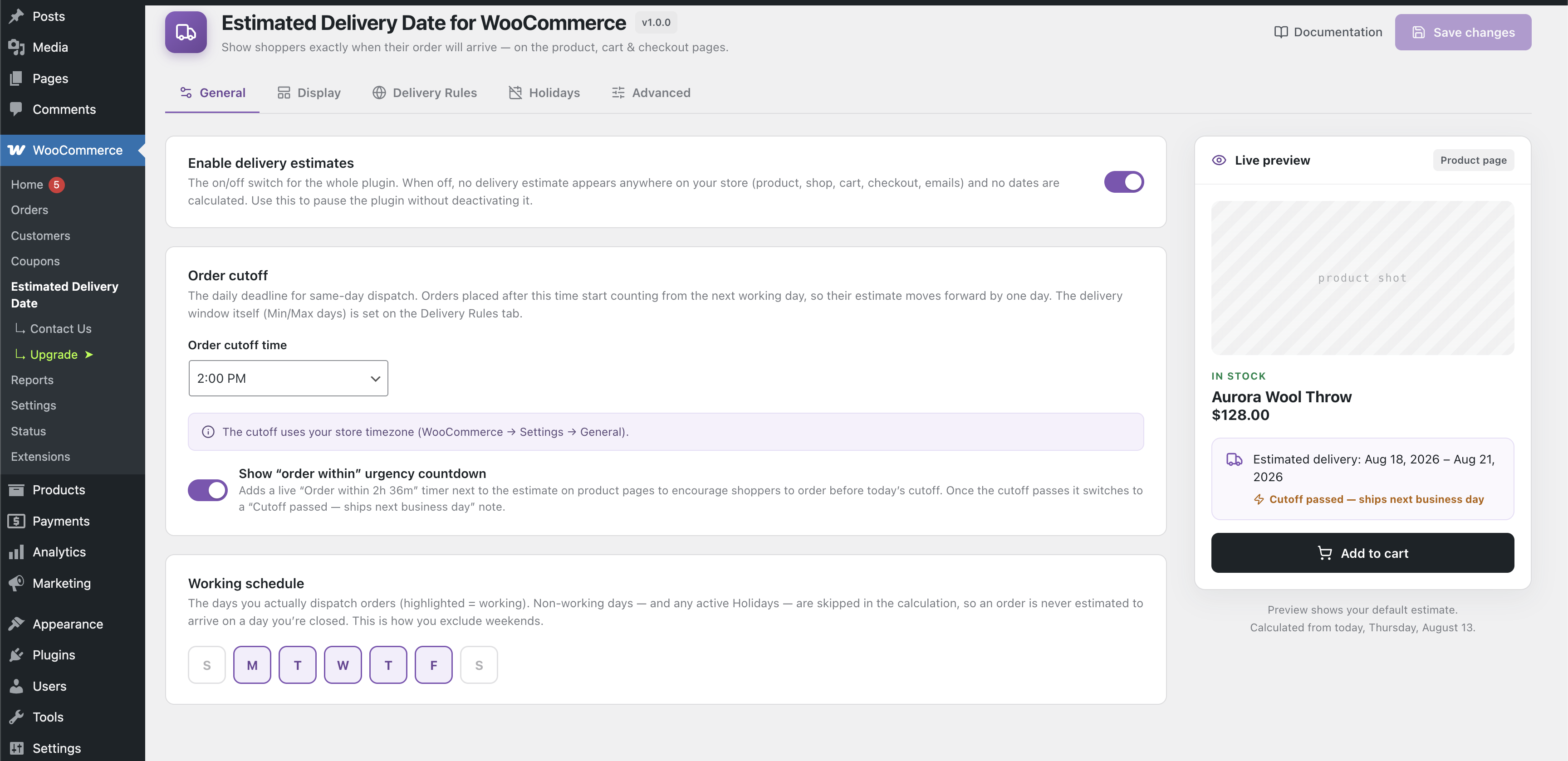
- rolls forward a day when an order is placed after your order cutoff time
So a 2–5 day window ordered on Friday afternoon shows the right dates, not dates that land on a Sunday when you are closed.
Delivery rules: different dates for different products
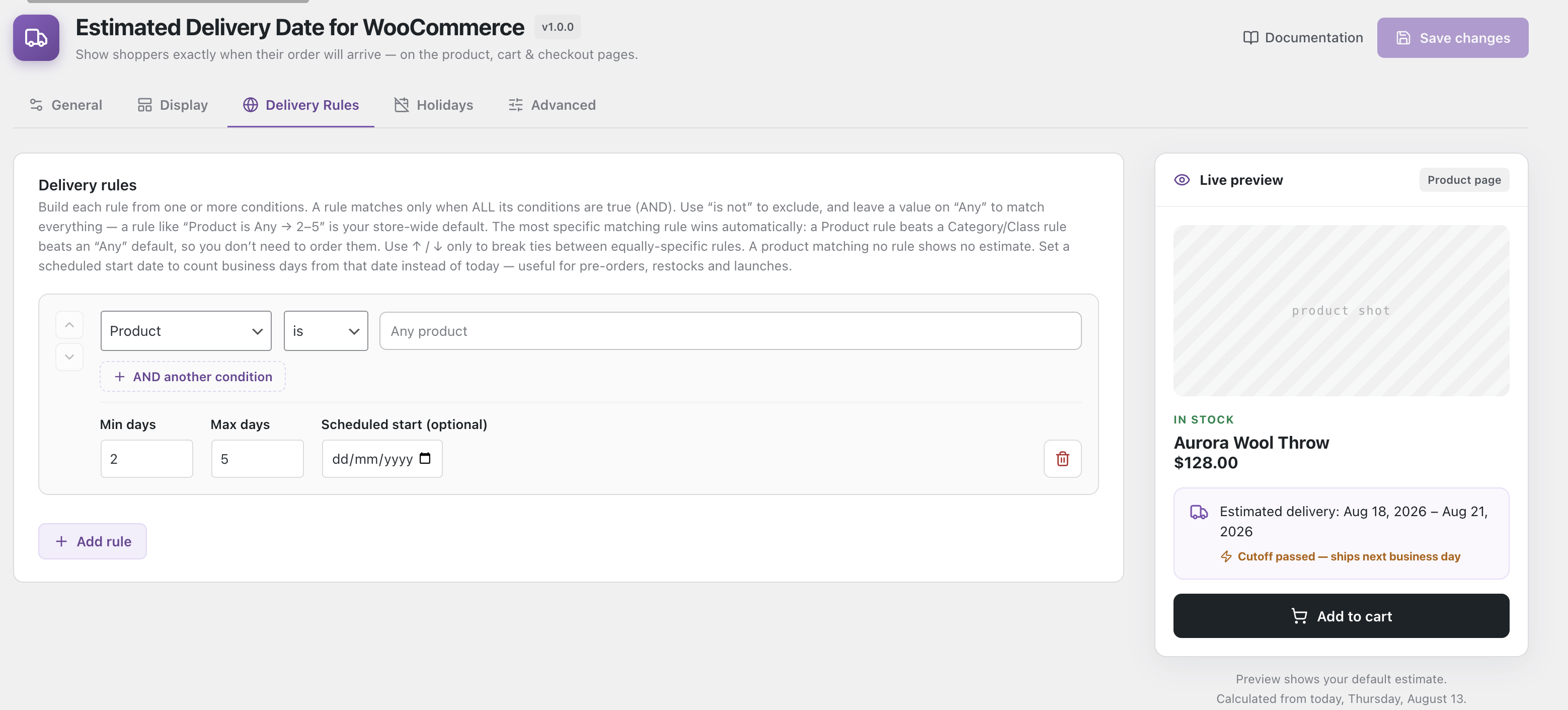
Not everything ships at the same speed. Build a rule from one or more conditions:
- Product — a specific product
- Product category — for example “Furniture ships slower”
- Shipping class — bulky items, fragile items
- Shipping zone — domestic versus international
- Shipping method — express versus standard
Rules combine with is / is not operators, and the most specific matching rule wins automatically — a product rule beats a category rule, which beats your store-wide default. You never have to drag rules into the right order.
Urgency countdown
A live “Order within 2h 36m” timer counts down to your dispatch cutoff, right next to the estimate. When the cutoff passes it does not vanish and leave shoppers guessing — it changes to “Cutoff passed — ships next business day” and the delivery date moves forward automatically.
Everything else, in short
- Live admin preview — a product-page mock-up that updates as you type, countdown included. What you see is what the storefront renders.
- Per-product override — a custom estimate, or no estimate at all, for individual products.
- Scheduled start date — count business days from a future date instead of today, per rule or per product. For pre-orders, restocks and launches.
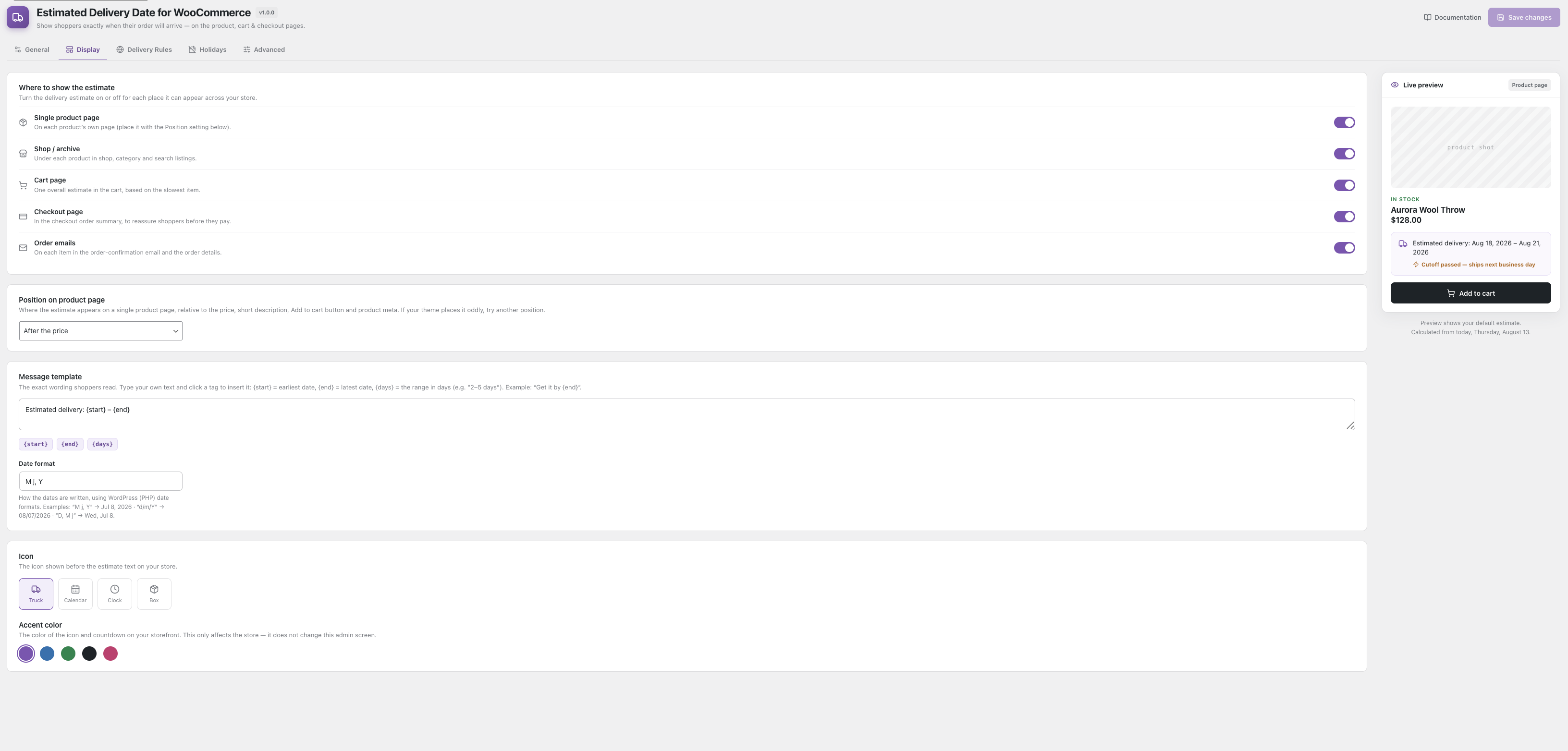
- Display control — product page, shop/archive, cart (per item and overall), checkout and order emails, with position control on the product page.
- Your wording, your branding — message template with
{start},{end}and{days}tags, an icon picker (truck, calendar, clock, box) and an accent colour the badge tints itself from, so it suits any theme. - Shortcode —
[edfw_estimated_delivery]places the estimate anywhere. - Fast on large catalogues — optional caching of calculated dates, invalidated automatically when you save; product and category pickers search on demand rather than loading everything.
- Works with modern WooCommerce — HPOS and the Cart & Checkout Blocks are both declared compatible.
- Headless ready — the estimate is exposed on the WooCommerce Products and Orders REST API and on the Store API.
- Developer friendly — dozens of documented actions and filters, and a rule-condition API add-ons can extend.
Free, with no catches
Every feature listed above is in the free plugin. Nothing is time-limited, usage-capped or hidden behind a licence key.
A separately sold premium upgrade adds stock-aware estimates (extra lead time for backordered and out-of-stock items) plus country and postcode targeting. You never need it for the features described here.
Source code & build tools
The admin settings screen is a React app compiled with @wordpress/scripts. The complete, human-readable source is included in the plugin’s src/ directory. To rebuild the compiled files in build/, run:
npm install && npm run build
External services
This plugin uses the Freemius SDK for plugin registration, optional usage diagnostics, and licensing of the separately sold premium upgrade. Every feature of the free plugin works fully without it — nothing here is locked, limited, or licence-checked.
When data is sent: only after you explicitly opt in during activation. If you skip or decline the opt-in, no data is transmitted. You can opt out at any time from the plugin’s settings screen.
What is sent when you opt in: your site URL, WordPress and PHP versions, active theme and plugin list, and the email address of the account you opt in with. This is used to notify you about updates and security notices, and to understand which environments the plugin runs on.
Service provided by Freemius, Inc.
- Terms of Service: https://freemius.com/terms/
- Privacy Policy: https://freemius.com/privacy/
Details

Related plugins
Plugins that also contain the tag delivery-date
WPC Estimated Delivery Date for WooCommerce

Order Delivery Date Time & Pickup for WooCommerce

PiWeb Delivery & Pickup Date Time for WooCommerce

Estimated delivery date per product for WooCommerce

Table rate shipping for WooCommerce

Estimated Delivery Date Per Product For Woocommerce


About
Plugin for that tries to help you find the WordPress plugin you are looking for.
| Please enjoy an image of Crush (this awesome turtle) and have a lovely day! |  |
We do not own any plugin listed on this site and do not work for or work with WordPress.com or it's associated companies. We simply provide a searchable list of the available WordPress plugins.