



WPBR Bulk Replace
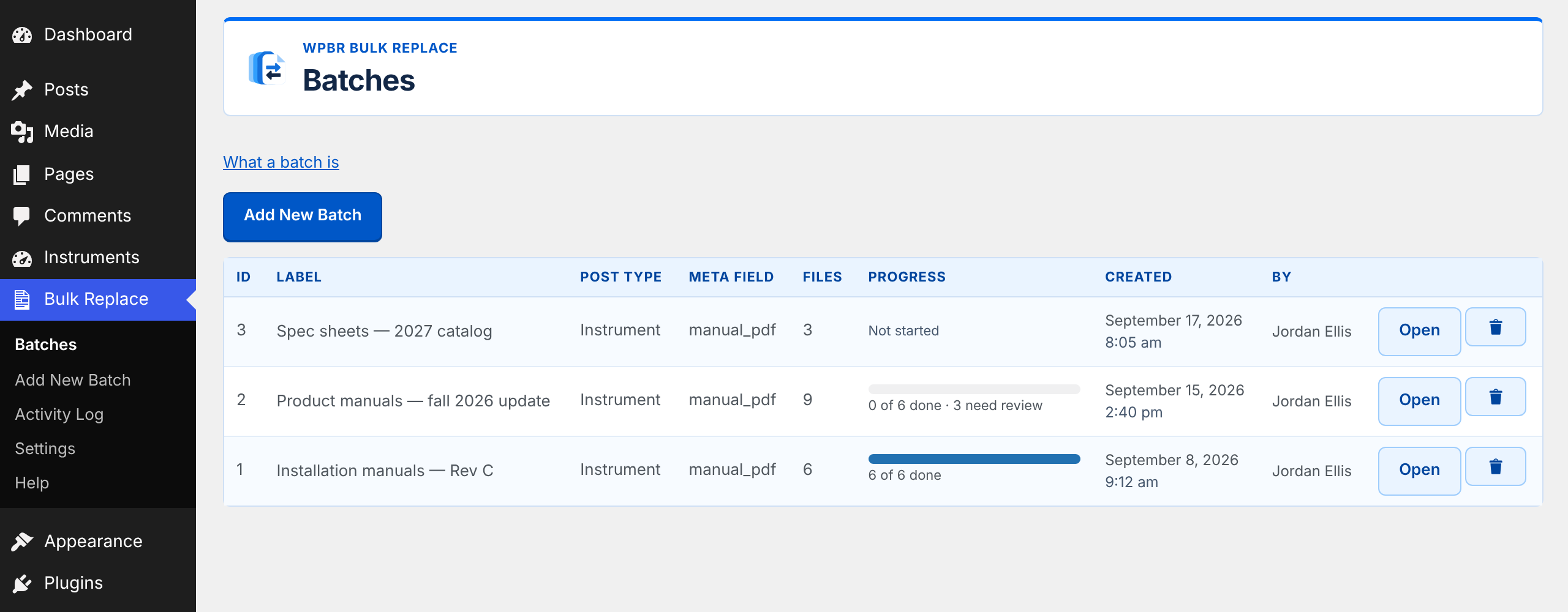
Replacing a few hundred PDFs attached to a few hundred pages is a job nobody wants: find the right page, download the old file, upload the new one, repoint the field, repeat. WPBR Bulk Replace does the matching for you and then makes you check it before anything is written.
It works against any post type and any meta field that holds a file URL, so it is not tied to a particular theme or page builder.
WPBR Bulk Replace is the WordPress.org edition of WP Bulk Replace, which is also distributed independently from wpbulkreplace.com. The two editions are built from the same source and have the same features; this one updates through WordPress.org.
How it works
- Upload — drag files in, or drop them into the staging folder over FTP and scan.
- Match — pick the post type and the meta field holding the file URL, then run matching. Each filename is scored against every published post of that type. Re-running is safe: rows you set by hand are protected.
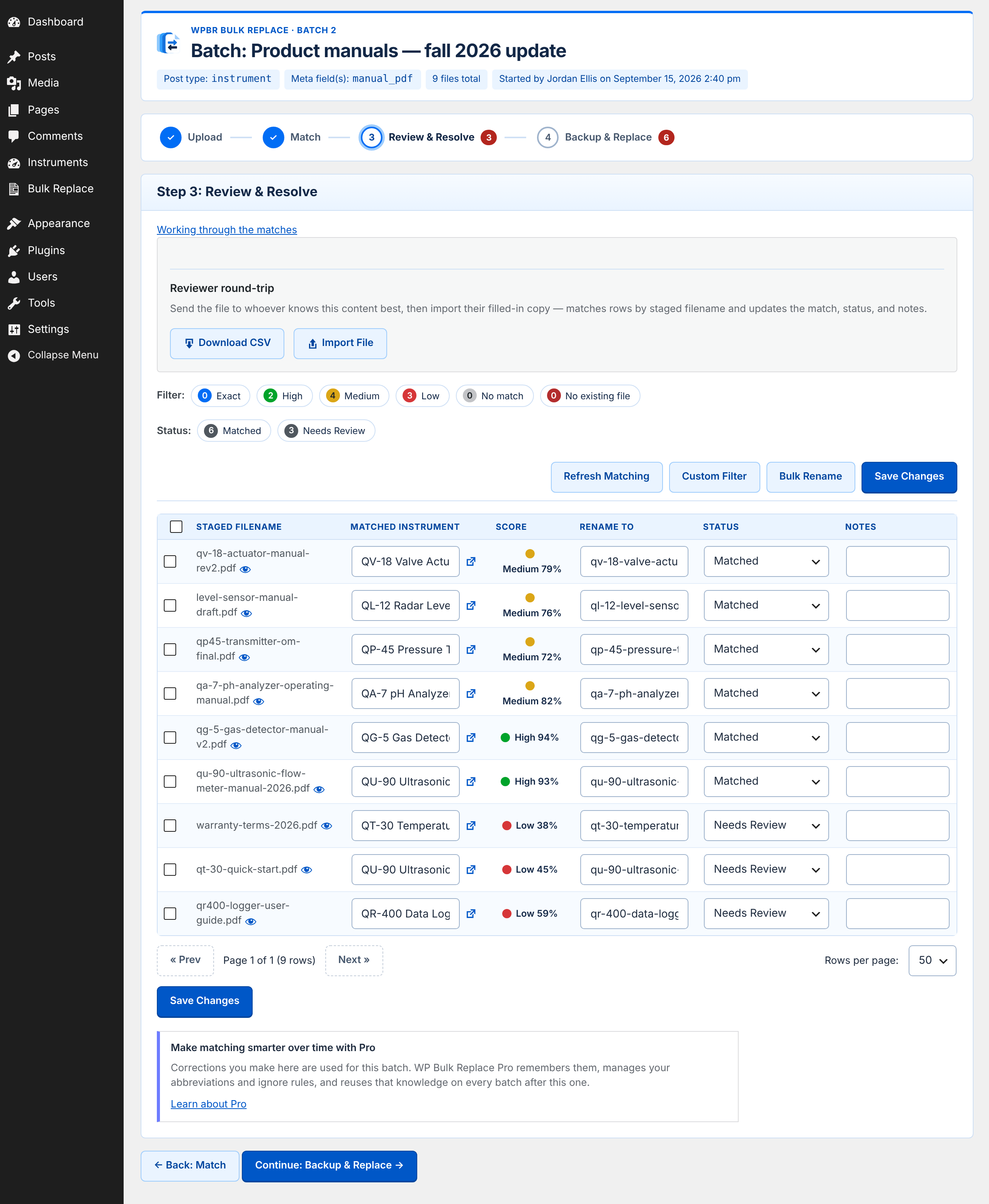
- Review and resolve — correct anything that matched wrongly, filter by confidence or status, and export a CSV if you want a second opinion from someone else.
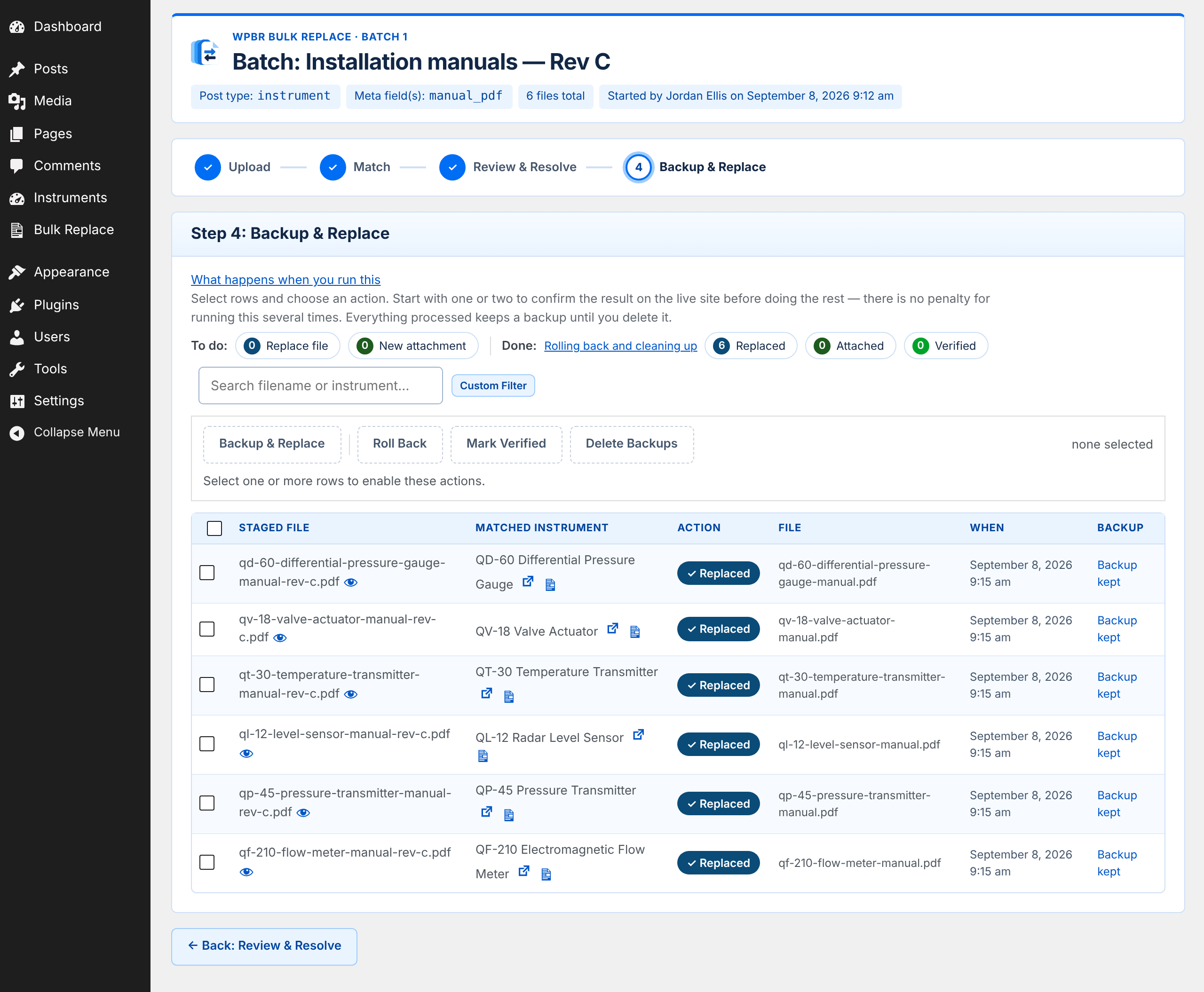
- Back up and replace — tick the rows you want and process them. Every replacement is backed up first, and anything processed can be rolled back from the same screen.
Built to be careful
- Every replacement is backed up. Rollback is one click, per row or in bulk.
- Conflicts block processing. If two files match the same post they would overwrite each other, so replacing stops until you resolve it.
- Creating is separated from replacing. If a post has no file yet, replacing becomes creating, which needs its own approval.
- Imports are undoable. Every reviewer CSV import can be reversed later, not just immediately.
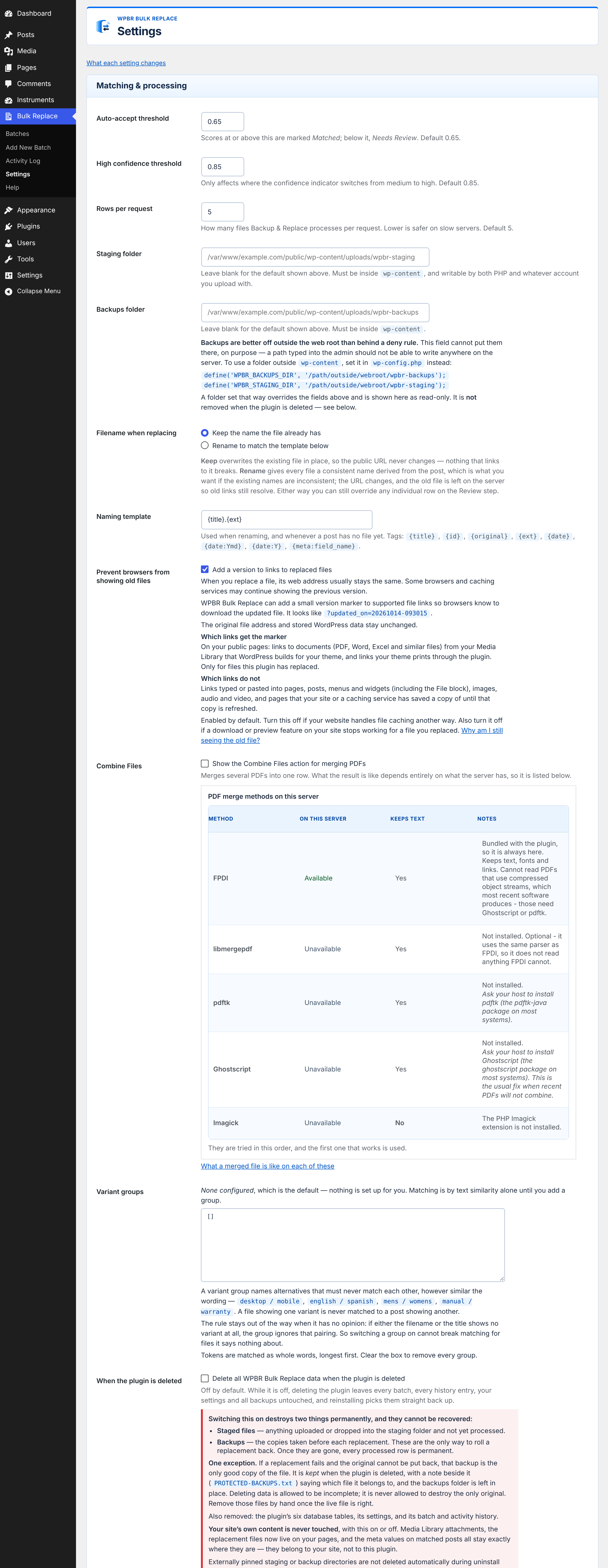
- Your data stays yours. Deleting the plugin leaves your batches, history and backups intact unless you explicitly opt in to removal.
Works with
PDF, DOC and DOCX files. Reviewer spreadsheets can be CSV or XLSX.
Details
Related plugins
Plugins that also contain the tag attachments
Export media with selected content (by DKZR)

File Upload Types by WPForms

Lightbox with PhotoSwipe

Document Gallery

Download Attachments

Media Deduper


About
Plugin for that tries to help you find the WordPress plugin you are looking for.
| Please enjoy an image of Crush (this awesome turtle) and have a lovely day! |  |
We do not own any plugin listed on this site and do not work for or work with WordPress.com or it's associated companies. We simply provide a searchable list of the available WordPress plugins.