


WPDevDesign – Oxygen – Browser Detect
This plugin registers a custom condition named Browser using which elements in Oxygen visual site builder can be set to be output conditionally depending on the visitor’s browser.
These are the browsers available in the condition’s value dropdown:
- Brave
- Chrome
- Firefox
- Edge
- Internet Explorer
- Opera
- Safari
- Safari on iPhone
Operators available:
* =
* !=
This plugin uses Browser.php by Chris Schuld for browser detection.
Note: Browser detection using PHP may not (always) work. You are advised to test this plugin before investing a lot of time and energy in creating browser-specific Sections.
Live Demo. This page has multiple headings each set to appear in a specific browser like this.
Automatic Installation
Search for wpdevdesign from within your WordPress plugins’ Add New page and install.
Manual Installation
- Click on the
Downloadbutton to download the plugin. - Upload the entire
wpdevdesign-browser-detectfolder to the/wp-content/plugins/directory. - Activate the plugin through the
Pluginsmenu in WordPress.
Details


Related plugins
Plugins that also contain the tag browser
WP Console – WordPress PHP Console powered by PsySH

Leverage Browser Caching

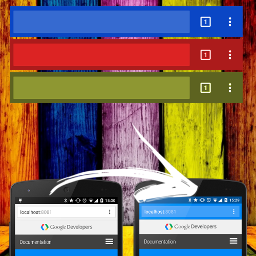
Browser Theme Color
Browser Screenshots

Polylang – Country Detection

WP BrowserUpdate


About
Plugin for that tries to help you find the WordPress plugin you are looking for.
| Please enjoy an image of Crush (this awesome turtle) and have a lovely day! |  |
We do not own any plugin listed on this site and do not work for or work with WordPress.com or it's associated companies. We simply provide a searchable list of the available WordPress plugins.