

WP/LR Sync Folders with Real Media Library
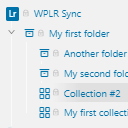
Synchronize your photos, collections, keywords, and metadata between Lightroom and WordPress Real Media Library. All changes in your Lightroom are replicated in the folder structure of your WordPress Media Library.
Requirements
This plugin is an add-on that allows you to use the following plugins together, which must be installed:
Features
- Add folders/collections automatically
- Remove and move folders/collections automatically
- Inserting an Image into multiple collections
- Respect the Lightroom image order
- Custom folder icons in your folder structure
- Galleries based on your Lightroom collections: When the Lightroom hierarchy and attachments are synchronized with your WordPress installation, you can generate dynamic galleries on your posts and pages
Further links
If you want to learn more, have a problem or if you are a developer, the following links are for you:
- WP/LR FAQ
- Real Media Library Knowledge Base
- devowl.io support (for Real Media Library and this plugin)
- Git repository of WP/LR Sync Folders at GitHub
This plugin is a free micro add-on for Real Media Library with limited support.
Details


Related plugins
Plugins that also contain the tag lightroom
Meow Gallery

WP/LR Theme Assistant

Photography Core

PhotoPress – Image Taxonomies

Easy Photo Publisher

LightSync Pro – Image Pipeline for Lightroom, Canva, Figma, Dropbox, Shutterstock & AI


About
Plugin for that tries to help you find the WordPress plugin you are looking for.
| Please enjoy an image of Crush (this awesome turtle) and have a lovely day! |  |
We do not own any plugin listed on this site and do not work for or work with WordPress.com or it's associated companies. We simply provide a searchable list of the available WordPress plugins.