


Xtreme Forms
Xtreme Forms is a modern, drag-and-drop contact form and lead capture plugin for WordPress. Build any form you need — contact forms, quote requests, event registrations, newsletter signups, multi-step lead qualification — then capture every submission into a built-in lead inbox, route email notifications to the right person, fire webhooks to your CRM, and track conversions on a clean analytics dashboard.
No upsells. No “Pro-only” features hidden inside the free download. Every feature listed below ships in the free plugin and is fully functional out of the box. The optional Pro add-on (sold separately at xtremeplugins.com) only adds advanced routing rules, retry queues, and extended analytics — it never gates or limits any feature you see on this page.
Why Xtreme Forms?
If you’ve used the other popular form plugins (WPForms, Contact Form 7, Gravity Forms, Ninja Forms, Formidable Forms) you already know the trade-offs: free versions lock the features you actually need behind a Pro upgrade, the lighter ones don’t manage your leads after the email is sent, and the heavier ones drag down page speed with bloated assets. Xtreme Forms is built differently:
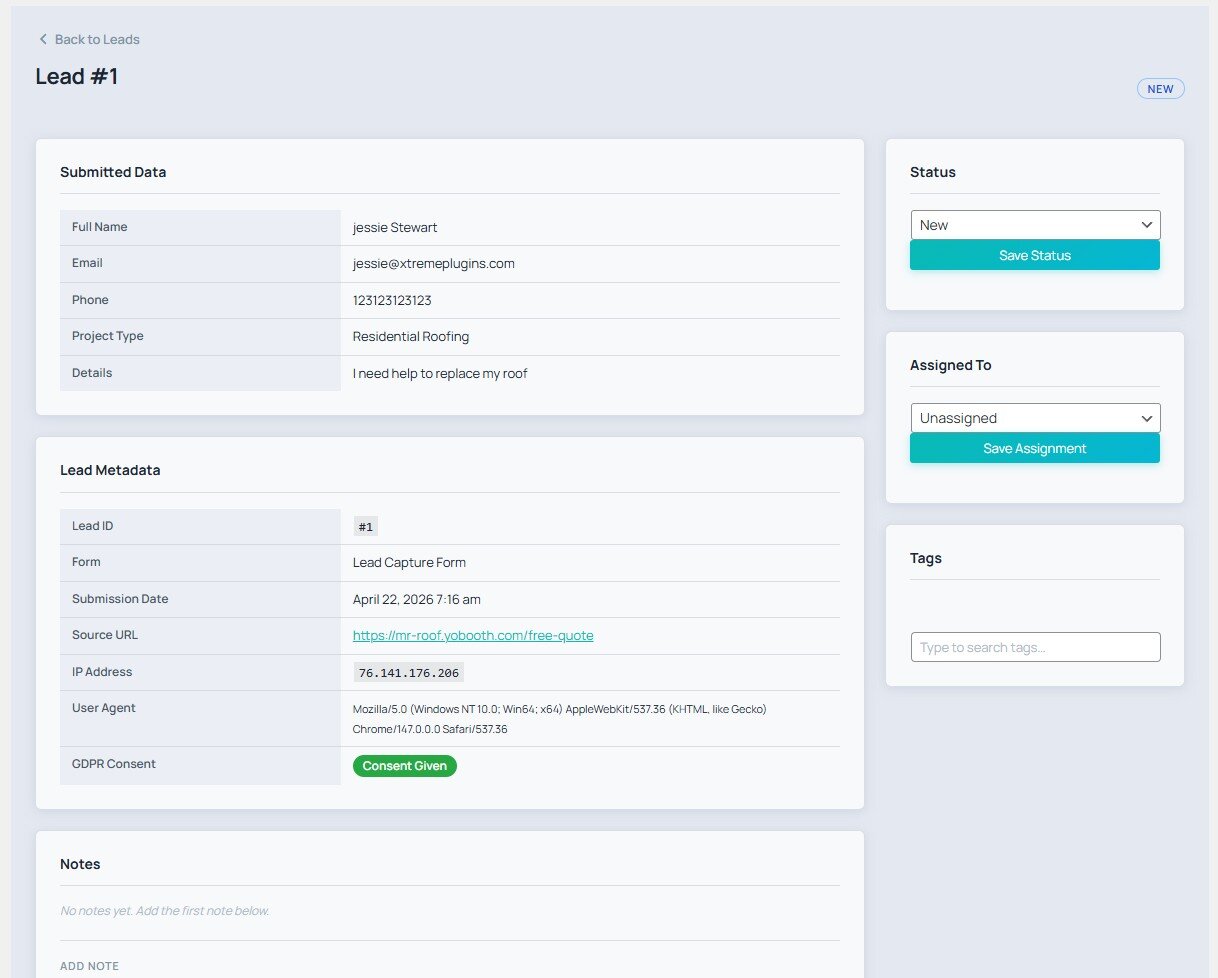
- Real lead management, not just form-to-email. Every submission lands in a searchable, filterable inbox with a full status workflow (new read contacted converted), per-lead notes, tags, assignment to team members, and an append-only audit log. Treat your leads like a pipeline, not like inbox clutter.
- Everything in the free download is actually free. Drag-and-drop builder, conditional logic, webhooks, analytics, GDPR tools, multisite, audit log, JSON import/export — no popup nag screens, no “upgrade to Pro” overlay on settings pages.
- Lightweight on the page. No jQuery dependency on the frontend, no third-party font request, no external service call unless you explicitly enable and configure one.
- Modern WordPress stack. Tested up to WordPress 7.0, requires PHP 8.1+, ships a native Gutenberg block alongside the classic shortcode, and works inside any block-theme template / Elementor / Bricks / Beaver Builder widget that accepts shortcodes.
- WordPress.org-compliant. Fully GPL, no obfuscated code, no telemetry, no auto-update side-channels, and every external-service touchpoint is disclosed below.
A solid free alternative to WPForms for site owners who want lead management built in, not an afterthought.
Built-in Form Templates
Skip the blank canvas. Xtreme Forms ships ready-to-go templates for the forms you actually need:
- Simple Contact Form — name, email, message
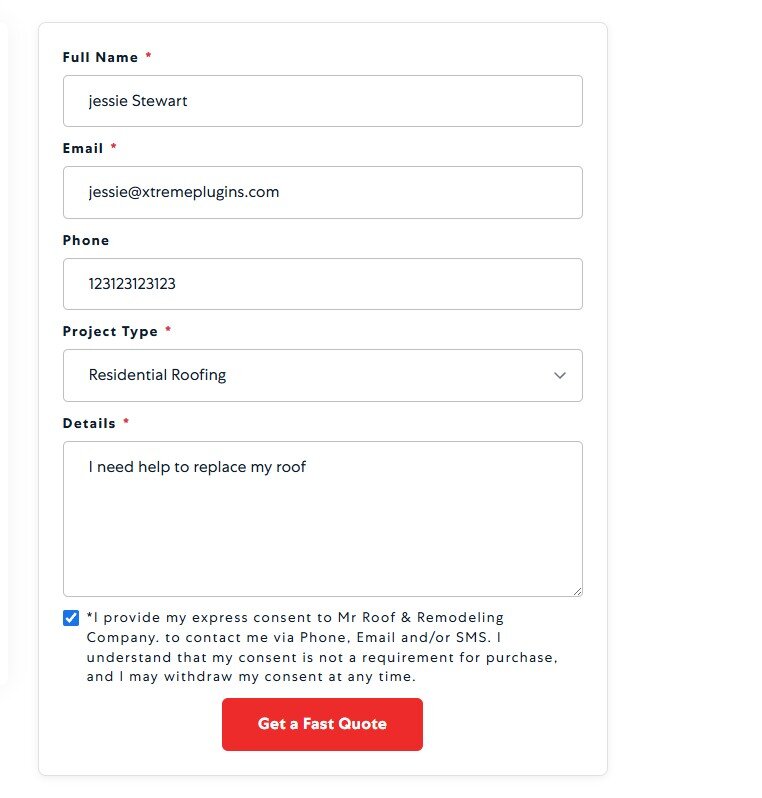
- Quote Request — name, email, phone, project description, budget range
- Event Registration — full name, email, phone, company, attendee count, date picker
- Newsletter Signup — name, email, GDPR consent
- Multi-step lead qualification — built using the conditional-logic engine
Core Features (Free)
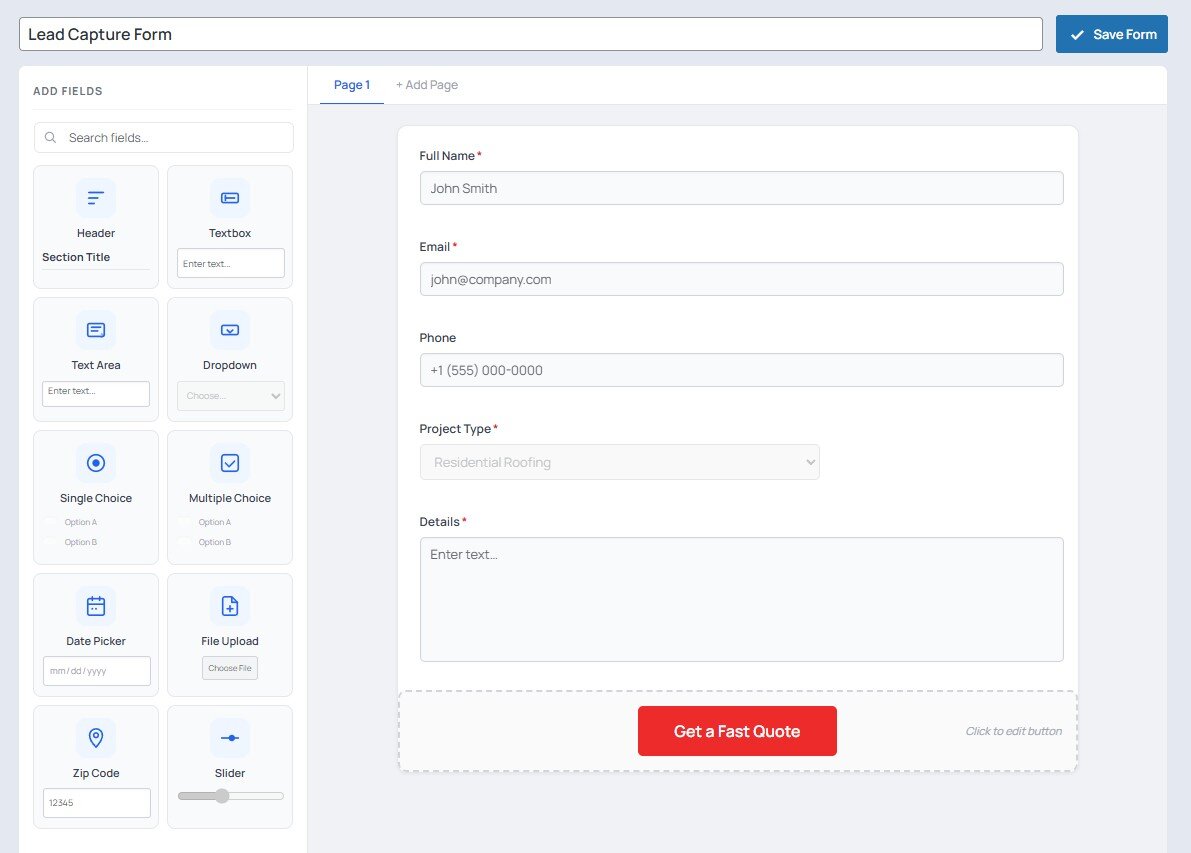
- Drag-and-drop Form Builder — text, email, phone, select, checkbox, radio, textarea, date, file, hidden fields with per-field conditional logic
- Lead Inbox — searchable, filterable lead list with status management (new, read, contacted, converted, archived, spam)
- Email Notifications — route notifications to different recipients based on form field values
- Auto-Responder — send a branded confirmation email to the lead on submission
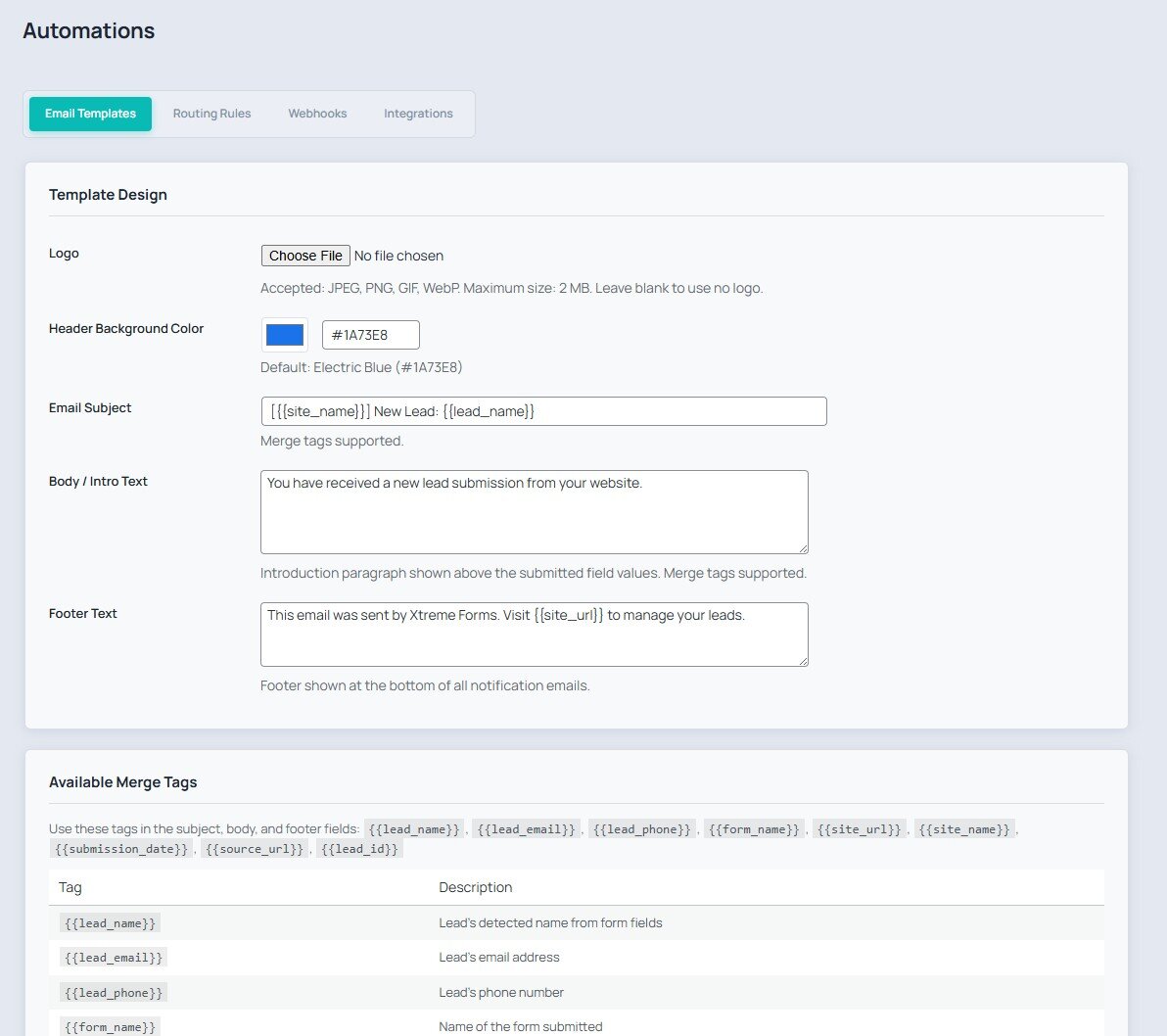
- Email Templates — reusable templates with merge tags ({{first_name}}, {{form_name}}, etc.)
- Webhooks — fire HTTP POST payloads to external URLs on lead capture with delivery logging
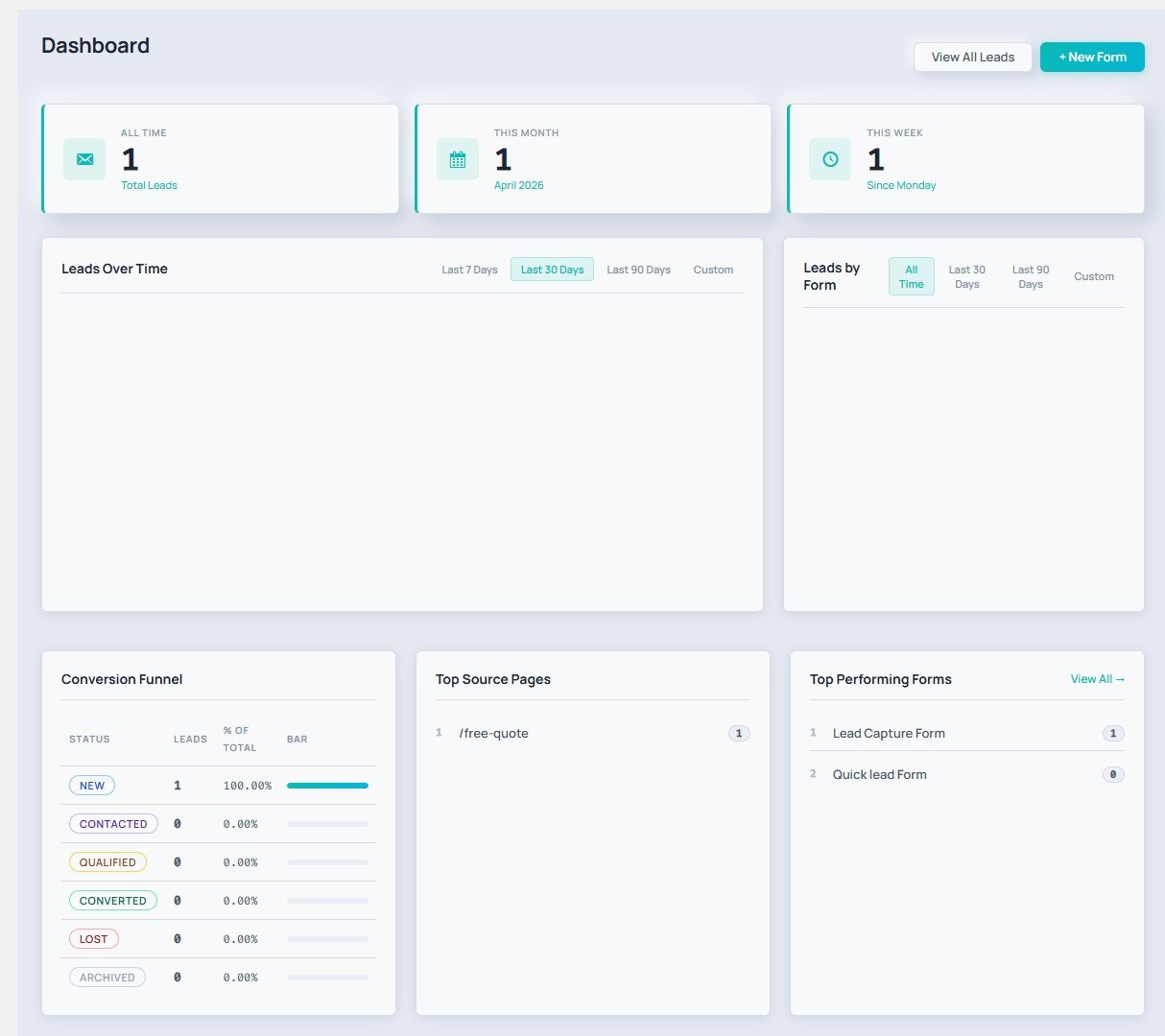
- Analytics Dashboard — submission trends, conversion rates, top forms, lead source breakdown
- UTM Tracking — automatically capture and store UTM parameters with each lead
- Duplicate Detection — configurable duplicate suppression by email/phone within a time window
- Spam Protection — honeypot, time-gate, reCAPTCHA v3, and keyword blocklist
- GDPR Tools — consent checkbox, right-to-erasure helper, configurable data retention (tools to support your own GDPR workflow; the plugin does not guarantee legal compliance)
- Activity Timeline — per-lead event history (submitted, emailed, status changes, notes)
- Notes — add internal notes to any lead
- Tags — tag and filter leads with custom labels
- Audit Log — append-only log of all admin actions
- Import / Export — full JSON round-trip export and import
- Multisite Support — per-site tables, network-aware activation
- Gutenberg Block — embed any form with the Xtreme Forms block (live editor preview)
- Shortcode —
[xtreme_forms id="X"]works everywhere
Optional Pro Add-On
An optional paid add-on from the author is available at https://xtremeplugins.com/plugins/xtreme-forms. It is not required for any feature listed above and is not bundled with this plugin.
- Priority routing rules with complex AND/OR conditions
- Webhook retry queue with exponential backoff
- Advanced analytics: cohort analysis, lead value tracking
- Priority email support
External services
Xtreme Forms is fully self-hosted by default. It only contacts third-party services when a site administrator explicitly enables and configures the corresponding feature. Each service below is opt-in: nothing is sent until you turn it on and provide credentials.
Google reCAPTCHA v3 (optional spam protection)
If you enable reCAPTCHA v3 in Xtreme Forms Settings Spam Protection and enter your site/secret keys, the public-facing form page loads the reCAPTCHA JavaScript from https://www.google.com/recaptcha/api.js, which executes in the visitor’s browser to generate a token. On submit, the plugin then sends a server-to-server request from your site to https://www.google.com/recaptcha/api/siteverify containing the token, your secret key, and the visitor’s IP address so Google can return a spam score.
Service provider: Google LLC.
Terms of service: https://policies.google.com/terms
Privacy policy: https://policies.google.com/privacy
reCAPTCHA-specific terms: https://www.google.com/recaptcha/about/
Cloudflare Turnstile (optional spam protection)
If you enable Cloudflare Turnstile in Xtreme Forms Settings Spam Protection and enter your site/secret keys, the public-facing form page loads the Turnstile widget from https://challenges.cloudflare.com/turnstile/v0/api.js. On submit, the plugin sends a server-to-server request from your site to https://challenges.cloudflare.com/turnstile/v0/siteverify containing the widget token, your secret key, and the visitor’s IP address so Cloudflare can validate the challenge.
Service provider: Cloudflare, Inc.
Terms of service: https://www.cloudflare.com/website-terms/
Privacy policy: https://www.cloudflare.com/privacypolicy/
Zoho CRM (optional integration)
If you enable the Zoho integration in Xtreme Forms Automations Integrations and enter your OAuth client ID, client secret, refresh token, and data-center region, then for every new lead capture the plugin makes two server-to-server requests from your site to Zoho:
- A token exchange request to
https://accounts.zoho.<tld>/oauth/v2/token(where<tld>iscom,eu,in,au, orjpbased on the region you select) containing your refresh token, client ID, and client secret. - A lead-create request to
https://www.zohoapis.<tld>/crm/v2/Leadscontaining the lead’s name, email address, phone number, and company name (only the fields that were submitted in the form).
Service provider: Zoho Corporation Pvt. Ltd.
Terms of service: https://www.zoho.com/terms.html
Privacy policy: https://www.zoho.com/privacy.html
HubSpot CRM (optional integration)
If you enable the HubSpot integration in Xtreme Forms Automations Integrations and enter a Private App access token, then for every new lead capture the plugin makes a server-to-server request from your site to https://api.hubapi.com/crm/v3/objects/contacts containing the lead’s email, first/last name, phone number, and company name (only the fields that were submitted in the form). When you click the Test button on the integrations page, the plugin also sends a single GET request to the same host to verify the token.
Service provider: HubSpot, Inc.
Terms of service: https://legal.hubspot.com/terms-of-service
Privacy policy: https://legal.hubspot.com/privacy-policy
Salesforce (optional integration)
If you enable the Salesforce integration in Xtreme Forms Automations Integrations and enter your consumer key, consumer secret, instance URL, and access token, then for every new lead capture the plugin makes a server-to-server request from your site to <your_instance_url>/services/data/v57.0/sobjects/Lead/ containing the lead’s last name, email, phone number, and company name (only the fields that were submitted in the form).
Service provider: Salesforce, Inc.
Terms of service: https://www.salesforce.com/company/legal/agreements/
Privacy policy: https://www.salesforce.com/company/privacy/
Pipedrive (optional integration)
If you enable the Pipedrive integration in Xtreme Forms Automations Integrations and enter an API token, then for every new lead capture the plugin makes two server-to-server requests from your site to https://api.pipedrive.com/v1/persons and https://api.pipedrive.com/v1/leads containing the lead’s name, email, and phone number (only the fields that were submitted in the form). The Test button sends one GET request to https://api.pipedrive.com/v1/users/me to verify the token.
Service provider: Pipedrive OÜ.
Terms of service: https://www.pipedrive.com/en/terms-of-service
Privacy policy: https://www.pipedrive.com/en/privacy
Webhooks (optional, user-defined destination)
If you create one or more webhooks in Xtreme Forms Automations Webhooks, the plugin will send the captured lead’s data as a JSON POST request to the URL(s) you configure for every new lead. These URLs are arbitrary endpoints that you (the site administrator) choose; the plugin itself is not affiliated with any particular webhook destination. Review the terms/privacy policy of whichever service you point your webhooks to.
Xtreme Plugins licensing API (optional, only for the paid Pro add-on)
The free Xtreme Forms plugin on WordPress.org is fully functional with no license required. A separately-sold Pro add-on is available from xtremeplugins.com; if (and only if) a site administrator chooses to buy it, the free plugin includes a “License” tab under Xtreme Forms Settings License that activates the Pro key.
The licensing API is only contacted when the administrator actively clicks a button on that tab:
- Clicking Activate sends a server-to-server
POSTfrom your site tohttps://xtremeplugins.com/api/v1/license/activatecontaining the license key the admin entered and your site URL (home_url()), so the licensing server can validate the key and bind a seat to this site. - Clicking Deactivate sends a server-to-server
POSTfrom your site tohttps://xtremeplugins.com/api/v1/license/deactivatecontaining the same two values, so the licensing server can release the seat.
No request is ever made on form submissions, page loads, or in the background — the endpoints are only hit on the two explicit button clicks above, and only after an administrator has typed in a license key. If you never use the License tab, the plugin never contacts xtremeplugins.com. The endpoint URLs can be overridden (for example to point at a self-hosted licensing server or a staging environment) via the xtremeforms_license_activate_url and xtremeforms_license_deactivate_url filters.
Service provider: XtremePlugins (xtremeplugins.com).
Terms of service: https://xtremeplugins.com/terms
Privacy policy: https://xtremeplugins.com/privacy
Details
Related plugins
Plugins that also contain the tag contact-form
Contact Form 7

WPForms – Easy Form Builder for WordPress – Contact Forms, Payment Forms, Surveys, & More

Akismet Anti-spam: Spam Protection

Fluent Forms – Customizable Contact Forms, Survey, Quiz, & Conversational Form Builder

Forminator Forms – Contact Form, Payment Form & Custom Form Builder

Ninja Forms – The Contact Form Builder That Grows With You


About
Plugin for that tries to help you find the WordPress plugin you are looking for.
| Please enjoy an image of Crush (this awesome turtle) and have a lovely day! |  |
We do not own any plugin listed on this site and do not work for or work with WordPress.com or it's associated companies. We simply provide a searchable list of the available WordPress plugins.