


York IE – WebP on Upload
York IE – WebP on Upload plugin automatically converts JPEG, PNG, and static GIF images to WebP format while uploading them to the WordPress media library. The plugin replaces the original files on disk and converts every registered image size generated by WordPress.
This helps reduce image file sizes and improve page load performance without requiring a third-party image optimization service.
Features
- Automatic WebP conversion on media upload
- Replaces the original image file with the WebP version
- Converts all generated image sizes (thumbnail, medium, large, and custom sizes)
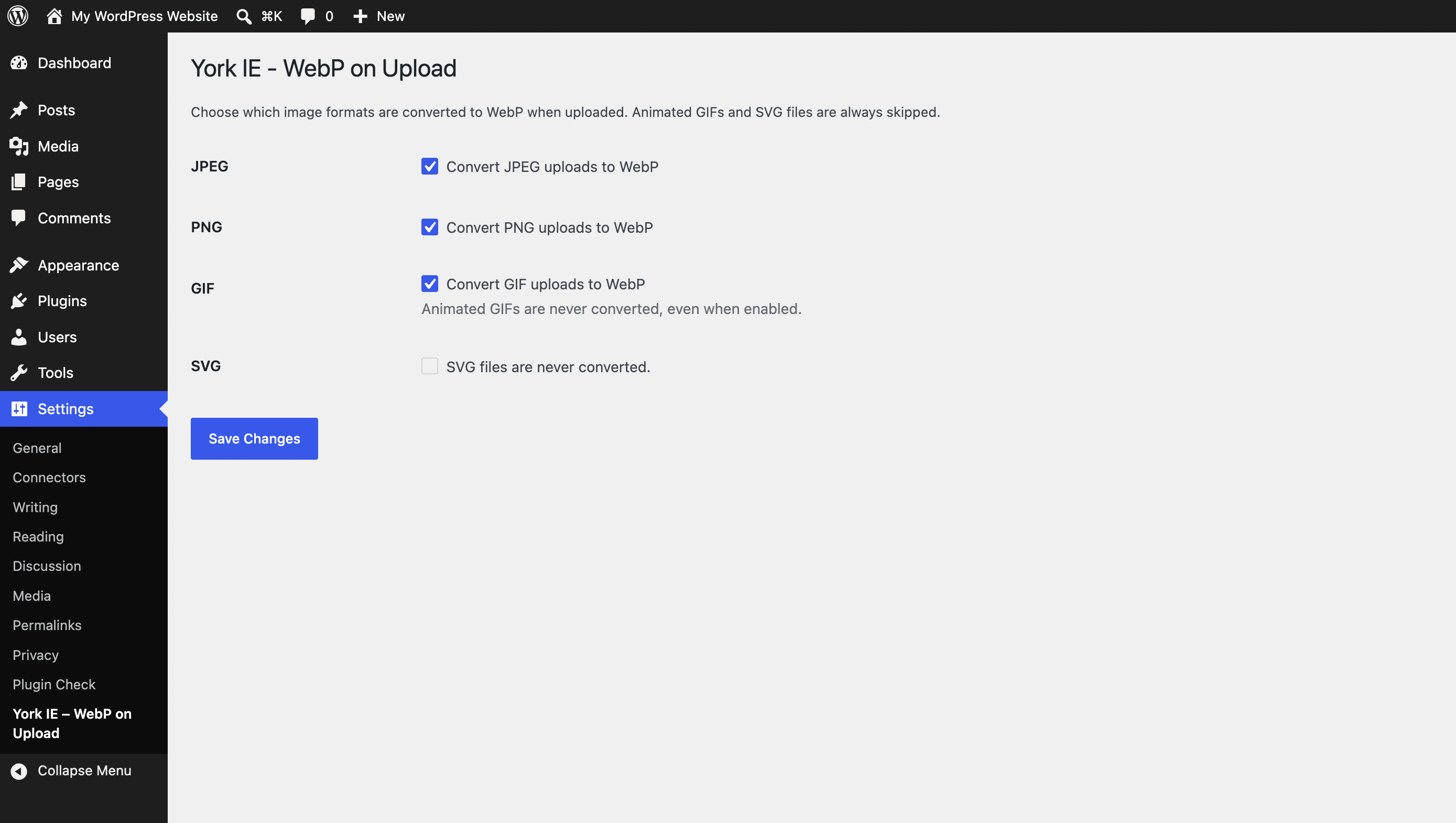
- Per-format settings for JPEG, PNG, and GIF
- Manual Convert to WebP button in the attachment details popup
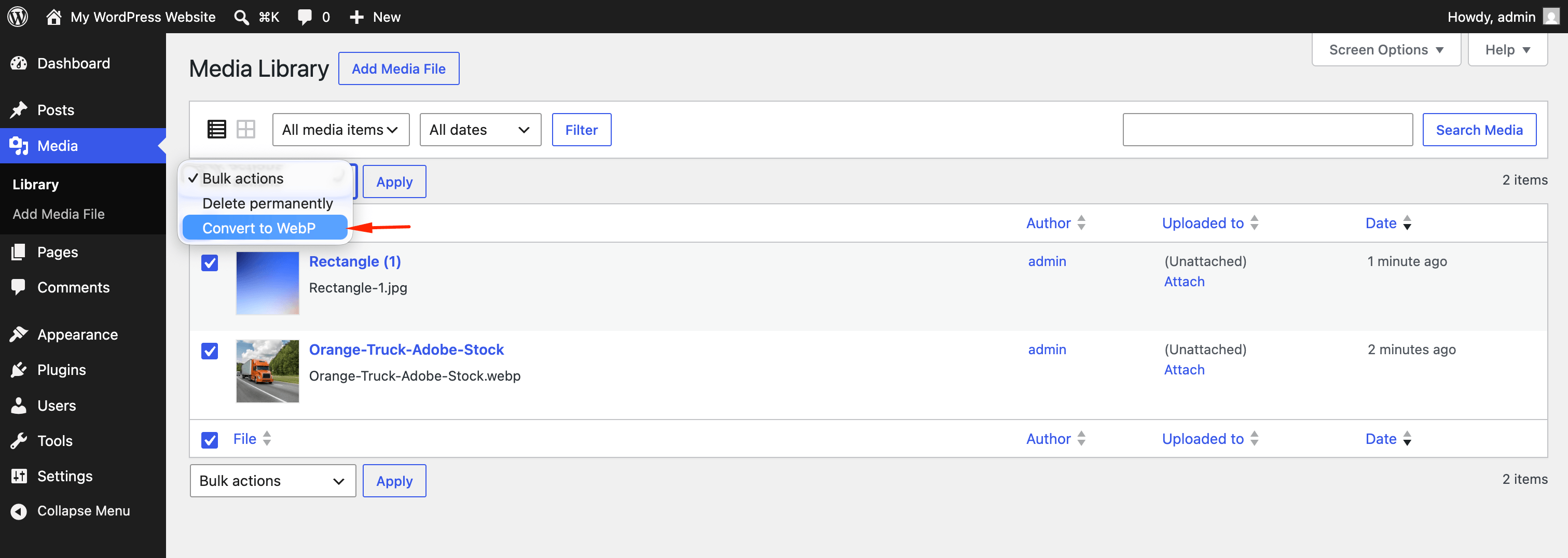
- Bulk Convert to WebP action in the Media Library list view
- Skips animated GIF and SVG files
- Uses PHP GD (
imagewebp) — no external API required
Requirements
- PHP GD extension with WebP support (
imagewebp()) - WordPress 6.0 or later
How it works
- A user uploads an image to the Media Library.
- The plugin checks whether the format is enabled in settings.
- GD converts the uploaded file and all generated sizes to WebP.
- Original files are replaced with
.webpversions and attachment metadata is updated.
Developer filters
yiewebpu_webp_quality— Adjust the WebP quality (0–100) used during conversion. Default is 82.
Details

Related plugins
Plugins that also contain the tag image-optimization
Imagify Image Optimization – Optimize Images | Compress Images | Convert WebP | Convert AVIF

Converter for Media – Optimize images | Convert WebP & AVIF

Optimole – Optimize Images in Real Time

reSmush.it : The original free image compressor and optimizer plugin

Robin Image Optimizer – Unlimited Image Optimization & WebP Converter

WP Compress – Instant Performance & Speed Optimization


About
Plugin for that tries to help you find the WordPress plugin you are looking for.
| Please enjoy an image of Crush (this awesome turtle) and have a lovely day! |  |
We do not own any plugin listed on this site and do not work for or work with WordPress.com or it's associated companies. We simply provide a searchable list of the available WordPress plugins.