



Zipchat AI Chatbot, Live Chat & Sales Agent for WooCommerce
Zipchat is an AI chatbot and live chat plugin for WordPress and WooCommerce. It connects your store to Zipchat, an AI sales and support agent that answers shopper questions, recommends products, and helps recover abandoned carts around the clock.
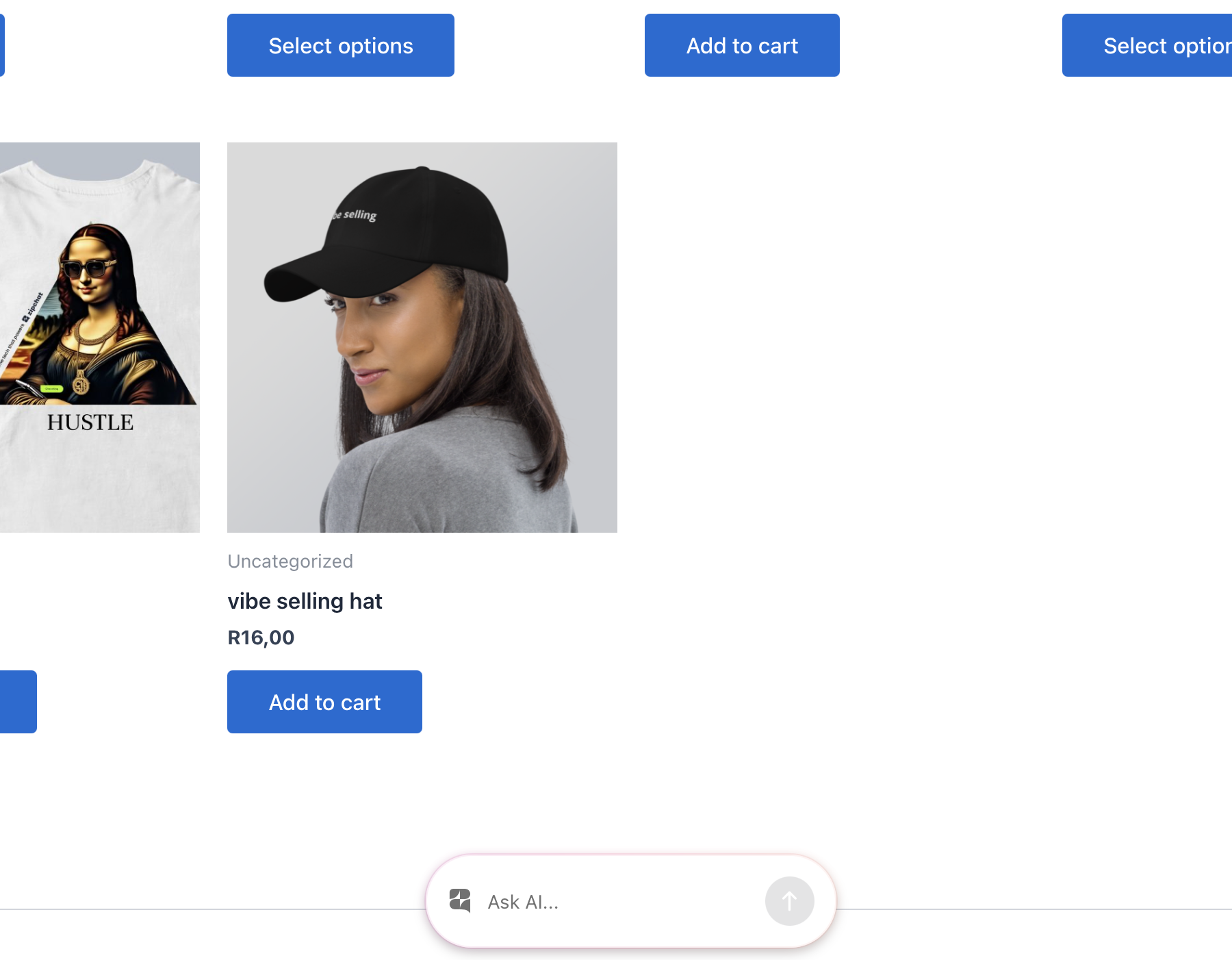
The plugin installs the chat bubble on your store with no theme edits. The AI reads your catalog, replies in the shopper’s language, and hands off to your team when a human is needed. WooCommerce stores also get revenue tracking, so every conversation can be tied back to sales.
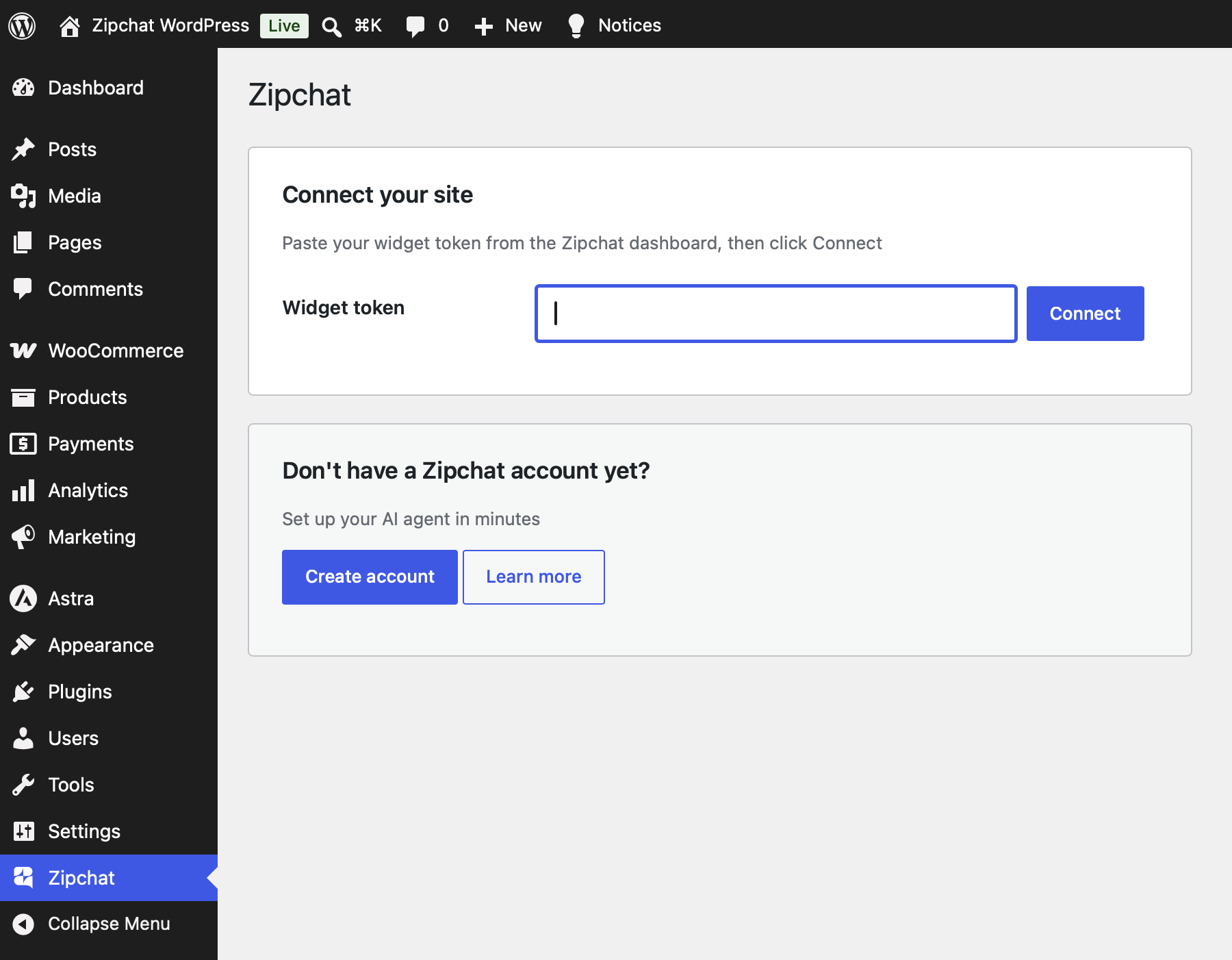
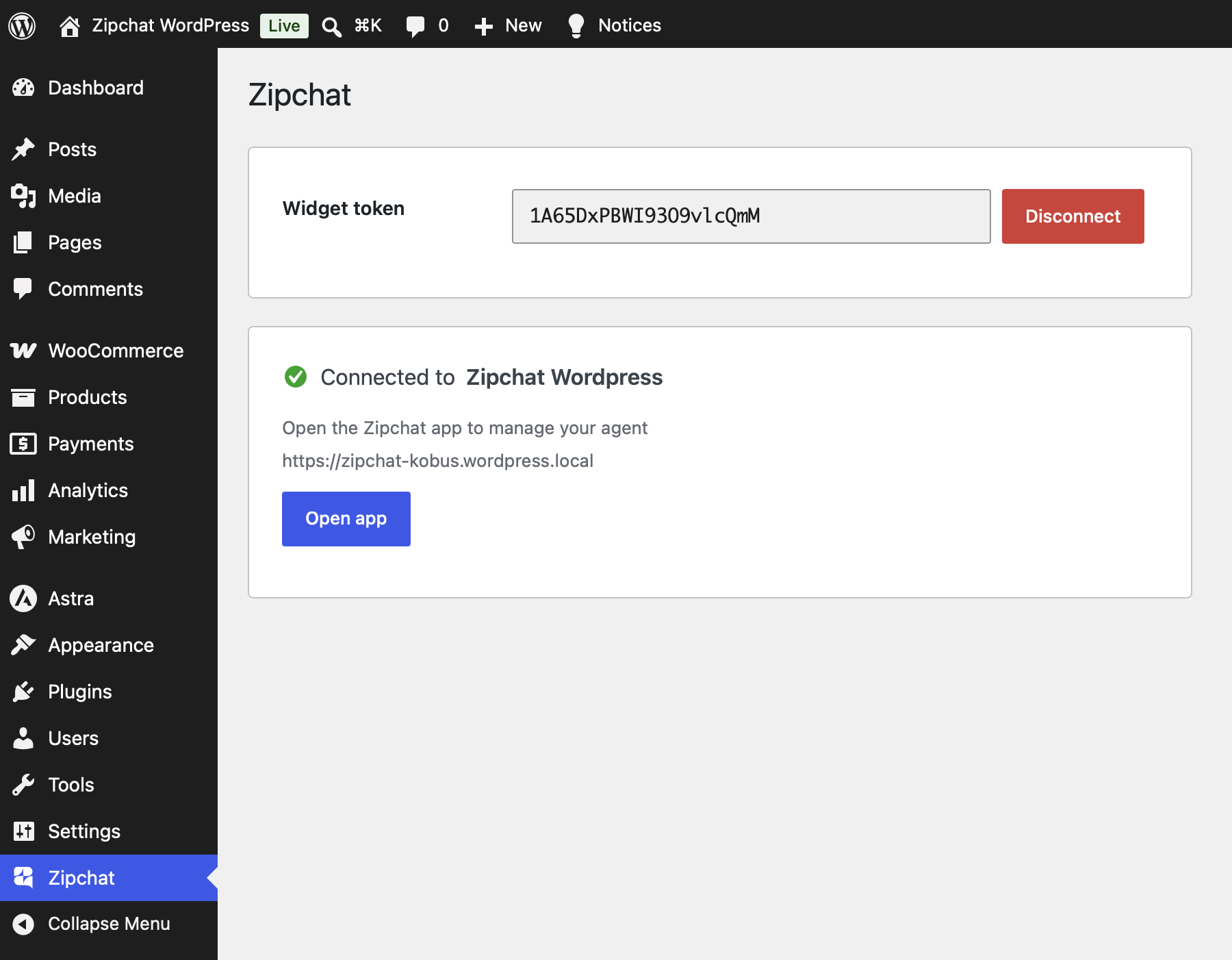
Paste one widget token on the settings screen and the plugin:
- Adds the AI chat bubble to the front end of your WordPress or WooCommerce store, with no code and no theme edits.
- Tracks WooCommerce sales by firing the Zipchat conversion pixel when an order completes, so conversations are attributed to revenue.
- Identifies logged-in customers with a signed JSON Web Token (JWT), so the agent can greet returning shoppers and use their account context. The signing key is encrypted at rest.
Everything is configured from one settings screen under the Zipchat admin menu. WooCommerce is optional: without it you still get the chat bubble and customer identification, and the sales pixel stays dormant.
An AI sales agent, not a passive chat box
Zipchat is built for ecommerce. The AI learns your product catalog and answers buyer questions about sizing, materials, shipping, returns, and stock. It recommends the right product, handles objections, and guides shoppers to checkout. On WooCommerce stores, it works to recover abandoned carts and lift conversion rate.
24/7 AI customer support
The AI resolves common support questions on its own: order status, shipping policies, returns, product details, and account questions. When a conversation needs a person, your team joins the same thread. No ticket queue, no waiting.
Replies in 95+ languages
The AI detects the shopper’s language and responds in it automatically. One agent covers your entire customer base, from a single store to multiple markets.
Built for WordPress and WooCommerce
Works with any WordPress theme and page builder. The chat bubble loads on the front end without template changes. On WooCommerce, sales tracking and revenue attribution activate the moment the plugin detects an active store.
What you can do with Zipchat
- Turn store visitors into buyers with an AI sales agent that knows your catalog.
- Answer product questions instantly, day and night.
- Recover abandoned carts and recommend products inside the conversation.
- Resolve support questions automatically and escalate to a human when needed.
- Greet logged-in customers by name and use their order history for context.
- Attribute revenue to chat so you can measure what the AI earns.
- Support shoppers in 95+ languages from one agent.
Why store owners choose Zipchat
Setup takes minutes. Paste a token, and the AI is live on your storefront. You manage training, tone, and behavior from the Zipchat dashboard, while the plugin keeps the connection, the sales pixel, and customer identification running on your site.
External services
This plugin connects your site to Zipchat, a third-party AI support and sales service, at app.zipchat.ai. Nothing is sent to Zipchat until you connect the plugin with a widget token from your Zipchat dashboard. Once connected, your store interacts with Zipchat as follows:
Connecting and disconnecting. When you click Connect you are redirected to Zipchat’s consent screen, and your site then makes a server-to-server request to exchange a one-time code for credentials. That request sends your site URL, your store currency, whether WooCommerce is active, whether your store creates customer accounts, the plugin version, and your widget token. Disconnecting sends your widget token so Zipchat can drop the connection.
Chat widget. While connected, every front-end page loads the Zipchat widget script from app.zipchat.ai to render the chat bubble. The visitor’s browser then communicates with Zipchat to run the conversation.
Customer identification (only if enabled). When customer identification is active and a logged-in user views your store, the plugin sends that user’s email address and name to Zipchat (as a signed token) so the agent can recognize returning customers.
WooCommerce sales tracking. When a WooCommerce order reaches the thank-you page, the plugin sends the order ID, order total, currency, and line items (product ID, title, price, and quantity) to Zipchat so conversations can be attributed to revenue.
Your use of Zipchat is subject to its Terms & Conditions and Privacy Policy.
Details
Related plugins
Plugins that also contain the tag ai-chatbot
MxChat – AI Chatbot & Content Generation for WordPress

Live Chat & AI Chatbots – onWebChat

AI Product Tools – Bulk Product Content Generator & AI Toolkit for WooCommerce
AI Chatbot for WordPress by Customerly

Social Intents – Live Chat

Muchat – AI Chatbot (with Autosync)


About
Plugin for that tries to help you find the WordPress plugin you are looking for.
| Please enjoy an image of Crush (this awesome turtle) and have a lovely day! |  |
We do not own any plugin listed on this site and do not work for or work with WordPress.com or it's associated companies. We simply provide a searchable list of the available WordPress plugins.